Hey there! When it's time to find the best network switches, the choice often boils down to two paths: powerful, cloud-managed systems like Cisco Meraki for business, or simpler, unmanaged plug-and-play boxes for basic needs. If you're running any kind of business that offers guest Wi-Fi, a managed switch isn't just an option—it's the only real starting point.
Choosing the Right Foundation for Your Network
Think of this as your friendly field guide to picking the right network switches to power your business and guest Wi-Fi. A solid network is the engine that drives success, whether you're running a hotel, a coffee shop, or a corporate office with a Bring-Your-Own-Device (BYOD) policy. We're going to cut through the tech-speak and show you how top-tier solutions from brands like Cisco, especially their Cisco Meraki line, can become a strategic powerhouse for you.
When you pair the right hardware with a smart platform like Splash Access, your network becomes so much more than a utility. It's a tool for engagement, security, and insight. We'll walk through everything from the basic types of switches to the advanced features that make secure, user-friendly authentication solutions possible.
Powering Modern Guest Experiences
The demands on today's networks are intense, particularly in places like Education and Retail. People just expect fast, secure, and seamless access. This is where features like Captive Portals move from a "nice-to-have" to a must-have, and a well-chosen switch is the foundation that makes it all work.
To really build a network that's both tough and efficient, it helps to have a grasp of the foundational broadband, Ethernet, and WiFi communication technologies. Knowing the basics helps you understand how a quality switch intelligently directs traffic, ensuring a smooth online journey for every single user.
Our aim is to help you build a network that can handle modern demands, like:
- Social WiFi and Social Login: Letting guests hop online using their social media accounts. Simple for them, valuable for you.
- Secure Authentication: Using robust methods like IPSK and EasyPSK to protect user data and keep your internal network locked down.
- BYOD Corporate Policies: Safely managing the flood of personal devices connecting to your corporate network without creating security nightmares.
A network switch isn’t just a piece of hardware; it’s the central nervous system of your entire digital operation. Getting this choice right means you're building in reliability, security, and the flexibility to grow.
Building for Today and Tomorrow
This guide is all about choosing a switch that doesn't just meet today's needs but is ready for what's coming next. The right hardware, like a dependable Cisco Meraki switch, provides the muscle. When you combine that with intelligent authentication solutions, you deliver a guest Wi-Fi experience that is both powerful and refreshingly simple to use.
At the end of the day, the best network switches are the unsung heroes that are the backbone of a network, making everything from simple internet access to complex marketing data capture possible. Let’s figure out how to make the right choice for your specific needs, so your investment pays off for years to come.
Understanding Core Network Switch Concepts
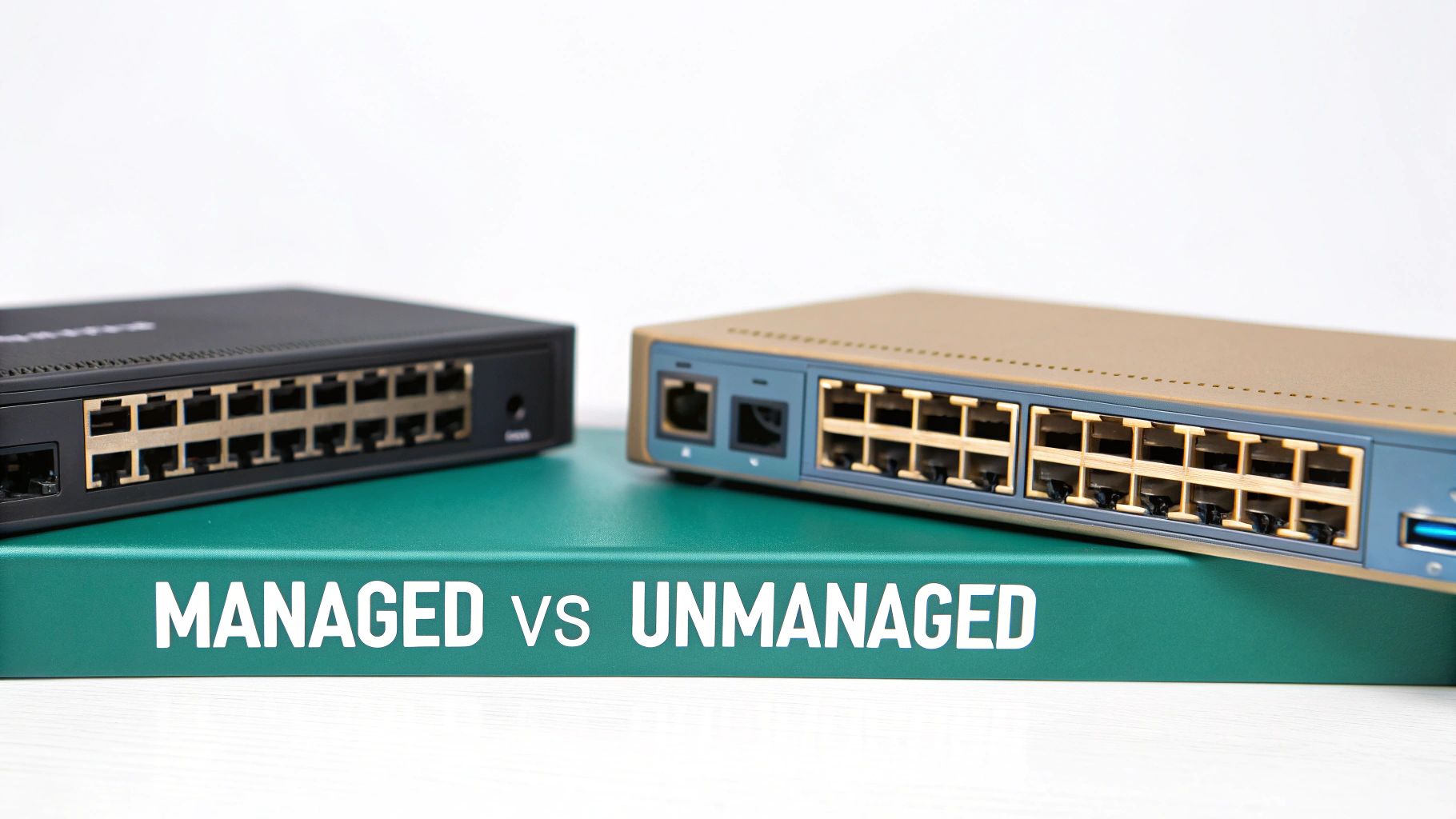
Picking the right network switch can feel a bit like choosing a vehicle. A simple sedan gets you from A to B just fine for daily errands, but you wouldn't use it to haul a ton of equipment. In the same way, network switches are engineered for specific jobs, and the right choice is crucial for keeping your network running smoothly for every user.
Before we get into the nitty-gritty of different switch types, it helps to see where they fit in the grand scheme of things. A reliable network is built from several key pieces working in harmony. Getting familiar with the fundamental components of IT infrastructure gives you a solid foundation and makes choosing the right hardware much less intimidating.
Managed vs Unmanaged Switches
The first big decision you'll face is whether to go with a managed or an unmanaged switch. It’s a critical fork in the road.
An unmanaged switch is the definition of plug-and-play. You plug in the cables, and it just works, forwarding data packets automatically without any configuration. For a tiny office or a simple home network, this is often all you need.
A managed switch, on the other hand, puts you firmly in the driver's seat. With powerful options from brands like Cisco and their cloud-managed Cisco Meraki line, you get the tools to configure, monitor, and secure your network. This level of control is non-negotiable for professional environments like Retail stores, Education campuses, and corporate offices with BYOD policies.
If you plan to run a Captive Portal for guest Wi-Fi or need to prioritize voice and video traffic, a managed switch isn't just a nice-to-have—it's essential.
To help you see the difference clearly, here's a quick side-by-side comparison.
Managed vs Unmanaged Switches At a Glance
This table provides a simple comparison between Managed and Unmanaged switches to help you decide which is right for your business environment.
| Feature | Unmanaged Switch | Managed Switch |
|---|---|---|
| Control | Plug-and-play, no configuration options | Full control over ports, traffic, and security features |
| Security | Basic, no advanced features | Advanced security via VLANs, Access Control Lists (ACLs) |
| Performance | Basic traffic forwarding | Prioritize traffic (QoS), monitor network performance |
| Cost | Lower initial cost | Higher initial cost |
| Best For | Small offices, home networks, simple setups | Businesses, guest Wi-Fi, complex or high-security networks |
Ultimately, the choice comes down to control. If you need to manage how data flows across your network for security or performance reasons, a managed switch is the only way to go.
The Magic of Power over Ethernet
Next, let's talk about a feature that makes installations incredibly simple: Power over Ethernet (PoE). Think about it—what if you could run a single ethernet cable to a Wi-Fi access point or a security camera and have it deliver both the network connection and the electrical power?
That’s exactly what PoE does. It completely eliminates the need for a power outlet near every connected device, which makes your deployments cleaner, faster, and far more flexible. For a school installing dozens of APs in classrooms or a retail chain setting up IP cameras, PoE is an absolute game-changer. It’s now a standard feature on most of the best network switches built for business.
Having robust PoE capability is like having a universal power adapter built into your network. It streamlines your infrastructure, reduces clutter, and gives you the freedom to place devices exactly where they're needed for optimal performance.
Understanding Layer 2 and Layer 3
You'll often hear the terms "Layer 2" and "Layer 3" thrown around, and they can sound a bit technical. But the idea behind them is actually pretty simple.
A Layer 2 switch acts like a local traffic cop. It directs data between devices that are all on the same local network, like the computers and printers in a single office. It makes its decisions using MAC addresses, which are the unique hardware IDs for every device.
A Layer 3 switch is more like a full-blown GPS navigator. It can do everything a Layer 2 switch does, but it also has the intelligence to route traffic between different networks (often called VLANs). This is critical for larger, more complex environments like a university campus or a multi-story office building, where you need to segment departments for security and efficiency. For advanced authentication solutions like IPSK and EasyPSK, this routing function is often a must-have.
The central role of this hardware is clear when you look at the numbers. The global Ethernet switch market hit USD 41.80 billion, showing just how vital these devices are for powering everything from seamless guest Wi-Fi to data-heavy business operations. With the market projected to reach USD 68.04 billion by 2032, the demand for faster, smarter, and more reliable connectivity is only going to grow.
Key Features for Your Modern Guest WiFi Network
When you're building a network that needs to support something as sophisticated as a captive portal, the devil is in the details. Picking the right network switch goes far beyond just getting people online—it's about choosing the features that create a secure, smooth, and easily expandable experience for your guests.
Let's walk through the non-negotiable specs that will become the foundation of your guest WiFi system. Think of these as the engine, chassis, and fuel system of your network. Get them right, and your network will hum along, whether it's handling a packed university common area, a busy retail store, or a corporate office with a heavy BYOD policy.
Ports and Speed: The Building Blocks of Connectivity
The most fundamental specs on any switch are its port count and speed, and you can't afford to get them wrong. The number of ports directly determines how many wired devices you can plug in, from WiFi access points and security cameras to printers and point-of-sale terminals. A small café might get by with an 8-port switch, but a larger Education deployment sprawling across a campus will demand switches with 24 or 48 ports.
Speed is equally important. While 1Gbps ports have become the standard for connecting individual devices, you absolutely need faster uplink ports—like 10Gbps—to connect your switch back to the rest of the network. These uplinks are the main highway for all your data. Without them, you'll create a massive bottleneck, especially when dozens of users are trying to log in via social WiFi at the same time.
Powering Your Gear with the Right PoE Budget
Power over Ethernet (PoE) is an incredible convenience for deploying devices like WiFi access points, but not all PoE is created equal. The single most important figure to look at is the PoE budget. This number represents the total amount of electrical power the switch can provide to all connected devices at once.
It helps to think of your switch's PoE budget as a pizza. Each connected device needs a slice. A standard WiFi access point might only need a 15-watt slice, but a high-powered pan-tilt-zoom camera could demand a 30-watt slice. If you run out of pizza, some of your devices simply won't turn on.
A good rule of thumb is to add up the maximum power draw of every PoE device you plan to connect. Then, choose a switch with a PoE budget that's at least 20% higher than that total. This headroom gives you a critical safety margin and lets you add more devices down the road without having to rip out and replace your switch.
Uplinks and Stacking: Planning for Seamless Growth
As your network gets bigger, two features become incredibly important for keeping things manageable and scalable: uplinks and stacking.
-
Uplinks are those high-speed ports (10Gbps or faster) that serve as the connection from your local switch to other switches or your main router. A solid uplink strategy is essential for preventing traffic jams, particularly in a high-density Retail environment where data from POS systems, guest WiFi, and security cameras are all fighting for bandwidth.
-
Stacking is a brilliant feature found on many modern switches, including those from Cisco Meraki, that lets you physically link multiple switches together so they behave as one single, logical unit. Instead of juggling the management of four separate 24-port switches, you can configure them all from a single dashboard as if they were one virtual 96-port switch. This is a game-changer for simplifying administration and making it painless to scale your network—a huge win for any growing organization. If you want to see how this works in the real world, exploring options like the MS210 can show you just how versatile these setups can be.
The need for this kind of high-performance hardware is exploding. In fact, data center Ethernet switch revenue recently hit a record $8 billion in a single quarter, more than doubling in just three years as businesses worldwide scrambled to build more powerful networks. This trend directly reflects what's happening in retail and hospitality, where networks are no longer just for internet access—they're tools for tracking customer behavior and gathering business intelligence through platforms that support social login and other modern authentication methods.
Designing a Secure Network for Guests and Staff
A great guest Wi-Fi experience needs to be two things at once: incredibly easy for guests to use and completely secure for your business. To pull that off, security can't be an afterthought. It has to be baked into your network design from the very beginning, especially when you're using tools like Captive Portals and advanced authentication solutions. This is where managed switches, particularly those from industry leaders like Cisco, really earn their keep.
The secret weapon in a managed switch is its ability to create Virtual LANs, better known as VLANs. Think of a VLAN as a digital partition you can build inside your physical switch. It lets you create multiple, completely separate networks that all run on the same piece of hardware.
This means you can have one isolated network just for guest Wi-Fi traffic and another, entirely separate one for your critical business systems. For any modern business, this kind of segmentation isn't just a "nice-to-have"—it's a must.
The diagram below breaks down the key features—speed, power, and scalability—that make this kind of secure, segmented network possible.
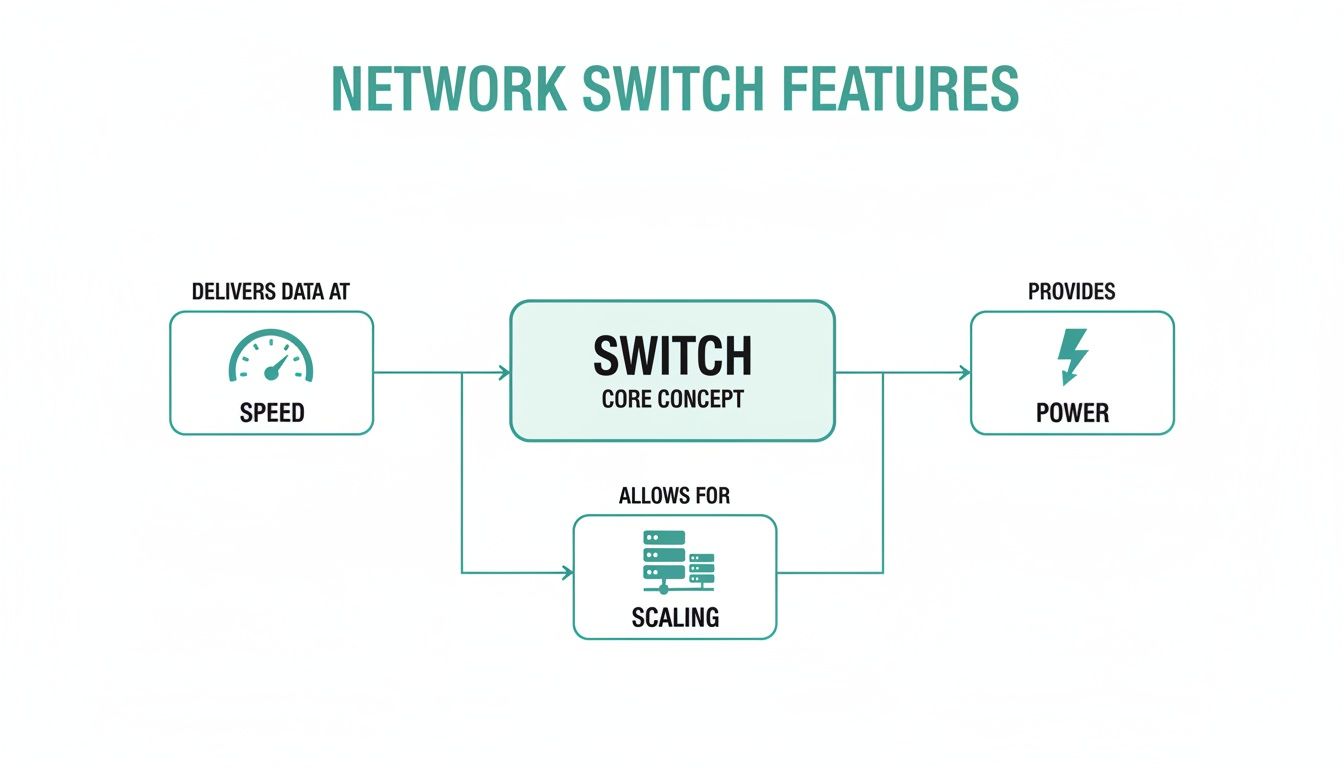
As you can see, it’s the combination of these core switch capabilities that allows you to build a robust and secure network, one that’s essential for safely separating guest traffic from your internal operations.
Segregating Traffic for Total Peace of Mind
Let's put this into a real-world context. Imagine a busy Retail store. Your point-of-sale terminals, inventory systems, and staff computers all need to talk to each other securely. At the same time, shoppers are connecting to your guest Wi-Fi, many using a social login on your captive portal.
Without VLANs, all of that traffic—sensitive payment data and casual web browsing—would be mingling on the same network. That’s a massive security risk. But with a Cisco Meraki switch, you can place all guest traffic on its own dedicated VLAN, effectively building a digital wall around your sensitive business data. The same logic is vital in an Education setting, where student records must be kept completely separate from the public guest network.
By using VLANs, you’re not just organising your network; you’re building a fortress. Each network segment is isolated, meaning a threat that gets onto the guest network has no path to reach your internal systems.
Getting this foundation right is a game-changer for network security. For a more technical look at the setup process, this guide on setting up VLANs provides a clear roadmap. This separation is exactly what enables you to safely roll out a feature-rich captive portal that delivers a fantastic guest experience without compromising security.
Advanced Authentication in a Segmented World
Once your network is neatly segmented with VLANs, you can confidently deploy more advanced and user-friendly authentication solutions. This is the point where your network evolves from a simple utility into a powerful business tool. Your securely isolated guest VLAN can now support a whole range of login methods, such as:
- Social Wi-Fi: Let guests connect with their social media accounts, making the login process smooth and simple.
- Voucher Codes: Generate unique codes for specific users or events—perfect for conferences, hotels, or special promotions.
- Paid Access: Integrate a payment gateway directly into your captive portal to offer premium, high-speed access tiers.
This structured approach also opens the door to one of the most secure Wi-Fi access methods available today: Individual Pre-Shared Keys, or IPSK.
Boosting Security with IPSK and EasyPSK
Think about traditional Wi-Fi. You have one password for everyone. If that password leaks, your entire network is suddenly vulnerable. IPSK (and its more user-friendly cousin, EasyPSK) flips that model on its head by giving every single user or device its own unique password.
This technology is a godsend for environments with tons of personal devices, like a BYOD Corporate office or a university campus. When an employee leaves the company or a student graduates, you just revoke their individual key. Nobody else is affected.
A well-designed network, powered by a capable managed switch from Cisco, is the backbone that makes all of this possible. The switch handles the complex traffic routing, making sure each user with an IPSK key is sent to the right network segment with the correct permissions. It's the perfect blend of airtight security and a seamless user experience.
Why We Consistently Recommend Cisco Meraki for Guest WiFi
When you’re building a guest Wi-Fi experience that truly impresses, it all comes down to how well your hardware and software play together. This is exactly where the combination of Cisco Meraki switches and an intelligent platform like Splash Access hits a home run, creating what many of us in the field consider the best network switches for today's business demands.
Let’s get into why Meraki’s cloud-managed switches are the perfect backbone for a top-tier guest network.
At its heart, the Meraki philosophy is about making powerful networking simple. Their cloud dashboard is refreshingly easy to use, letting you set up, watch over, and fix your network from literally anywhere on the planet. This completely sidesteps the old-school nightmare of command-line interfaces, making it incredibly straightforward to configure the VLANs and security rules essential for a solid captive portal.
The Advantage of Cloud Management
This cloud-first model is a huge win for anyone in a fast-moving environment, whether it's Retail, Education, or a corporate office juggling BYOD policies. Imagine pre-configuring a switch before it even ships to the site. Imagine applying security policies across hundreds of devices with just a few clicks. That's the reality with Meraki.
This level of streamlined control is vital when you're rolling out sophisticated authentication solutions. Whether you’re setting up a social Wi-Fi login for a café or deploying IPSK for a secure corporate guest network, the Meraki dashboard has the tools to make it happen without the usual fuss.
When you choose Cisco Meraki, you're not just getting a box. You're investing in a networking platform that evolves with your business. The cloud-managed approach means your network stays current, secure, and simple to handle, freeing up your IT team for more important projects.
Rock-Solid Reliability You Can Trust
Beyond the slick software, you’re getting the legendary reliability of Cisco hardware. This deep-rooted engineering excellence means a stable, smooth connection for every user, whether they're logging on with a social account, a printed voucher, or a unique EasyPSK. For any business, network uptime is everything, and Cisco’s reputation as a networking giant provides real peace of mind.
The market data backs this up. Cisco's long-standing dominance in the Ethernet switch world, where it holds over one-third of the global market share, cements its status as the go-to choice for businesses. You can dig deeper into the trends shaping the global Ethernet switch market to see the full picture.
When you pair this hardware with a smart platform, your guest Wi-Fi transforms from a simple utility into a powerful business tool. You can start gathering real insights into visitor behavior, whether you're in hospitality, education, or retail.
The seamless integration between Meraki and Splash Access is a great example of this. What might be a complex, multi-step process on other systems becomes a streamlined workflow, because the features are designed to work together from the ground up.
Let's look at how this synergy plays out in practice.
Table: Cisco Meraki and Splash Access Feature Synergy
The table below breaks down how specific Cisco Meraki switch features enable advanced guest Wi-Fi capabilities through the Splash Access platform, turning network infrastructure into a business asset.
| Cisco Meraki Switch Feature | Splash Access Capability Enabled | Benefit for Your Business |
|---|---|---|
| Cloud-Managed VLANs | Secure Guest Isolation & Captive Portal Redirection | Easily separate guest traffic from your corporate network, redirecting users to a branded login page without complex configurations. |
| Per-Port Security Policies | Granular Access Control (e.g., IPSK) | Assign unique credentials or policies to specific devices or user groups, enhancing security for BYOD and corporate guest scenarios. |
| 802.1X Authentication | Enterprise-Grade Security for Guests | Implement robust, certificate-based authentication for highly secure environments like healthcare or finance, all managed centrally. |
| Traffic Shaping Rules | Bandwidth Throttling & Fair Usage | Prevent network abuse by setting speed limits per user or group, ensuring a fair and consistent experience for everyone connected. |
| API Integration | Automated User Provisioning & Data Sync | Automate the creation of guest accounts (e.g., from a hotel PMS or ticketing system) and sync user data for marketing and analytics. |
As you can see, the features aren't just technical specs on a data sheet; they are the building blocks for a smarter, more secure, and more insightful guest experience.
By bringing this powerful hardware and intelligent software together, you create a guest Wi-Fi solution that does far more than just get people online. It becomes a genuine asset for understanding your visitors, boosting engagement, and tightening your security posture. This is why Cisco Meraki continues to be our top recommendation for anyone serious about their guest Wi-Fi deployment.
Answering Your Top Questions About Network Switches
When it's time to choose the right hardware for guest and internal networks, a few key questions always come up. Let's walk through the most common ones we hear from businesses just like yours.
What Is the Difference Between IPSK and a Regular WiFi Password?
Think of a regular Wi-Fi password (often called a PSK) like a single key to a building—everyone has a copy. If one person loses their key, the entire building is at risk. You have to change the locks and give everyone a new key, which is a huge hassle.
Individual Pre-Shared Key (IPSK), and its simpler cousin EasyPSK, works differently. It gives every single user or device its own unique key. This is a game-changer for security. If one person's "key" is compromised, you just disable that single key. Nobody else is affected. This approach is fantastic for managing BYOD (Bring Your Own Device) environments, especially in busy places like Education campuses and Retail stores.
Why Do I Need a Managed Switch for a Captive Portal?
This is a big one. For a Captive Portal to work its magic—think of those login pages at hotels or coffee shops offering social login—your network needs to be smart. It has to separate brand-new users from those who have already logged in, sending the new folks to a specific login page while letting the others browse freely.
An unmanaged switch is like a simple power strip; it just passes traffic along without any intelligence. It can't handle the sophisticated traffic direction needed for a captive portal. A managed switch, like the ones from Cisco Meraki, gives you that crucial control. You can create Virtual LANs (VLANs) to create a separate, secure lane for guest wifi traffic, keeping it completely isolated from your private network.
To really get to grips with this, check out our deep dive on managed vs unmanaged switches in our guide.
How Do I Calculate the Right PoE Budget?
Figuring out your Power over Ethernet (PoE) budget sounds technical, but it’s pretty straightforward.
First, make a list of every device that will draw power from the switch—your Wi-Fi access points, IP cameras, VoIP phones, etc.
Next, look up the spec sheet for each device and find its maximum power draw, measured in watts. Add up the wattage for all the devices you plan to connect to a single switch.
Here’s the pro tip: Once you have your total, choose a switch with a PoE budget that's at least 20% higher. This buffer gives you a stable power supply and leaves a little room to add more devices down the road without having to buy a whole new switch.
Ready to transform your guest Wi-Fi into a powerful tool for engagement and security? Splash Access integrates seamlessly with Cisco Meraki to deliver an exceptional experience for your users and actionable insights for your business. Visit us at https://www.splashaccess.com to learn more.