Hey there! Let's talk about smarter guest WiFi. If you're juggling connectivity for a bustling retail shop, a sprawling university campus, or a corporate office navigating Bring Your Own Device (BYOD) policies, you know that a single, shared password just isn't going to cut it. This is where an access point Meraki setup, built on the incredible cloud-first vision from Cisco's, completely changes the game. It’s a friendly, powerful, and genuinely intuitive way to manage your wireless networks.
Why a Meraki Access Point is Your Secret Weapon for Guest WiFi
Let's be honest, nobody enjoys dealing with clunky on-premise controllers or spending hours staring at a command-line interface. The team at Cisco Meraki knew there had to be a better way, so they moved everything to the cloud. What does that mean for you? It means you can deploy, monitor, and manage thousands of Meraki access points across hundreds of locations—all from one beautiful, easy-to-use dashboard.
For sectors like Education, Retail, and corporate environments dealing with a flood of BYOD devices, this level of simplicity is a massive win.
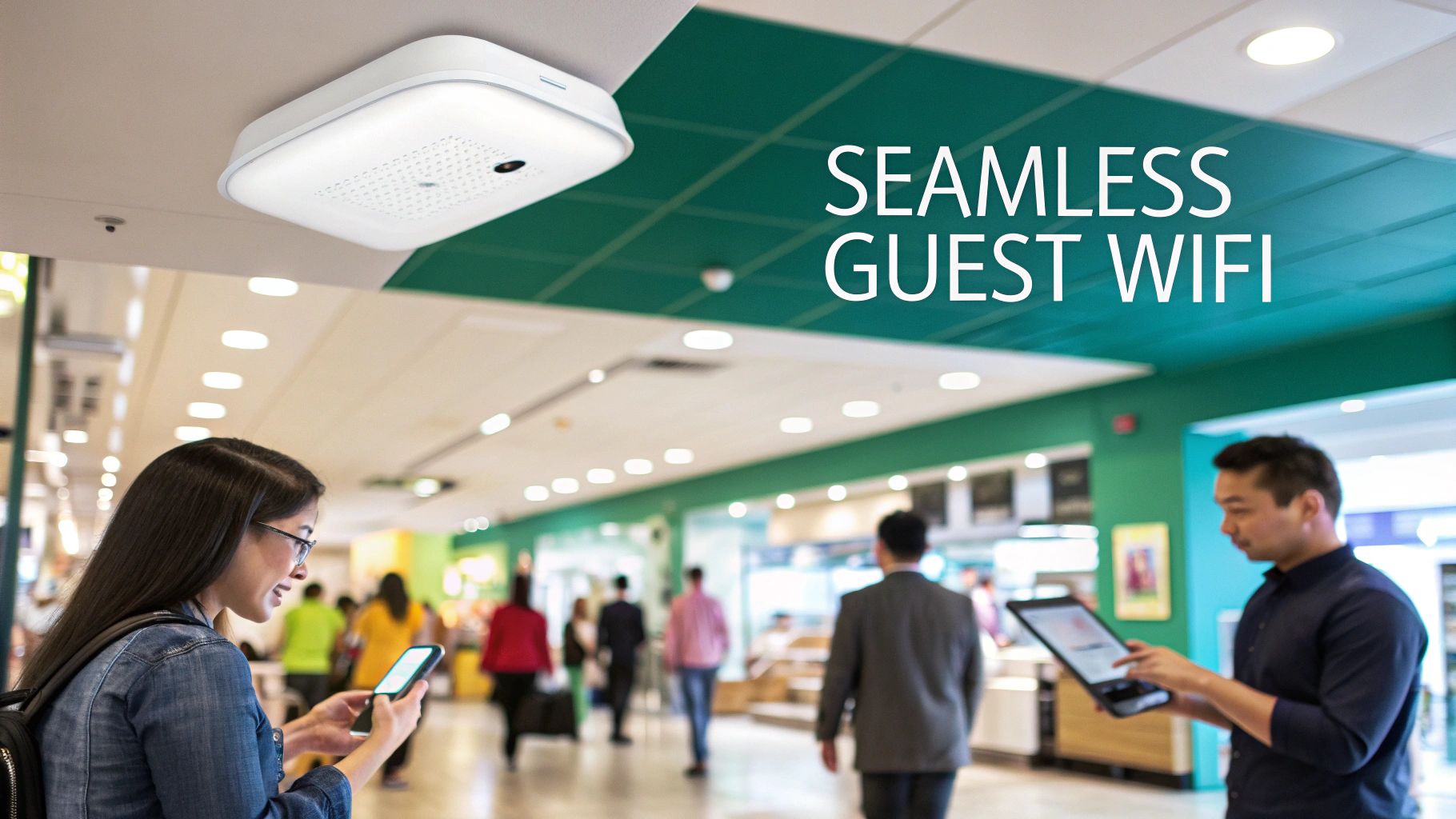
This cloud-first approach isn't just about making your life easier; it’s about giving you real power and flexibility. I've seen network teams refresh the entire wireless infrastructure across dozens of sites in just a couple of months—a project that would have taken ages with older systems. That agility means you can adapt on the fly, whether you're setting up a pop-up shop for a weekend or onboarding a new class of students. To get a better handle on the core technology, take a look at our friendly guide on what is Cisco Meraki and how it all works.
Transforming Connectivity into Opportunity
A Meraki access point does so much more than just provide an internet connection. It creates a platform for engagement and rock-solid security. The real magic begins when you pair your Cisco hardware with sophisticated Authentication Solutions. Instead of just handing out a generic password, you can offer a seamless and branded experience through a Captive Portal.
This opens up a ton of fun possibilities for connecting with your users:
- Social WiFi: Let guests log in with their social media accounts! This turns a simple connection into a fantastic marketing touchpoint, often called social login.
- Branded Splash Pages: Greet every user with your custom branding, a special promotion, or important info before they get online.
- Enhanced Security with IPSK: Move beyond the risks of a single shared password. With IPSK (Identity Pre-Shared Key) and EasyPSK, each user or device gets its own unique key, which dramatically boosts security for corporate BYOD and student dorms.
By shifting from a basic utility to an interactive tool, your guest wifi becomes a direct channel for communication. You can gather valuable insights, promote special offers, and ensure every single connection is secure and properly managed.
The table below highlights how these benefits play out in different real-world scenarios.
Meraki Deployment Benefits at a Glance
| Sector | Key Challenge | Meraki Solution |
|---|---|---|
| Retail | Engaging shoppers and capturing marketing data | Branded Captive Portals with social login and promotional splash pages to drive loyalty and gather analytics. |
| Education | Securely onboarding thousands of student-owned devices | IPSK/EasyPSK for unique credentials per student, ensuring secure access without complex 802.1X configurations. |
| Corporate | Managing BYOD securely and efficiently | Cloud-managed policies that separate guest and corporate traffic, plus seamless onboarding for employee personal devices. |
| Hospitality | Providing a premium, hassle-free guest experience | Simple, branded login flows and the ability to integrate with property management systems (PMS) for tiered access. |
As you can see, the flexibility of the Meraki platform allows you to solve specific industry problems, turning a simple IT necessity into a strategic asset.
The Power of a Market Leader
It’s no surprise that Cisco Meraki access points have solidified their dominance in the wireless market. With innovative features like Cisco's CleanAir management system built right into the hardware, these devices intelligently reduce radio interference and automatically isolate rogue threats to keep your network performing at its best. This market leadership, backed by the strength of both the Catalyst and Meraki product lines, gives any organization a reliable foundation to build on.
Preparing Your Network for a Seamless Meraki Rollout
Before you even unbox that sleek new access point Meraki, a little prep work on your network will save you a world of trouble later on. A successful deployment really hinges on getting the foundation right. Thinking through these essentials ensures your APs come online the first time you plug them in, which is a far cry from a frustrating day of troubleshooting.
First stop is always the firewall. Your Meraki gear needs to phone home to the Meraki Cloud to grab its configuration and report its status. This means you have to allow outbound connections on specific ports. It's a simple step, but you'd be surprised how often it trips people up. Get this right, and your access points will pop up on the dashboard effortlessly.
Next up, let's talk DHCP. Every single device—from your new APs to the phones and laptops your guests bring in—needs an IP address to get online. Making sure your DHCP scopes are correctly configured is absolutely essential. If a device can’t get an IP, it’s not getting online. It's that simple.
Powering and Segmenting Your Network
Once your devices have a clear path to the cloud, it's time to look at the physical switching. Most Meraki access points run on Power over Ethernet (PoE), which is fantastic because it sends power and data over the same network cable. Just double-check that your switch ports can supply enough PoE budget to handle all your new APs. This keeps the installation tidy and avoids hunting for power outlets.
Now for what I consider a non-negotiable security step: network segmentation with VLANs.
The single most effective best practice for guest wifi is creating a dedicated VLAN for guest traffic. This virtually walls off your guest network from your secure corporate network, preventing curious visitors from accessing sensitive internal resources.
Think of it as creating separate highways for your staff and your visitors. A problem on the guest highway won't snarl up traffic on your internal corporate one. This is critical for any environment, whether it's a school, a Retail shop, or a corporate office with a BYOD policy. Nailing this segmentation from the start is the key to both security and performance. A solid network plan is truly the bedrock of a great wireless experience. For a deeper dive into this, you might find our guide on the proper installation of wireless network infrastructure helpful.
Building a Foundation for Advanced Features
Getting your network prepped isn't just about basic connectivity; it's about unlocking the powerful features that make a Meraki and Splash Access solution shine. When you have a dedicated guest VLAN with its own DHCP scope, you’ve created the perfect stage for deploying a sophisticated Captive Portal.
This segregated setup makes it incredibly easy to apply specific rules and Authentication Solutions later on. For example:
- Social WiFi Login: Let guests connect with their social media accounts—a goldmine for Retail marketing.
- IPSK and EasyPSK: A must-have for securely managing hundreds or thousands of devices in Education or corporate BYOD environments.
- Bandwidth Throttling: Keep things fair for everyone by capping how much bandwidth each guest can use.
By taking the time to get these network prerequisites sorted out, you’re not just plugging in an access point Meraki. You're building a reliable, secure, and scalable platform that's ready for any guest access challenge you can throw at it.
Configuring Your Meraki Dashboard for Guest Control
Alright, with the network groundwork in place, it’s time to jump into the Cisco Meraki dashboard. This is your command center, the place where we’ll bring this guest wifi experience to life. The beauty of a cloud-managed access point Meraki solution is that everything happens right here, from a single, intuitive interface.
Our first order of business is to create a dedicated Service Set Identifier (SSID) exclusively for your guests. Think of it as painting a new, clearly marked lane on your digital highway. This separation is key to keeping your internal network safe and sound while offering a controlled, welcoming connection for visitors, whether they're shoppers in a Retail store or students hanging out in a common area.
Setting Up the Guest SSID and Access Control
Once you’ve named your new guest network, we’ll head over to the Access Control settings. This is really the heart of the guest management setup, where you dictate how users get online. You’ll see an option for a Captive Portal, which you might know as a splash page. Meraki gives you a basic one out of the box, but the real magic happens when you select the 'External captive portal' option.
Choosing an external Captive Portal is like upgrading your guest network from a simple turnstile to a full-blown welcome center. This one change is what allows you to connect a powerful platform like Splash Access, unlocking a ton of features that go way beyond just asking for a password.
This integration is what makes a variety of modern, effective Authentication Solutions possible:
- Social WiFi Login: Let guests connect with their social media profiles. This is a brilliant move for Retail businesses looking to boost their social presence and gather valuable marketing insights. This is the heart of social wifi.
- Voucher-Based Access: Perfect for hotels or conference centers. You can generate unique codes for timed internet access, which is great for managing usage or even creating premium, paid tiers of service.
- Secure Authentication Solutions: For environments with more structure, like corporate offices managing BYOD policies or Education campuses, you can roll out robust methods like IPSK and EasyPSK.
If you're looking for inspiration on how this all looks to the end-user, check out some of these real-world Meraki splash page examples.
The diagram below gives you a clear picture of the underlying network flow that makes these advanced setups work, starting right from your firewall and DHCP services.
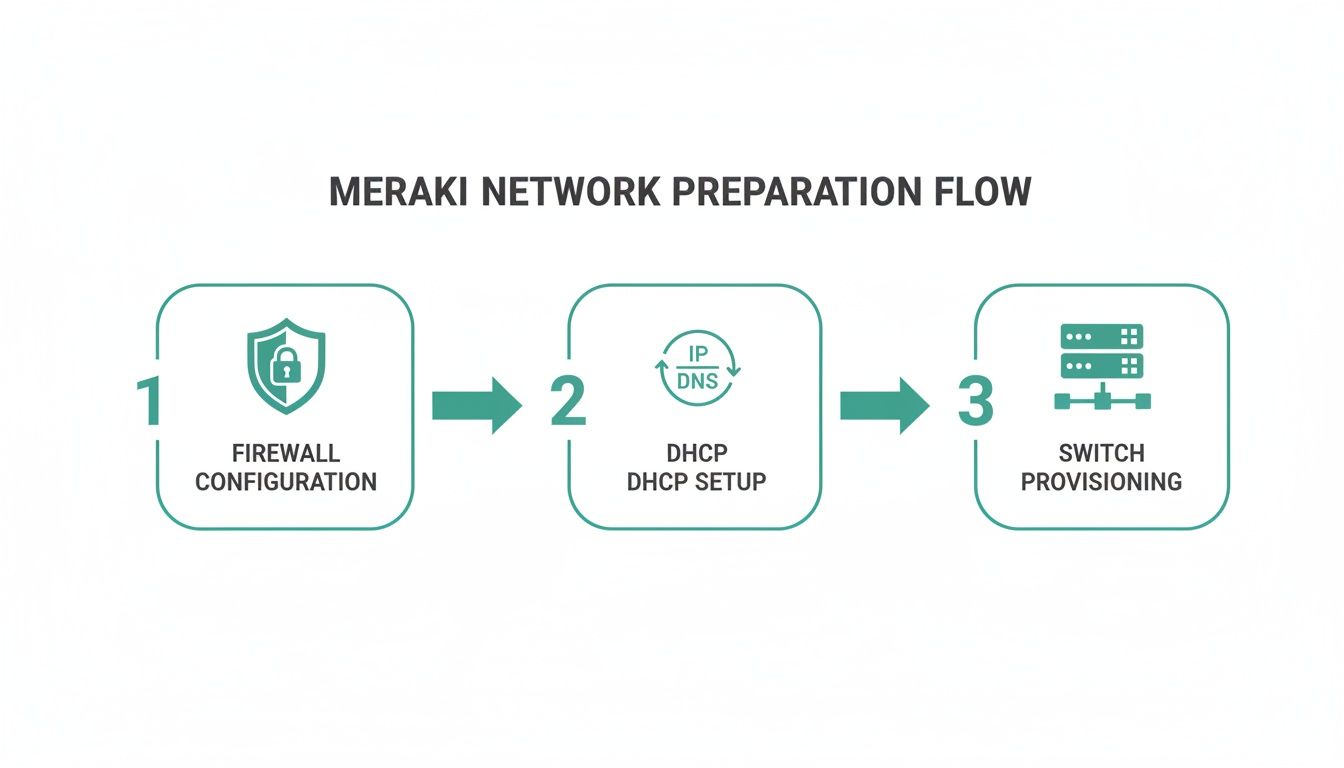
As you can see, a solid network foundation is what allows your Meraki access points to deliver that seamless, feature-rich guest experience.
Shaping Traffic and Locking Down Security
A fantastic guest network isn't just about a pretty login page; it's also about fair performance and airtight security. Hopping back into the Meraki dashboard, we can apply traffic shaping rules directly to our new guest SSID. This is an incredibly powerful tool for maintaining a quality experience for everyone on the network.
A common tactic is to set a per-client bandwidth limit. This simple rule prevents one person streaming 4K video from ruining the connection for everyone else.
I’ve seen hotels use this to create tiered access—a free, basic connection for browsing and a paid premium option with faster speeds for streaming. A Retail store might use it to block peer-to-peer file-sharing apps, keeping the network zippy for all their shoppers.
Beyond managing bandwidth, security is non-negotiable. This is where Layer 3 firewall rules are your best friend. From the dashboard, you can easily apply rules to your guest SSID that completely block access to your internal corporate subnets. This is an absolute must-do, ensuring guest traffic is hermetically sealed off from your sensitive company data—a critical step for any BYOD environment.
By fine-tuning your SSID, access control, traffic shaping, and firewall rules, you’re not just building a guest network. You're creating a secure, high-performance platform that elevates the user experience and delivers real, tangible value back to your organization.
From Social WiFi to Secure Keys: Mastering Guest Authentication
Authentication is more than just a login screen; it's the first digital handshake you have with your guests. After setting up your access point Meraki in the dashboard, you can finally move past a basic, shared WPA2 password. This is where you unlock a world of dynamic, secure, and genuinely user-friendly Authentication Solutions, turning your guest wifi from a simple utility into a powerful business tool.
For businesses in Retail and hospitality, the user experience is everything. A clunky login process can frustrate customers before they’ve even had a chance to engage with your brand. That's precisely where methods like Social WiFi come into their own.
The Power of Social Login for Guest WiFi
Imagine a customer walking into your store. Instead of them having to hunt down a staff member for a password, your Captive Portal invites them to connect with their existing social media account. With one click, they're online. In that same moment, you've created a valuable marketing touchpoint. This social login feature is a fantastic way to understand your audience better while giving them an effortless connection.
I've seen this approach work wonders in:
- Retail Environments: Greet shoppers with a beautifully branded portal. Once they connect via social wifi, you can automatically redirect them to a page showcasing today’s special offers or inviting them to join your loyalty program.
- Hospitality Venues: Hotels, cafes, and restaurants can offer a fast, modern login that mirrors their brand's quality. The demographic data you gather can help you craft smarter, more effective promotions down the line.
- Public Venues: Arenas and event spaces can get thousands of people online at once, completely eliminating the chaos and bottleneck of a single shared password.
The goal here is to make getting online completely frictionless. When the login process is that simple, guest satisfaction skyrockets, and you gain a golden opportunity to connect with them directly.
Beyond social login, you can also roll out timed access with vouchers—perfect for conferences or hotels—or even use QR code onboarding. A guest simply scans a QR code you've printed on a receipt or table tent and is instantly connected. No more fumbling with passwords or dealing with typos. It’s clean, modern, and just plain works.
Choosing Your Guest Authentication Method
Every business has different needs, so picking the right authentication method is crucial. This table breaks down the most common Authentication Solutions to help you decide what fits best for your environment.
| Method | Best For | Primary Benefit | Security Level |
|---|---|---|---|
| Social Login | Retail, Hospitality, Public Venues | Effortless user experience and marketing data collection. | Low |
| Voucher/Timed Access | Conferences, Hotels, Paid WiFi | Controlled, time-limited access for specific users or events. | Medium |
| QR Code Onboarding | Restaurants, Cafes, Quick-Serve | Extremely fast, no-typing-required connection. | Low |
| IPSK / EasyPSK | Corporate BYOD, Education, Co-working | High security with unique keys per user/device. | High |
| SAML/Azure AD | Corporate, Healthcare, Enterprise | Seamless and secure login using existing company credentials. | Very High |
Ultimately, the best solution balances user convenience with your security requirements. For public-facing networks, social wifi and QR codes are fantastic, but when you need to lock things down, it's time to look at more robust options.
Elevating Security with IPSK and EasyPSK
While social logins are great for public guest networks, corporate and Education environments are grappling with the BYOD (Bring Your Own Device) explosion. Handing out a single shared password to hundreds of students or employees is a massive security risk. This is where IPSK (Individual Pre-Shared Key) completely changes the game for your access point Meraki deployment.
IPSK, and its streamlined version EasyPSK, brilliantly blends the simplicity of a password with serious, enterprise-grade security. Instead of one key for everyone, each user or device gets its own unique password. If a student leaves the university or an employee departs the company, you just revoke their individual key without disrupting service for anyone else. It's a game-changer for securely managing a large fleet of personal devices. For a more technical breakdown, our guide on deploying IPSK with RADIUS authentication walks through the entire process.
This granular level of control makes IPSK the gold standard for:
- Education Campuses: Assign a unique key to each student that lasts the entire school year, securing dorm networks and common areas without constant IT intervention.
- Corporate BYOD: Onboard employee personal devices safely, giving them the access they need while keeping them properly segmented from sensitive internal resources.
- Co-working Spaces: Provide each member or tenant company with their own private key, creating a secure, multi-tenant wireless environment on a shared infrastructure.
The ability of the Cisco Meraki platform to handle these advanced Authentication Solutions so elegantly is a key reason for its strong market position. In the crowded network hardware space, Cisco Meraki holds a solid 23.22% market share. As detailed in Datanyze's market share report, this leadership is especially critical in corporate offices and healthcare, where Meraki access points are used to enable secure WPA2/IPSK and integrate with tools like Azure AD or SAML for seamless guest onboarding.
By choosing the right authentication method for the right audience, you create an experience that is both welcoming for your guests and incredibly secure for your organization.
Turning Your Guest WiFi into a Data Goldmine
Your Cisco Meraki network is more than just a utility for getting people online. When you look closer, it's actually an untapped source of incredible insight about what’s happening in your physical space. This is where we move beyond providing simple connectivity and start turning your guest wifi from a line item on the budget into a powerful engine for marketing and business intelligence. It’s a strategy that pays dividends in Retail, Education, and even large corporate campuses.
The first step is connecting your Captive Portal directly to your marketing platforms. It's a simple but powerful integration. Picture a customer in your Retail store who logs into your WiFi using their social media account. In that instant, their contact info can be automatically added to your mailing list, and a welcome coupon can pop up right on their device. This is how you close the gap between a guest's physical presence and your digital marketing, creating real engagement from the moment they connect.

With this kind of setup, a simple access point Meraki is no longer just a piece of hardware. It becomes a dynamic tool for growth, starting a valuable conversation with every single guest who logs on.
Unlocking Rich Location Analytics
If you want to take things to the next level, the real game-changer is bringing Cisco Meraki MV smart cameras into the mix. This combination unlocks a level of location analytics that, until recently, was incredibly difficult and expensive to get your hands on. All of a sudden, you have a crystal-clear view of what's happening on the ground.
These smart cameras are managed right from the same Meraki dashboard you use for your access points, and they pull in critical data points you can use immediately:
- Visitor Foot Traffic: You can finally pinpoint the busiest times of day and see which areas of your venue are the most popular. A shopping center could use this to fine-tune staffing schedules or even re-evaluate tenant placement for maximum exposure.
- Dwell Times: Ever wonder how long people stick around in certain spots? Now you'll know. A Retail store might see that visitors are spending more time near a new product display, which is a great indicator that their merchandising is working.
- Return Rates: The system can help you differentiate between first-time visitors and your loyal, returning customers. That kind of information is gold for measuring the true impact of your loyalty programs and retention efforts.
For any large venue, like a university campus or a sprawling shopping mall, this data is invaluable. It gives you a direct line of sight into guest behavior, helping you make smarter, data-driven decisions that can directly boost revenue and improve the user experience.
And this isn't just a spreadsheet full of raw numbers; it’s actionable intelligence. The Meraki dashboard serves up these insights in clean, easy-to-read visualizations, so you can spot trends without needing a Ph.D. in data science. To really grasp what's possible here, it's worth exploring the world of Wi-Fi marketing to see how connectivity and business strategy can come together.
Turning Numbers into Actionable Strategies
Of course, collecting data is only half the job. The real magic happens when you interpret that data and turn it into a concrete business strategy. An access point Meraki paired with MV cameras gives you the raw material; your business goals will shape what you build with it.
Think about these real-world scenarios:
- A Retail chain uses foot traffic analysis and realizes their end-of-aisle displays are being ignored. They can A/B test different product placements and watch the analytics in real-time to see which one actually grabs customers' attention.
- An Education campus looks at its dwell time data and finds a few underutilized study lounges. They can then promote these quiet spaces to students during finals week to ease the pressure on the main library.
- A corporate office managing a massive BYOD environment can analyze visitor flow to rethink the layout of its collaboration spaces and meeting rooms, ensuring the facilities are designed for how people actually use them.
This fusion of wireless connectivity and intelligent video gives you the power to make decisions based on what your visitors truly do, not just on assumptions. By tapping into these tools, your guest wifi network becomes a core part of your business strategy, influencing everything from marketing campaigns to operational efficiency. Getting your Meraki hardware set up is just the first step on a much bigger, more valuable journey.
Common Questions We Hear About Meraki Guest WiFi
When you're setting up a top-tier guest wifi experience with a Cisco Meraki access point, a few questions always seem to pop up. Whether you're in Education, Retail, or a corporate office, you want to get it right. Let's walk through some of the most common queries we get.
Can I Really Have Different Splash Pages for Each of My Locations?
You absolutely can, and you should! This is one of the best things about managing your network through the Cisco cloud dashboard. It’s designed to give you that "single pane of glass" view over all your sites while still allowing for a unique, branded experience at every single one.
You can easily set up different Captive Portals for each location, a specific building on campus, or even for different SSIDs. Imagine a hotel chain: they could have a sleek, professional portal for their downtown business hotel and a vibrant, family-friendly one at their beach resort. This level of control means you can tailor everything—promotions, branding, even your Authentication Solutions like social wifi versus voucher access—to the specific crowd you're serving.
What’s the Deal with IPSK? Is It Actually Better Than One Password for Everyone?
Think of IPSK (Individual Pre-Shared Key) as the perfect blend of password simplicity and real, enterprise-grade security. Instead of handing out one password that gets shared around (a huge security headache), IPSK lets you give a unique password to each person or device.
The benefit here is huge. If an employee leaves the company or a student loses their device, you just revoke that one specific key. Nobody else is affected.
This completely changes the security game by killing password sharing and giving you precise control over who’s on your network. It’s a lifesaver for student dorms in Education or any corporate BYOD environment.
Tools like EasyPSK make this even better by automating the key creation and management, which makes it surprisingly simple to roll out this level of security across your entire access point meraki network.
How Does QR Code Onboarding Work in the Real World?
QR code onboarding is all about making the connection process seamless. It boils it down to a single, quick scan. A guest points their phone's camera at a QR code, and their device is automatically configured and connected to the right WiFi network. No more hunting for SSIDs or fumbling with complex passwords.
This is a fantastic solution for any fast-paced environment where convenience is everything. We see it work wonders in places like:
- Retail stores
- Restaurants and cafes
- Event venues and conference centers
You can print these QR codes on anything—posters, table tents, even receipts. On the back end, that code can be tied to a time-limited voucher or an IPSK, which not only eliminates user error but also delivers a modern, frictionless experience that people really appreciate.
Is Switching Away from the Standard Captive Portal a Big Project?
Not in the slightest. The Meraki dashboard was built with user-friendliness in mind, and this is a great example. Making the switch to an external Captive Portal provider is as straightforward as going into your SSID's Access control settings, choosing the external provider option, and pasting in the server details you're given.
Honestly, the whole thing takes just a couple of minutes. That one small change instantly opens up a world of advanced features you just don't get with the basic, built-in splash page. We're talking about powerful tools like social login, deep visitor analytics, and direct integrations with your marketing platforms. It’s a very low-effort move for a massive upgrade to your guest network.
Ready to transform your guest WiFi experience with a powerful, flexible, and secure captive portal solution for your Meraki network? Discover what Splash Access can do for your business. Explore our solutions at https://www.splashaccess.com.