Hey there! Ever wondered why some Wi-Fi is amazing and some is just… not? Great Wi-Fi isn't an accident; it's the result of a deliberate, thoughtful plan. When we talk about access point design, we're really talking about the blueprint for reliable wireless. It's a strategic process of placement and configuration that balances strong signal coverage with the capacity to handle a ton of users. This is a far cry from just plugging in a router and hoping for the best.
The goal is to eliminate dead zones and guarantee solid performance, especially in demanding spots like BYOD Corporate offices, busy Retail stores, and sprawling Education campuses.
Your Blueprint for Flawless Wi-Fi Starts Here
If you've ever battled Wi-Fi dead zones, frustratingly slow speeds in a packed coffee shop, or security headaches in a BYOD office, you know firsthand that great wireless is engineered. Simply throwing access points at a problem is a gamble, not a strategy. A proper AP design is your playbook for creating a stellar, secure wireless experience that actually meets today's demands.
This is especially critical in places like Education, Retail, and corporate settings where the number of connected devices just keeps climbing. You need to deliver a seamless connection, whether a student is streaming a lecture, a shopper is hopping on the guest wifi, or an employee is jumping on a crucial video call. It’s all about building a network that just works, every single time.
The Core Pillars of Modern Access Point Design
Before diving into the nitty-gritty, let's frame our approach. A successful Wi-Fi project isn't just about the hardware; it's a multi-stage process that blends technical planning with security and user experience. We can break this down into three core pillars.
The table below gives a quick overview of these stages, outlining the goal and business benefit of each.
| Design Pillar | Primary Goal | Key Business Benefit |
|---|---|---|
| Plan | Map out coverage, capacity, and physical AP placement based on a thorough site survey and requirements. | Prevents dead zones, ensures performance under load, and avoids costly rework. |
| Secure | Implement robust authentication solutions to protect the network and its users. | Mitigates security risks, ensures compliance, and builds trust with users. |
| Engage | Create a seamless and valuable connection experience for users, often through customized Captive Portals. | Improves user satisfaction, provides marketing opportunities, and enhances brand perception. |
Viewing your project through this lens—Plan, Secure, and Engage—ensures you're not just creating a network, but a valuable business asset.
Here's a visual that brings this crucial access point design process to life.
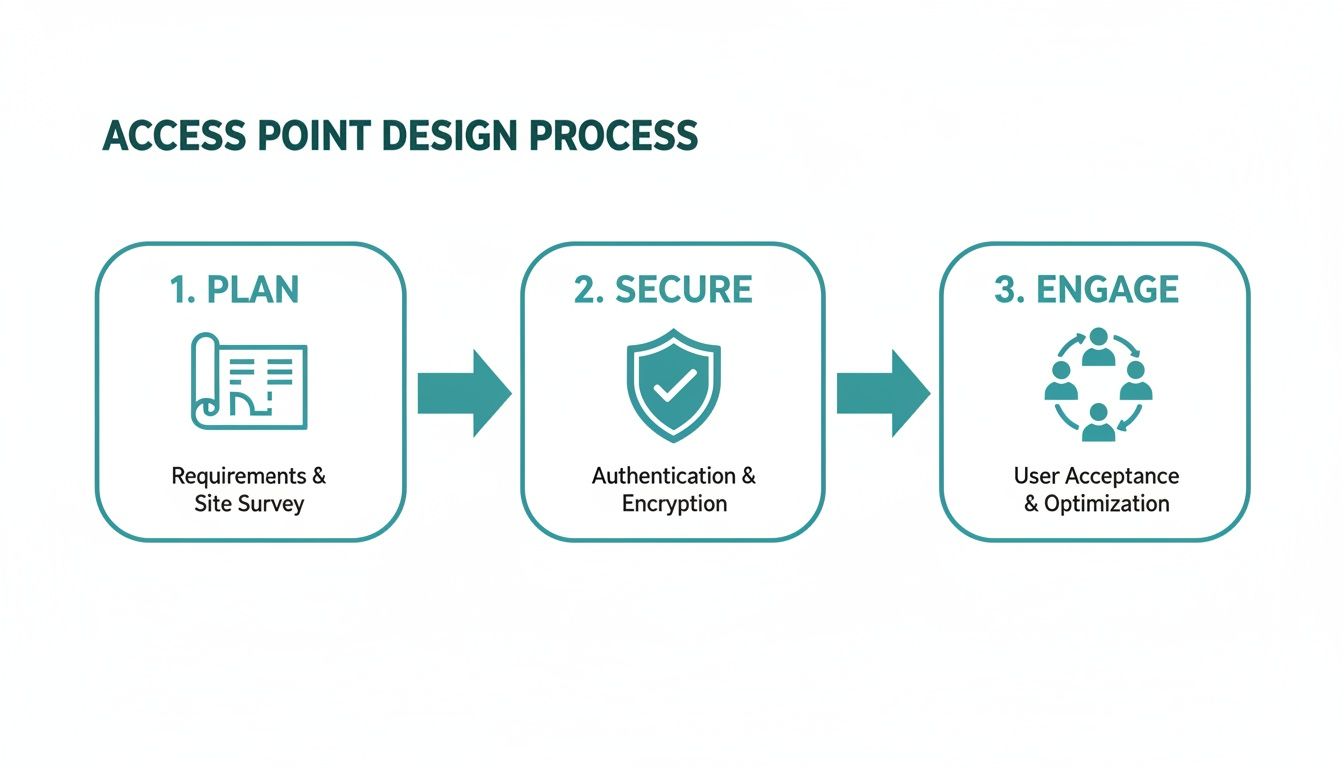
This process underscores a key truth: top-notch technical planning must be followed by robust security and thoughtful user engagement to create a truly effective network. The demand for this level of design is exploding. The global wireless access point market was valued at a massive 21.95 billion USD and is projected to skyrocket to 46.92 billion USD, all driven by the need for perfect connectivity in high-traffic environments.
A successful Wi-Fi network isn't just about signal bars. It’s about delivering a secure, fast, and frictionless user experience that supports business goals, whether that's improving productivity or boosting customer loyalty.
Getting started on the right foot means understanding your physical environment, and that's non-negotiable. This is where a professional site survey becomes your most valuable tool, helping you sniff out potential interference and map out the perfect AP locations before a single cable is run. You can get a head start by reviewing this comprehensive guide on conducting a site survey for your wireless network.
Powerful hardware from vendors like Cisco Meraki provides the muscle, while platforms like Splash Access add the intelligence layer for security and user interaction. This combination unlocks sophisticated authentication solutions like IPSK (often called EasyPSK) and engaging Captive Portals. Imagine turning your guest wifi into a marketing tool with social wifi login options—this is where strategic design delivers real, tangible business value.
Planning Your Network Before Deployment
Jumping into an access point installation without a solid plan is a classic rookie mistake. It's like building a house without a blueprint—you're just asking for trouble. The real work behind a killer access point design happens long before you ever unbox a single piece of hardware. This initial planning phase is all about getting the lay of the land, sniffing out potential problems, and defining exactly what you need the network to do.
Think of it as your pre-flight check. You need to walk the site and get a feel for the environment. Look for anything that could cause Radio Frequency (RF) interference. That microwave in the breakroom? The massive metal shelving in the warehouse? Even surprisingly thick concrete walls can absolutely wreck a Wi-Fi signal. A pre-deployment site survey is your best friend here, helping you spot these troublemakers before they become a headache.

Defining Your Wireless Needs
Beyond the physical layout, you have to get a handle on the "who" and "what" of your network. Is this for a university lecture hall where hundreds of students will be streaming video simultaneously? Or is it a corporate office where a BYOD policy means seamless roaming for voice calls is non-negotiable? Each scenario presents a completely different set of challenges.
To nail this down, you’ve got to talk to the people who will actually be using the network every day. This isn't just about the tech; it's about making the technology serve the real-world needs of the business and its users.
Here are a few of the essential questions I always ask stakeholders:
- User Density: How many people and devices are we talking about in the busiest areas? Think about the cafeteria during lunch or the main lobby during check-in time.
- Application Types: What will people be doing on the network? Is it just basic web browsing and email, or are we supporting high-def video conferencing and mission-critical Point-of-Sale (POS) systems?
- Guest Access: Do you need a guest wifi network? If so, what should that experience look like? A simple password, or something more engaging like a social wifi login that captures marketing data?
- Security Requirements: How locked down does this need to be? Will you need different access levels for employees, guests, and specific IoT devices?
The answers you get here become the bedrock of your design document. They’ll guide every decision you make, from which APs to buy to how you configure security policies.
A great Wi-Fi network isn't just about providing a signal; it's about providing the right signal for the right purpose. A one-size-fits-all approach simply doesn't work for the diverse needs of modern Education, Retail, and BYOD Corporate environments.
Building Your Requirements Document
Once you've gathered all this intel, you can put together a proper requirements document. This document is your North Star for the entire project, ensuring the final network is perfectly suited to its environment.
For example, in a corporate office with a heavy BYOD policy, your plan will naturally focus on strong authentication solutions. This is where technologies like IPSK (Individual Pre-Shared Key)—often called EasyPSK—become incredibly valuable for getting personal devices on the network securely without the usual IT headaches.
A Retail space, on the other hand, might put a premium on a frictionless guest experience using a Captive Portal. This setup allows them to offer social login options, effectively turning their free Wi-Fi into a powerful marketing tool. You can see how this works by exploring the features built into modern Cisco Meraki access points. And to make sure your wireless network has the backbone it needs, understanding the role of a managed Ethernet switch is crucial for managing traffic and maintaining security.
This planning stage truly sets the scene for everything that follows. It takes your project from a guessing game to a calculated strategy, ensuring your new Cisco or Meraki network doesn't just meet expectations—it exceeds them.
Balancing Wi-Fi Coverage With Network Capacity
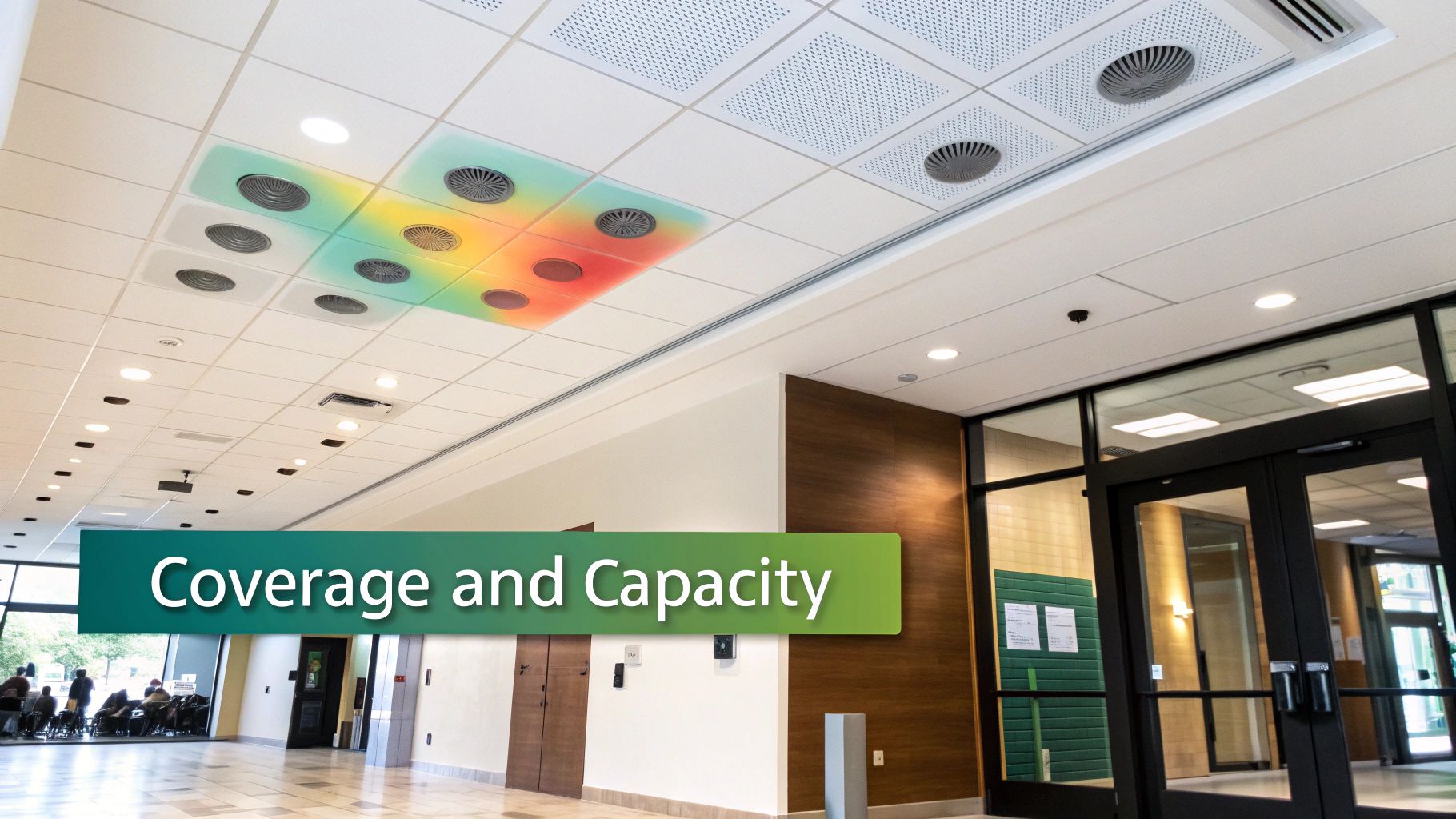
When you're designing a Wi-Fi network, the two biggest forces you'll constantly wrestle with are coverage and capacity. They sound similar, but they're pulling you in completely different directions. Coverage is simple: can you get a signal everywhere you need it? Capacity is the real challenge: can that signal actually support all the devices trying to use it without grinding to a halt?
Nailing this balance is what separates a frustrating network from a fantastic one.
A rookie mistake is trying to solve coverage gaps by just cranking up the transmit power on the access points. I see this all the time, and it's one of the worst things you can do. High power levels create "sticky clients"—a user's laptop or phone will stubbornly cling to a faraway AP, even when a much closer one is right overhead. This gives that user a terrible connection and pollutes the airwaves with interference for everyone else.
Plan for People, Not Just Square Footage
One of the most common pitfalls is designing for the building's floor plan instead of for the people who will be using it. An empty hallway just needs a signal. A packed university cafeteria at noon needs an immense amount of capacity. You have to start thinking in terms of "high-density zones" and plan your AP placement and settings around them.
Let's look at a few real-world examples:
- Retail Store: You'll need consistent coverage across the entire floor for your POS systems and staff handhelds. But right near the main entrance, you need a high-capacity hotspot to handle dozens of shoppers connecting to the guest wifi, often through a Captive Portal using a social login.
- Education Campus: A library requires widespread, reliable coverage for students doing quiet research. That same campus’s main lecture hall, however, needs a dense cluster of APs designed to handle hundreds of students simultaneously streaming video.
- BYOD Corporate Office: A large conference room has to be ready for a dozen executives, each walking in with a laptop, smartphone, and tablet—all connecting at once for a critical presentation.
In every one of these scenarios, the fundamental question shifts from, "Can I get a signal here?" to, "Can the signal here actually support what people are doing?"
The best Wi-Fi designs always put user density and application needs first. A network built for 50 devices crammed into a conference room is fundamentally different from one designed for 50 devices spread thinly across an entire office floor.
Using Channels to Your Advantage
This is where smart channel planning becomes your secret weapon, especially with modern hardware from vendors like Cisco or Meraki. The Wi-Fi spectrum is split into two bands, 2.4GHz and 5GHz, each with its own set of channels.
The 2.4GHz band is the old workhorse. Its signal travels farther and punches through walls better, but it's incredibly crowded and slow, with only three non-overlapping channels to work with. The 5GHz band is the modern superstar—it offers far more bandwidth and dozens of channels, making it the go-to for speed and capacity. A huge part of optimizing your network is choosing the right 5GHz Wi-Fi channel to minimize interference.
Good access point design uses a feature called "band steering" to gently nudge capable devices onto the faster, less congested 5GHz superhighway. This reserves the 2.4GHz band for legacy devices that have no other choice. If you want to dig into the details, our guide on Wi-Fi channel width explains how these settings directly impact performance.
This need for capacity is driving a boom in high-performance hardware. The market for gigabit Wi-Fi access points, which was valued at 7.1 billion USD, is projected to hit 12.5 billion with a strong 9.8% CAGR. Tri-band APs, in particular, are perfect for handling the flood of new Wi-Fi 6/6E devices we're seeing in BYOD Corporate, Education, and Retail environments. By carefully balancing broad coverage with targeted capacity planning, you build a network that's not just big, but strong.
Implementing Smart and User-Friendly Security
Let's be honest, the days of scribbling a single Wi-Fi password on a sticky note and calling it "secure" are long gone. Especially with BYOD Corporate policies being the norm, we need a much smarter approach. Your access point design has to deliver security that’s both rock-solid and completely invisible to the end-user. This is where modern authentication solutions really shine, moving us past simple passwords into a much safer and saner network environment.
This isn't just about locking the network down; it’s about creating a secure space that feels welcoming and works flawlessly. When you get it right, your security strategy protects your data while actually improving the user experience—a critical balance for any modern wireless deployment.
Beyond the Shared Password with IPSK
Think about a typical corporate office or school campus. Managing hundreds—sometimes thousands—of personal devices can be a real headache. A single, shared password is a huge security risk. The moment one device is compromised or an employee leaves, you're stuck updating the password on every single device across the organization. This is exactly the problem that IPSK (Individual Pre-Shared Key), sometimes called EasyPSK, was designed to solve.
IPSK completely changes the game by letting you assign a unique password to every single user or device. It’s like giving each person their own personal key to the building instead of one master key that everyone shares. From a management perspective, this is a game-changer.
- Granular Control: You can instantly revoke access for a single user or device without affecting anyone else.
- Enhanced Security: If one key is ever compromised, it only impacts that one user, not your entire network.
- Improved Accountability: It becomes much easier to trace network activity back to an individual, which simplifies troubleshooting and security audits.
For any IT team in Education or the BYOD Corporate world, IPSK is a lifesaver. It gives you a level of security that gets close to the complexity of 802.1X, but with far simpler management. This is especially true when you integrate it with a platform like Splash Access on top of hardware from Cisco Meraki. To see how it stacks up, you can learn more about how it compares to traditional 802.1X authentication in our detailed guide.
Transforming Guest Wi-Fi with Captive Portals
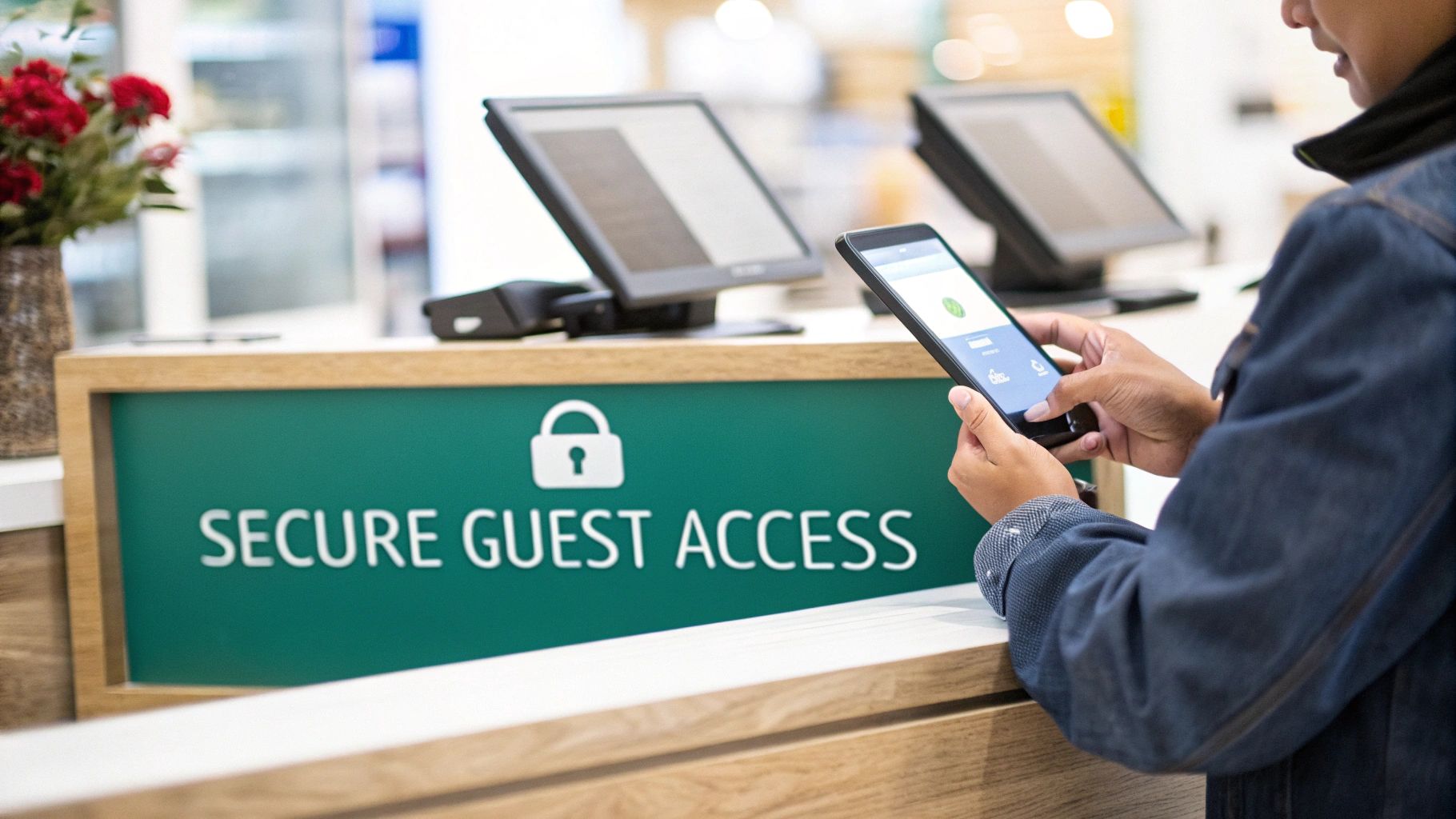
For your guest wifi network, the security and onboarding experience are just as critical. A Captive Portal is that branded login page users first see when they connect. These portals have evolved into powerful tools for so much more than just entering a password.
Forget those bland, generic login screens. With a Splash Access portal on a Meraki network, you can create a fully branded, engaging welcome mat for your visitors. This is your chance to turn free Wi-Fi from a simple amenity into a strategic business asset.
The modern Captive Portal is a multi-purpose tool. It simultaneously secures your guest network, reinforces your brand identity, and provides a direct channel to communicate with and understand your customers.
Let's walk through a few real-world examples:
- Retail Store: A customer connects to the Wi-Fi and gets a splash page offering a 15% discount for their email or a quick social wifi login via their Facebook profile. You've just captured valuable marketing data and encouraged a sale.
- Education Campus: A visiting parent connects and sees a portal with a campus map, a schedule of upcoming events, and links to the university's social media.
- BYOD Corporate Office: A visitor checks in at reception and automatically gets a unique Wi-Fi password sent via SMS, granting them access only for the duration of their meeting.
This level of customization makes the whole process feel seamless and adds real value for both the user and the business. As the enterprise wireless LAN market keeps growing, driven by new standards like Wi-Fi 7, these user-friendly features become non-negotiable. The latest tech is crushing latency for applications in hospitals, resorts, and on Retail floors, making a smooth login the first step to a great connection. By combining powerful security like IPSK for internal users with engaging Captive Portals for guests, your access point design becomes a strategic asset that protects, engages, and impresses.
Validating and Maintaining Your Wi-Fi Network
Getting the access points mounted on the ceiling isn't the finish line. Far from it. Think of it like this: you've just built a high-performance engine. Now it's time to fire it up, tune it, and make sure it actually delivers on the racetrack, not just on the dyno. This final phase—validation and ongoing maintenance—is where you prove the network performs in the real world as well as it did on paper.
This is where the rubber meets the road. We're moving from predictive coverage maps to hard, real-world data to answer the one question that matters: "Is the Wi-Fi experience truly great for our users?"
Proving Your Design Works
Right after deployment, your first order of business is a validation survey. This is completely different from your initial predictive survey; this is the real-world test drive. You'll physically walk the site with survey tools to measure the live, breathing performance of the network you just built.
Your goal here is to get concrete answers on a few key metrics:
- Actual Signal Strength: Is the signal hitting your minimum requirements in all the mission-critical spots? Think checkout counters in a Retail store or lecture halls on an Education campus.
- Throughput Performance: It's one thing to have a strong signal, but can users actually get the speeds they need? You have to run real throughput tests—measuring upload and download speeds—to confirm your capacity planning hit the mark.
- Application Performance: Don't just run a speed test. Test the actual applications people will be using every day. Can staff process payments instantly? Can students in a BYOD Corporate or Education setting stream lecture videos without a single stutter?
This validation step is absolutely non-negotiable. It's the final quality check that catches those unexpected curveballs—like a rogue AP from the business next door blasting interference—before they start causing headaches for your users.
Keeping Your Network in Peak Condition
Once you're live, the job shifts from deployment to proactive monitoring. A high-performing Wi-Fi network is never a "set it and forget it" utility. It’s a dynamic system, especially when powered by robust hardware from vendors like Cisco, and it needs regular attention to stay healthy.
This is where the Meraki dashboard becomes your best friend and command center. It serves up a ton of data on your network's health, but the trick is knowing what to look for. Don't get lost in the noise; focus on the actionable insights. The health monitoring tools give you a clean, at-a-glance view of performance, letting you spot trends before they turn into real problems. For a closer look at how to get the most out of these tools, it's worth reading up on the Meraki Wireless Health features available.
A proactive approach to network maintenance will always beat a reactive one. Regularly checking your dashboard for anomalies lets you fix small issues before they snowball into major outages that frustrate everyone.
When a user inevitably reports "the Wi-Fi is slow," having a quick troubleshooting checklist helps you cut straight to the chase. Instead of guessing, you can run through the most common culprits methodically.
Common Wi-Fi Troubleshooting Checklist:
- Check for Channel Overlap: Did a neighboring network suddenly fire up on the same channel? Use the dashboard's RF spectrum tools to see if your channel plan needs a tweak.
- Analyze Client Density: Is one AP getting hammered with too many users? Client density reports will tell you if an access point is overloaded and if you need to rethink placement or add capacity.
- Identify Rogue APs: Did someone plug an unauthorized consumer router into an office port? The security features in your dashboard are perfect for sniffing out and locating these rogue devices that can wreak havoc on your network.
By combining a thorough post-deployment validation with continuous, smart monitoring, you're set up to not only launch a great Wi-Fi network but to keep it running at peak performance for the long haul. That's how you deliver a consistently reliable experience for every student, shopper, and employee who connects.
Common Questions I Hear in the Field
After walking through the foundations of a solid access point design, a few practical questions always come up. These are the real-world challenges that surface when the planning meets the pavement, from figuring out AP counts to getting security just right.
Let's dig into some of the most common questions I get from IT managers and business owners in Education, Retail, and BYOD Corporate environments.
How Many Access Points Do I Really Need?
This is the million-dollar question, and the honest answer is: forget about square footage. It’s all about the people and what they're doing online.
A simple office with a handful of users might be perfectly fine with one AP covering 2,500 square feet. But drop that same AP into a busy Retail store of the same size, and it'll get crushed. In that high-density scenario, you might need three or four APs just to handle the sheer volume of shopper smartphones.
The best way to start is by mapping out your key user zones. Where do people gather? What do they need the network for? For any place with a heavy BYOD policy—think BYOD Corporate offices or Education campuses—my rule of thumb is to plan for at least 2-3 devices per person. Capacity planning should always win out over simple coverage mapping.
What's the Real Difference Between IPSK and a Regular Wi-Fi Password?
A standard Wi-Fi password (WPA2-PSK) is a single, shared key. Everyone from the CEO to the intern uses the same password to get online. The problem? If that password leaks or an employee leaves, you're stuck with the nightmare of changing it on every single device across the company. It's a massive security hole waiting to be exploited.
IPSK (Individual Pre-Shared Key), sometimes called EasyPSK, is a much smarter way to handle network access. With an IPSK setup, every user or device gets its own unique password for the same Wi-Fi network. This is a game-changer for a few reasons:
- Surgical Revocation: You can instantly kick a single user off the network without disrupting anyone else.
- Damage Control: If one key is ever compromised, the threat is contained to that single user, not your entire network.
- Clear Accountability: Network activity can be tied back to an individual, which makes troubleshooting and security audits a breeze.
When you pair this technology with hardware from a vendor like Cisco Meraki, you can automate the whole key management process, making it an incredibly powerful yet simple authentication solution.
Can I Use a Captive Portal for More Than Just Guest Wi-Fi?
Absolutely. While Captive Portals are famous for getting guests online with a social wifi login, their potential goes way beyond that. Think of it as a versatile communications and security tool.
For instance, in a BYOD Corporate environment, you can use a Captive Portal to force employees to accept an Acceptable Use Policy before connecting their personal phones. At an Education campus, that same portal can become a dynamic landing page for school announcements or event schedules. In a Retail setting, it can deliver location-specific coupons or prompt shoppers to download a loyalty app. It's a fantastic tool for driving security, communication, and user engagement all at once.
Should I Just Turn Off the 2.4GHz Band?
It's tempting, I know. The idea of shutting down the old, crowded 2.4GHz band and pushing everyone onto the faster 5GHz highway sounds great. But it's not always the right move.
Many legacy devices and, more importantly, a ton of low-cost IoT gadgets (like smart thermostats, sensors, or security cameras) can only connect to 2.4GHz. Disabling it could instantly knock a surprising number of essential devices offline.
A much better approach is to use "band steering," a standard feature on modern access points from vendors like Cisco and Meraki. This feature gently coaxes dual-band devices over to the superior 5GHz network, which automatically frees up the 2.4GHz band for the older devices that actually need it.
For even cleaner segmentation, you could create a separate, 2.4GHz-only SSID just for these legacy or IoT devices. This not only keeps them connected but also isolates their traffic, which boosts performance and security for everyone on your main network.
Ready to transform your network with a world-class access point design? Splash Access provides instantly deployable Captive Portals and advanced authentication solutions for Cisco Meraki, turning your guest wifi into a powerful tool for security and engagement. Discover how Splash Access can elevate your wireless experience today.