You're probably paying for WiFi that guests already love, staff already depend on, and your finance team still files under overhead. The access points are up, the password's on a sign or a receipt, and nobody can tell you what that connectivity earned last month. That's the gap WiFi monetization closes. It doesn't have to mean putting a paywall in front of everyone. Done well, it means matching the right access journey to the right outcome, then proving the value in language your business already uses.
Start With the Business Value of WiFi
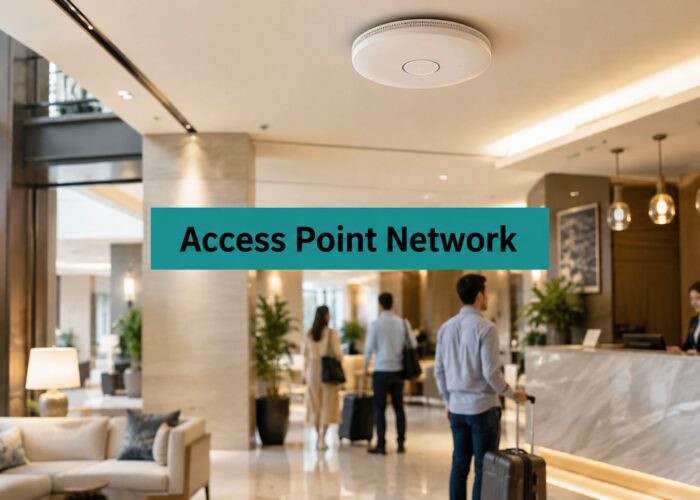
Take a small hotel, a busy clinic waiting room, or a co-working floor on a Monday morning. People connect before they order, check in, or sit down. If that connection is slow, confusing, or missing, they notice fast. If it's smooth, they rarely praise it, but they're far more likely to stay, spend, and come back.
That's why WiFi monetization works best as converting connectivity into measurable economic value, not just charging a fee for access. The value can show up as a new customer, a repeat visit, a smoother check-in, a booked desk, or a digital service that removes staff work. Restaurants see a similar pattern when a guest scans, connects, and moves straight to ordering, and these TopFoodApp menu maker tips show how a simple digital step can support the visit rather than interrupt it.
The wider economics back up treating WiFi as an asset. A Wi-Fi Alliance study with Telecom Advisory Services on global economic value estimated Wi-Fi's global annual value at $1.96 trillion in 2018, projected it to exceed $3.47 trillion by 2023, and later estimated $3.3 trillion in 2021 rising to $4.9 trillion by 2025. Those totals cover broadband access, enterprise savings, consumer benefit, productivity, and GDP contribution. You don't need numbers that large to make a venue decision, but they explain why connectivity shouldn't sit in your budget as a silent cost.
Free Baseline, Paid Outcomes
Most venues shouldn't charge every visitor for basic connectivity. A free baseline keeps the door open and meets a basic expectation. Payment makes more sense when you can name a stronger outcome, such as premium reliability during a conference, a private credential for a corporate guest, or guaranteed capacity at peak time.
If you can't describe what the paid tier does better in one plain sentence, guests won't understand why they should buy it.
Think in layers instead. Connectivity gets people online. Identity tells you who's entitled to what. Service reliability protects the moments that matter, and aggregated insight helps you run the space better. Each layer can create value, but they don't all need a price tag.
Choose the Right WiFi Revenue Model
Start with your business objective, not your portal software. A model that feels generous in a hotel lobby can feel pushy in a hospital, and a login flow that works for shoppers can be completely wrong for students who connect every day. Your audience, visit length, peak congestion, and compliance needs should narrow the choice before anyone opens a dashboard.
Free access earns its keep when it supports footfall, dwell time, and a frictionless first impression. Paid access and premium tiers fit longer stays where reliability has a clear payoff. Vouchers let you bundle connectivity with a room, ticket, purchase, or event. Sponsorship and advertising can offset costs, but only if the message fits the setting and doesn't slow people down. Email or SMS opt-ins create a future marketing channel, while aggregated intelligence helps with staffing, layout, and occupancy decisions.
Before you commit, check that any paid journey connects cleanly to billing through payment gateway integration for guest WiFi, and think about how you'll spot problems early. It's also worth knowing how to browse uptime and connectivity tools so a broken redirect or payment page doesn't kill conversions while the WiFi itself looks fine.
WiFi Monetization Models by Business Objective
| Business objective | Model | Best fit | Key trade-off |
|---|---|---|---|
| Encourage visits and longer stays | Free baseline access | Retail, cafes, hotel lobbies | No direct access revenue |
| Earn from heavy or time-sensitive use | Premium tier | Hotels, co-working, events | Needs a reliability promise you can keep |
| Bundle access with a purchase | Vouchers | Hospitality, events, transport | Staff must issue and support codes |
| Offset network costs | Sponsorship or advertising | Large public venues | Poorly matched ads damage trust |
| Build a remarketing audience | Optional email or SMS opt-in | Retail and hospitality | Consent must stay separate from access |
| Improve operations | Aggregated intelligence | Campuses, healthcare, offices | Value is indirect and needs tracking |
Hotels often do well packaging premium access into a stay or conference package because the guest relationship already exists. Campuses and co-working spaces usually get more from identity, access policy, and reliability than from selling day passes to people who are already members. Retailers can use social login and social WiFi carefully for opt-in engagement, but a hard sell at the door backfires. Healthcare settings should be even more restrained, because patients are there for care, not offers.
Pick one primary model and one supporting model at most. If everything's a priority, your portal ends up asking for payment, personal details, and attention all at once, and guests give up.
Plan the Guest WiFi Rollout
A good rollout starts with who's walking through the door. A hotel guest staying three nights, a student moving between lectures, a patient waiting for an appointment, and a BYOD corporate visitor joining a meeting all need different journeys. Map those journeys first, including how long people stay, when congestion hits, and what happens when they return tomorrow.
Standardization makes this planning realistic across mixed devices. The history of Wi-Fi Alliance certification and 802.11b interoperability notes that IEEE 802.11b was approved in 1999, the first certification followed in 2000 for a product operating at 11 megabits per second, and by 2014 more than 22,000 products had been certified. That multi-vendor foundation is why you can design one repeatable onboarding model for visitor-owned phones, tablets, and laptops instead of handing out proprietary hardware.
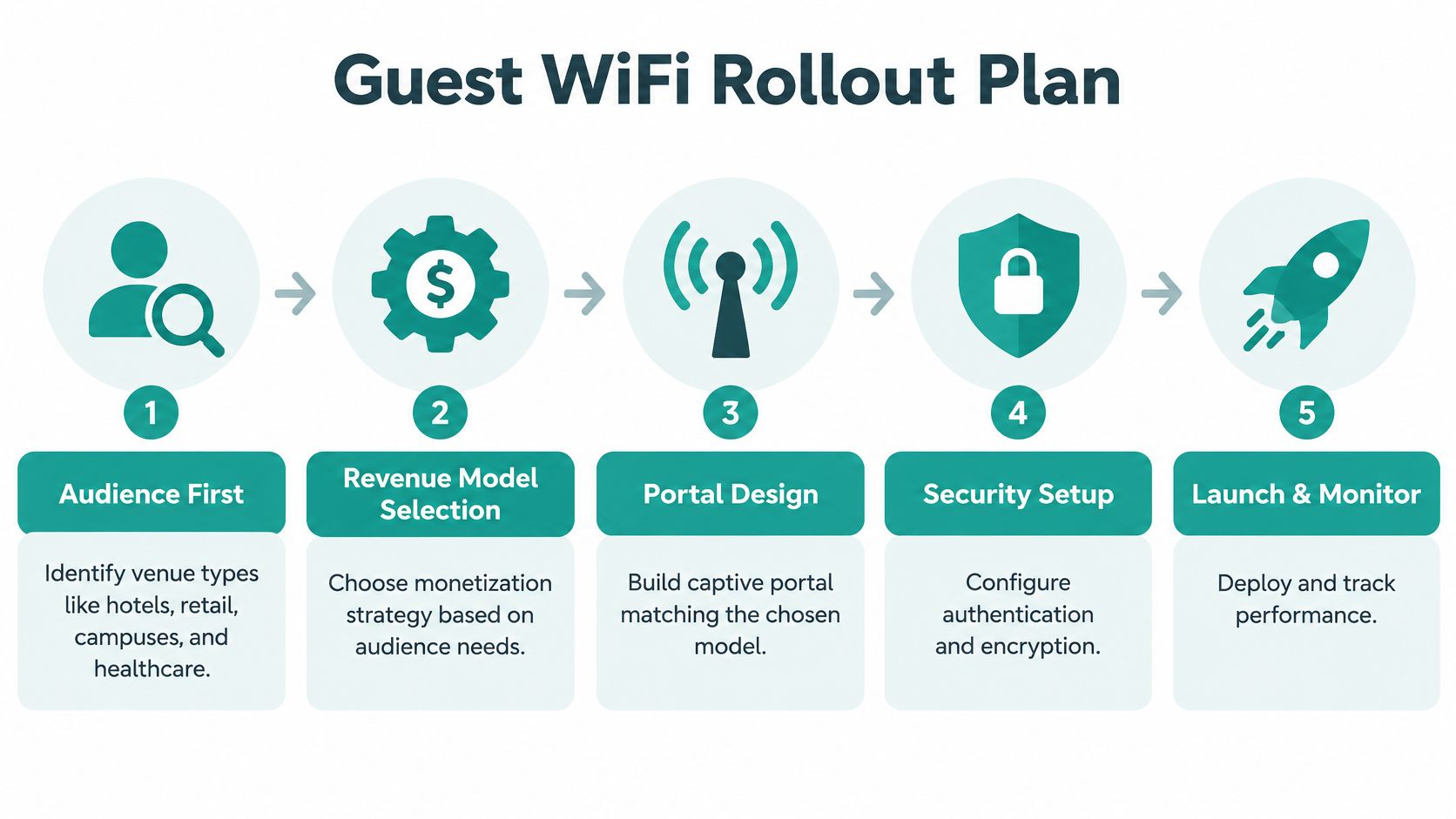
Work through the decisions in a sensible order. Define the free baseline and what it must handle at peak time. Decide which users need simple guest WiFi, which need a voucher or paid tier, and which need a controlled identity workflow because they'll return often or touch sensitive systems. Then settle marketing permissions, support ownership, and network segmentation before you design a single splash page, ideally against a realistic implementation timeline for your rollout.
Match the Journey to the Venue
- Hotels and co-working spaces: Longer sessions make premium reliability and private credentials worth testing.
- Retail properties: Keep onboarding short, make offers optional, and measure repeat visits rather than raw sign-ups.
- Education campuses: Prioritize student and staff identity, dorm access, and easy reconnection across buildings.
- Healthcare and senior living: Keep language plain, minimize fields, and make help easy to reach.
- Corporate offices: Separate visitors and personal devices from employee resources from day one.
Pilot in one location or one audience segment. Set your pass marks in advance, covering portal completion, successful authentication, support requests, and peak-time experience. If guests can't get online quickly during the pilot, don't scale the problem. Fix the journey while the feedback's still cheap and specific.
Configure Cisco and Meraki Access
With Cisco and Meraki networks, the captive portal is where your business model becomes a real access decision. It presents your terms, presents your brand, and controls when internet access begins. That's more than a welcome page. The U.S. Federal Trade Commission Wi-Fi privacy assessment describes a captive portal web form for accepting network terms, with acceptance recorded against the device's MAC address and logged. Your deployment can follow the same checkpoint pattern while clearly explaining what's collected.
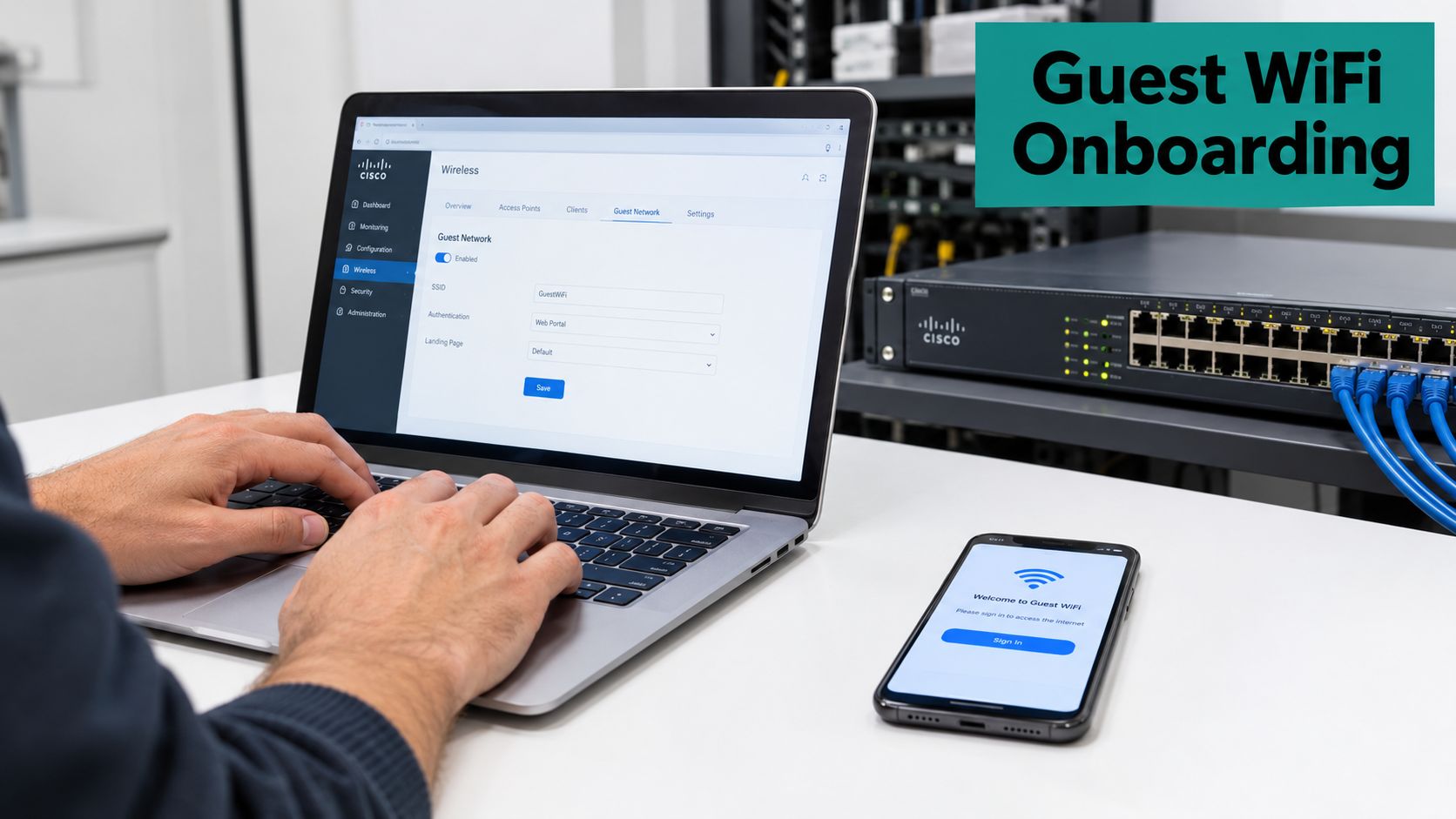
For everyday guest WiFi, social login and social WiFi can reduce typing and forgotten passwords, especially in retail and hospitality. Splash Access can provide the branded captive portal layer for Cisco Meraki deployments, with options covering paid passes, vouchers, and identity-based onboarding. If you sell access, connect the portal to your payment flow properly and test refunds, failed cards, and session expiry before launch. Operators reviewing in-person payment options may also find this guide to a card reader for small business in Singapore useful context for front-desk or counter sales.
Choose the Right Authentication for Each Audience
One shared guest password is simple, but you can't revoke one person's access without changing it for everyone. IPSK, also described as individual private pre-shared keys, gives each user or group a distinct credential. EasyPSK style workflows make issuing and rotating those credentials more manageable for dorms, senior living, corporate guests, and longer-stay visitors. That accountability matters when a device is lost or someone leaves.
Keep guest and BYOD traffic away from internal systems. NIST guidance on separate BYOD networks and strong authentication recommends a separate wired or wireless network for BYOD devices placed outside the organization's DMZ, plus strong authentication, preferably multi-factor authentication, for enterprise access. In practice, your captive portal handles visitors, while staff and students use stronger identity controls.
Connect identity systems where they help. Azure AD, SAML, and G Suite can support staff, student, and corporate guest authentication, while marketing integrations should only receive details a person has agreed to share for marketing. Don't merge those ideas. Authenticating someone for network access isn't the same as earning permission to send them offers, and your portal copy should make that difference obvious.
Price Access Around Measurable Value
Selling speed sounds easy until you try it. Many guests already expect reliable WiFi as a baseline amenity, so a vague faster tier can feel like you're charging extra for something that should've worked anyway. The infrastructure market is moving quickly too. IDC reporting on enterprise WLAN and Wi-Fi 7 growth states enterprise WLAN revenue grew 13.2% year over year in Q2 2025 to $2.6 billion, while Wi-Fi 7 represented 21.2% of dependent access point revenue, up from 11.8% in Q1. New hardware raises capacity, but it doesn't automatically create something guests will pay for.
Package Outcomes People Can Feel
Price the outcome, not the radio. A conference organizer pays for predictable capacity when every attendee joins at once. A telehealth user or cloud gamer cares about low latency and a stable session. A corporate guest values a private credential that works without a help desk call. An events team may value API-based connectivity tied to registration.
Field note: Reliability, identity, and segmentation often hold their value better than a headline speed claim, because guests notice failures far more than peak throughput.
Measure performance with units your operators already manage. Use revenue per occupied room in a hotel, per visitor in retail, per student on a campus, per desk in co-working, or per appointment in a clinic. Revenue per login can mislead you, because one person may connect several devices or return several times. A practical ROI calculator for guest WiFi helps you test those unit economics before you publish prices.
Start with a small set of packages. Keep the free baseline usable, define what the paid option protects or opens up, and watch uptake alongside support tickets and peak-time complaints. If people buy but still struggle, you've sold a promise your network isn't keeping. If nobody buys, the outcome may not matter enough, or your portal may be explaining it badly. Adjust one variable at a time so you know what changed.
Protect Privacy While Using Analytics
More personal data doesn't always mean more money. It can mean more consent problems, more storage risk, and more guests deciding your WiFi isn't worth the trade. That risk isn't theoretical for network teams. Enterprise Management Associates research on Wi-Fi challenges and upgrades found security risk among organizations' leading Wi-Fi operational challenges, while bandwidth demand had increased for 99% of surveyed companies over the prior three years. You're being asked for more capacity and stronger control at the same time.
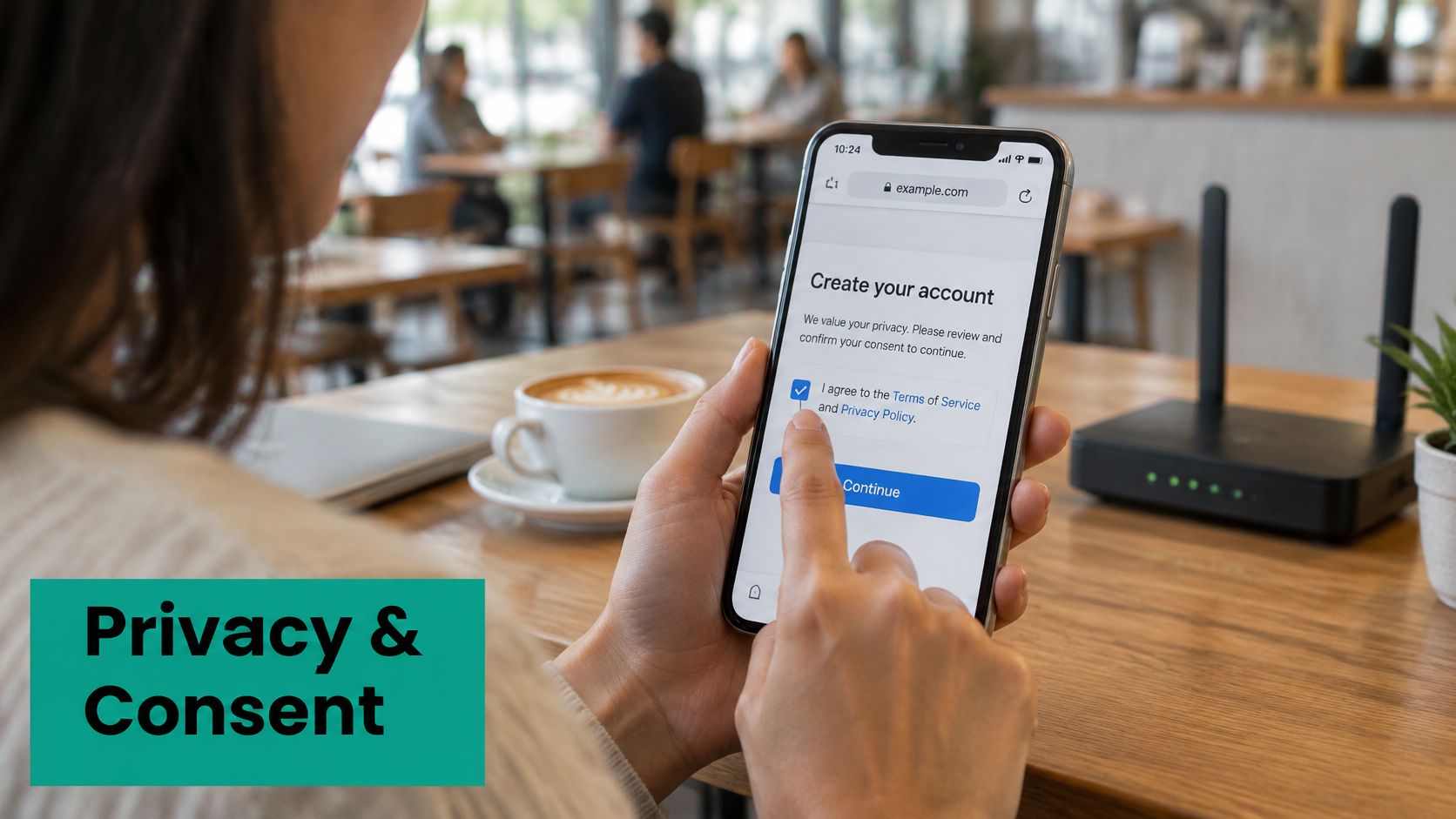
Separate three decisions in your portal. First, does the person accept the network terms. Second, how do you authenticate them. Third, do they want marketing. A clear consent management approach for guest WiFi keeps those choices distinct, with purpose and retention explained in plain language before someone taps connect.
Prefer Aggregated Insight by Default
You can learn a lot without building a profile on every visitor. Aggregated occupancy patterns show when spaces fill up. Dwell-time trends and queue pressure help with staffing and layout. Repeat-visit rates and campaign lift tell you whether an offer changed behavior at a group level. For many retail, education, and healthcare decisions, that's enough to act.
Be stricter where the relationship is sensitive. Students, patients, employees, minors, and international visitors don't all share the same expectations or protections, so don't force them through one data-hungry flow. Minimize fields, limit who can see records through role-based access, set retention periods you can defend, and segment networks so analytics access never becomes network access.
Trust also improves adoption. A guest is more likely to accept a relevant coupon or service message when you've told them analytics are aggregated and marketing is optional. Privacy isn't a brake on WiFi monetization here. It's part of the product quality that makes people willing to connect at all.
Test, Measure, and Expand the Program
Launch is where assumptions meet real phones, real congestion, and real impatience. Test the full journey on the devices your visitors carry, at the times your venue is busiest. A portal that works beautifully on an office laptop at midday can still fail a tired traveler on an older phone at check-in.
Returning users deserve special attention. The Wi-Fi Alliance overview of Passpoint and enterprise security describes Passpoint as automating network authentication so a Passpoint-enabled client can automatically connect on later visits with a secure connection. You may not deploy Passpoint everywhere, but the principle is sound. Use the captive portal for first-visit registration where needed, then make legitimate repeat access easier through credential-based or certificate-based options where your policy allows it. The same source notes WPA3-Enterprise includes an optional 192-bit security mode for heightened requirements, which is a useful reminder that guest convenience and higher-assurance access are different design problems.
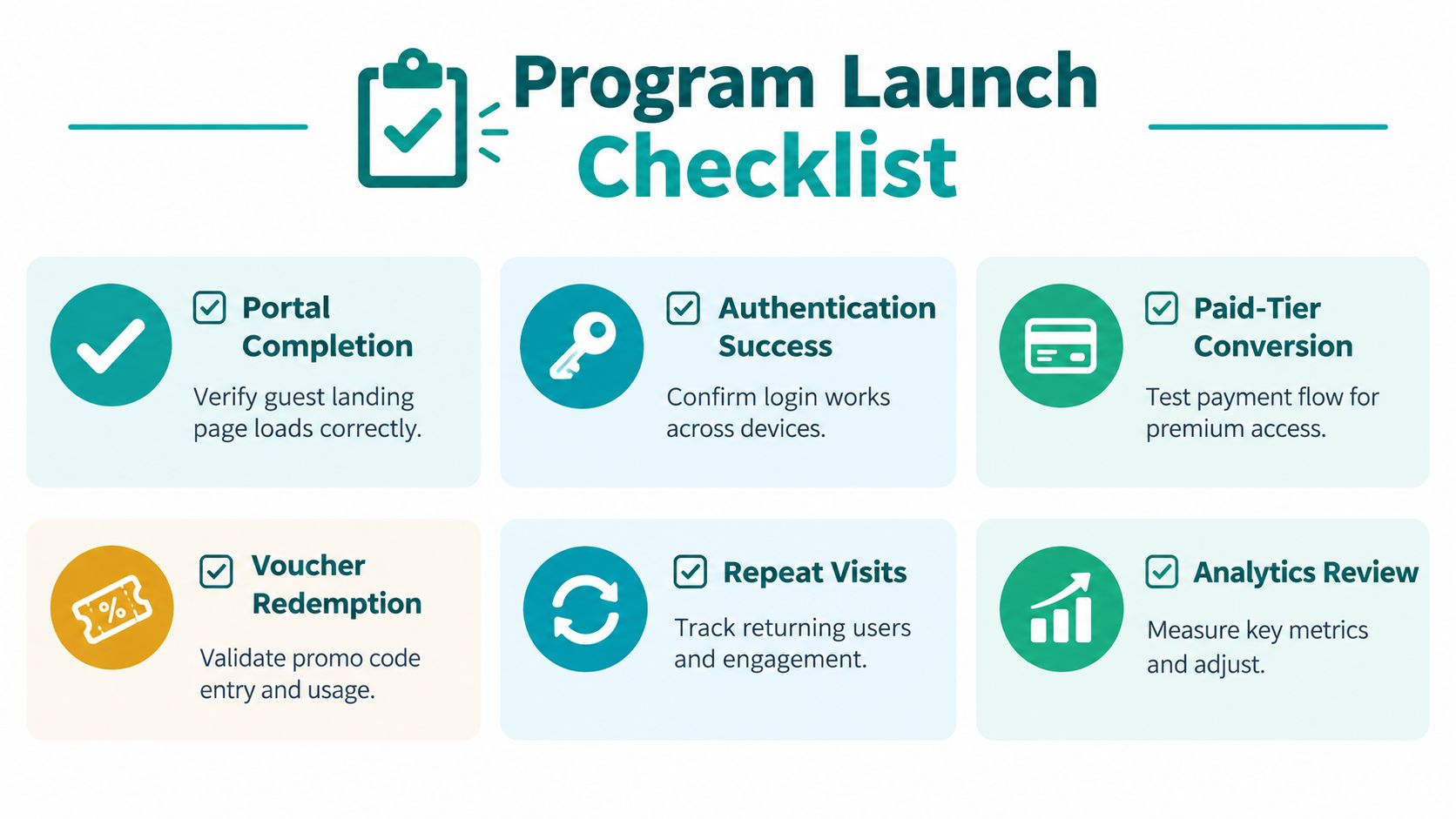
Compare your pilot with the previous guest experience, not with a perfect world. Track portal completion, authentication success, paid-tier conversion, voucher redemption, repeat visits, campaign response, and support requests together. Reviewing engagement metrics for guest WiFi alongside network performance helps you see whether a dip came from your offer, your wording, or your wireless coverage.
Your Launch Checklist
- Portal completion: Confirm the page loads fast, reads clearly, and works responsively on mobile, tablet, and desktop.
- Authentication success: Test social login, vouchers, IPSK and EasyPSK credentials, and identity-provider flows across common devices.
- Payment and vouchers: Run successful, failed, refunded, expired, and redeemed transactions before guests do.
- Peak-time experience: Load the network when rooms, desks, classrooms, or waiting areas are full.
- Support readiness: Give front-line staff a short script, QR-code onboarding signs, and a live escalation route.
- Privacy review: Recheck fields, retention, role-based access, and the separation between authentication and marketing permission.
- Repeat-visit behavior: Confirm returning guests, students, residents, and members aren't forced through unnecessary steps.
Use the results to make specific changes. Low portal completion usually points to friction, unclear copy, or too many fields. Strong free use with weak paid uptake may mean your premium outcome isn't distinct enough. High voucher redemption with rising support calls suggests the offer works but issuance is clumsy. Good campaign response paired with opt-outs tells you frequency or relevance needs work.
Expand by audience or location only after the pilot holds up. Hotels can extend from lobby access to conference packages. Retailers can add optional offers once basic onboarding is painless. Education and BYOD corporate teams can broaden identity-based access after revocation and segmentation are proven. Healthcare and senior living operators should scale support and accessibility first. WiFi monetization lasts when guests feel the exchange is fair, staff can support it, and you can tie every claim of value back to a room, visitor, student, desk, or appointment.
Ready to turn your Cisco Meraki guest WiFi into a service you can price, measure, and support with confidence? Explore branded captive portals, IPSK and EasyPSK authentication, vouchers, payment options, and privacy-conscious analytics with Splash Access, then start with one pilot venue and one outcome you can prove.