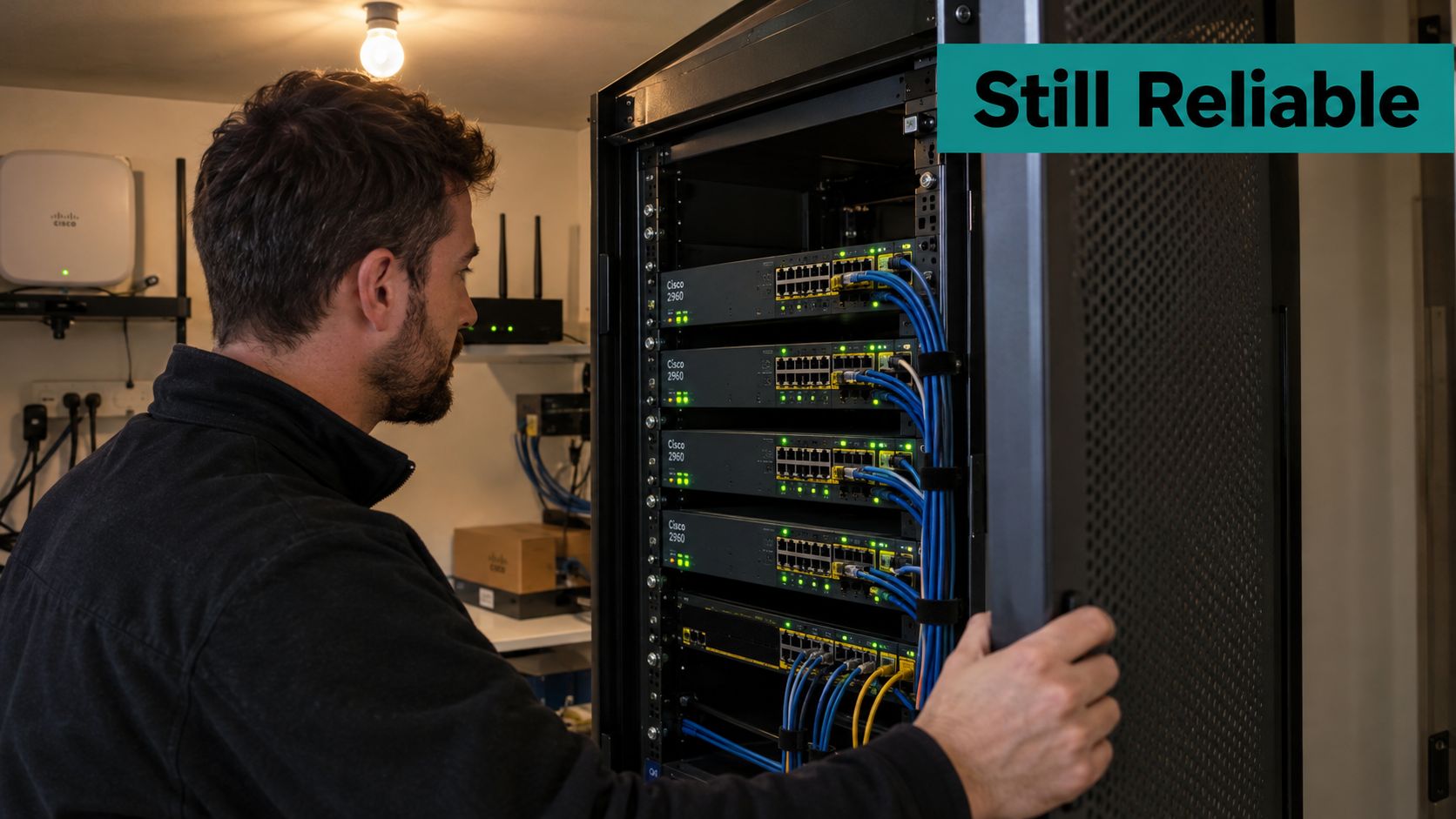
You open the hotel's network closet to prepare for a guest Wi-Fi refresh, and the existing Cisco switches are still carrying everything from reception printers to lobby access points. The immediate question isn't whether they turn on. It's whether they're suitable for the wireless service, authentication requirements and security expectations you're introducing.
Why the Cisco 2960 Switch Still Shows Up in 2026
A Cisco 2960 switch can be an awkward item on a refresh spreadsheet. Replacing it consumes budget that could improve wireless coverage, but keeping it without checking the exact hardware and support status can leave you with an avoidable operational problem.
The family is a fixed-configuration access-switch platform intended primarily for Layer 2 connectivity in campus and branch networks. Its historical role was to provide wired connectivity beneath separately managed wireless and captive-portal systems, rather than deliver the guest experience itself.
That distinction matters when you're discussing a Cisco Meraki rollout. Treat the existing switch as a candidate transport and power platform, not as the component that will provide the new splash page, social login or guest onboarding workflow.
Keep the assessment practical
For a hotel, the useful question is whether the installed equipment can support the planned access points without compromising management access or replacement planning. A school might put more emphasis on classroom connectivity and student onboarding. Retail teams need to protect payment-related networks, while BYOD corporate offices need clear boundaries between visitors and employees.
Evaluate those needs separately:
- Hardware suitability: Identify the actual ports, power capabilities and uplinks available.
- Operational suitability: Check whether staff can maintain, recover and monitor the equipment.
- Security suitability: Establish whether the installed software and hardware remain appropriate for the environment.
Practical rule: Don't approve a legacy switch simply because yesterday's guest Wi-Fi worked. Assess it against tomorrow's access-point requirements and support arrangements.
There's no need to condemn every older switch, and there's no benefit in defending one just because it has been reliable. A sensible decision might be to retain suitable equipment temporarily, replace an exposed or unsupported device first, and schedule the remaining changes around hotel occupancy or school terms.
The strongest starting point is an accurate inventory. Until you know which branch of the family you have, “Cisco 2960” is a description, not a specification.
Identifying Your Switch in the 2960 Family Tree
Start at the chassis label, then compare it with show inventory and show version. Record the full product identifier, installed software image and serial number rather than copying only the large family name from the front panel.
The suffix matters. Treat identifiers containing -S, -X, -XR, -L or -CX as different product branches, and retain the rest of the identifier, including combinations such as -PS, in your records. Don't assume that a familiar-looking suffix proves a particular power budget, uplink arrangement or feature entitlement.
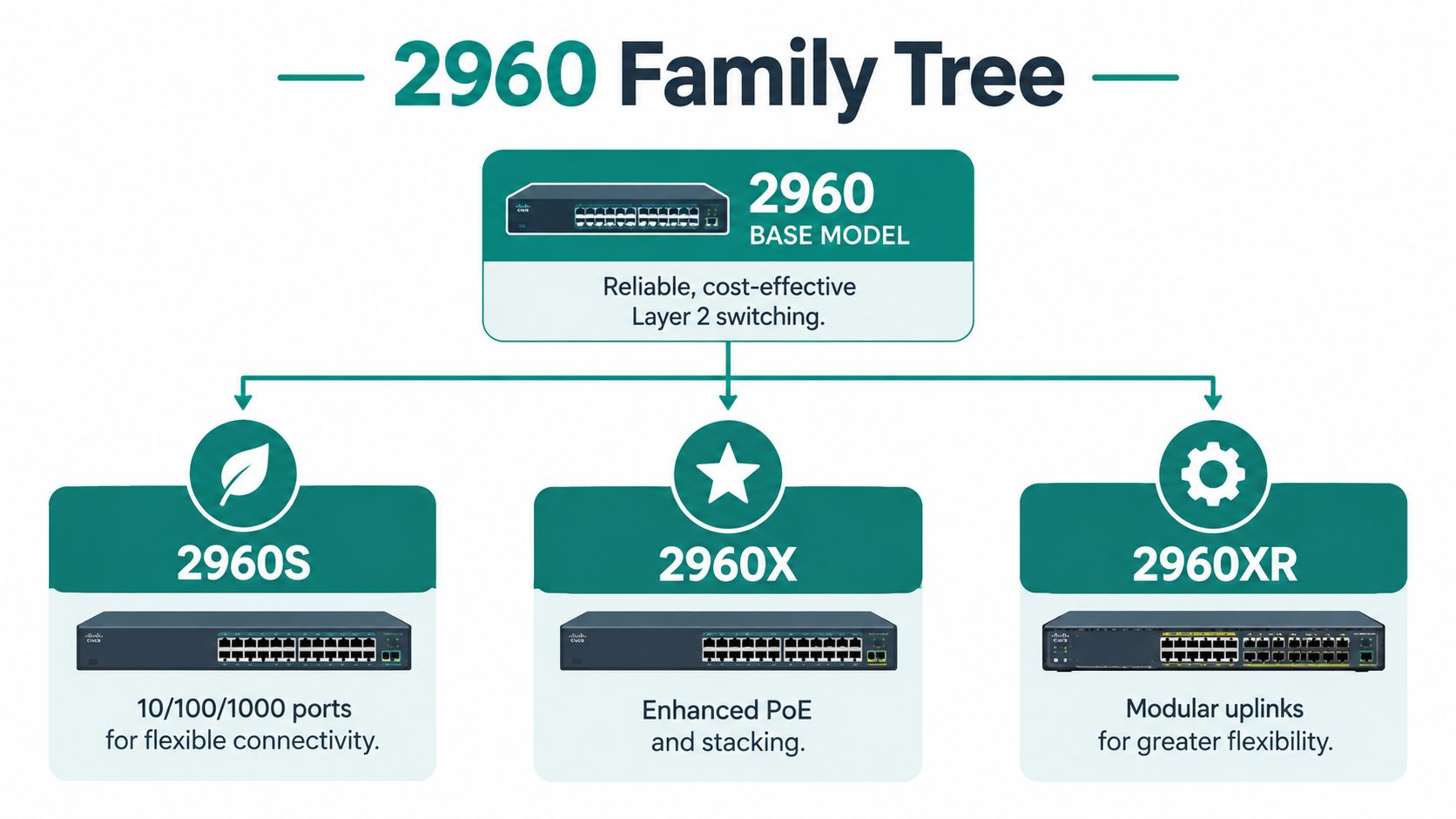
Separate the generations before checking support
Cisco announced the original Catalyst 2960 Series end-of-sale schedule in November 2013, with affected products reaching final ordering on 31 October 2014 and applicable last support on 31 October 2019. The Catalyst 2960-X was released on 24 May 2013, reached end of sale on 31 October 2022, and has a scheduled last support date of 31 October 2027; the 2960-L was released on 23 August 2016 and reached end of sale on 31 October 2021, according to the supplied Cisco lifecycle information.
Keep those milestones attached to the relevant product record. Don't copy the original series' support status onto an X-family device, or assume the X-family schedule applies to an L model.
Use a compact inventory worksheet:
| Record | What to capture | Why it matters |
|---|---|---|
| Product identity | Complete chassis identifier | Avoids family-level assumptions |
| Installed software | Image name and release | Supports compatibility checks |
| Physical connections | Access ports and uplink types | Reveals deployment constraints |
| Power capability | Exact model and available budget | Supports access-point planning |
| Lifecycle evidence | Applicable product notice | Informs replacement priority |
For an XR or CX device, verify that branch independently rather than filling gaps with another model's specifications. A family-tree diagram is useful orientation, but it isn't a purchasing document.
Finally, connect the inventory to location. “Reception closet, guest access-point uplink” tells the next engineer far more than a hostname alone. That context also helps you plan a migration without discovering an undocumented dependency during the maintenance window.
Port Counts, PoE Options and Uplink Variants
Port density, power delivery and uplink capacity are separate decisions. A switch can have enough physical sockets while failing the access-point power requirement, or provide suitable power while leaving you with an unsuitable aggregation connection.
The 2960-S offered 24 or 48 Gigabit Ethernet ports, with either 1-Gigabit SFP or combined 1/10-Gigabit SFP+ uplink slots. The 2960-L expanded the range to 8, 16, 24 and 48 Gigabit Ethernet ports, with selected configurations supporting four fixed 10-Gigabit SFP+ uplinks, as described in the supplied Cisco hardware specifications.
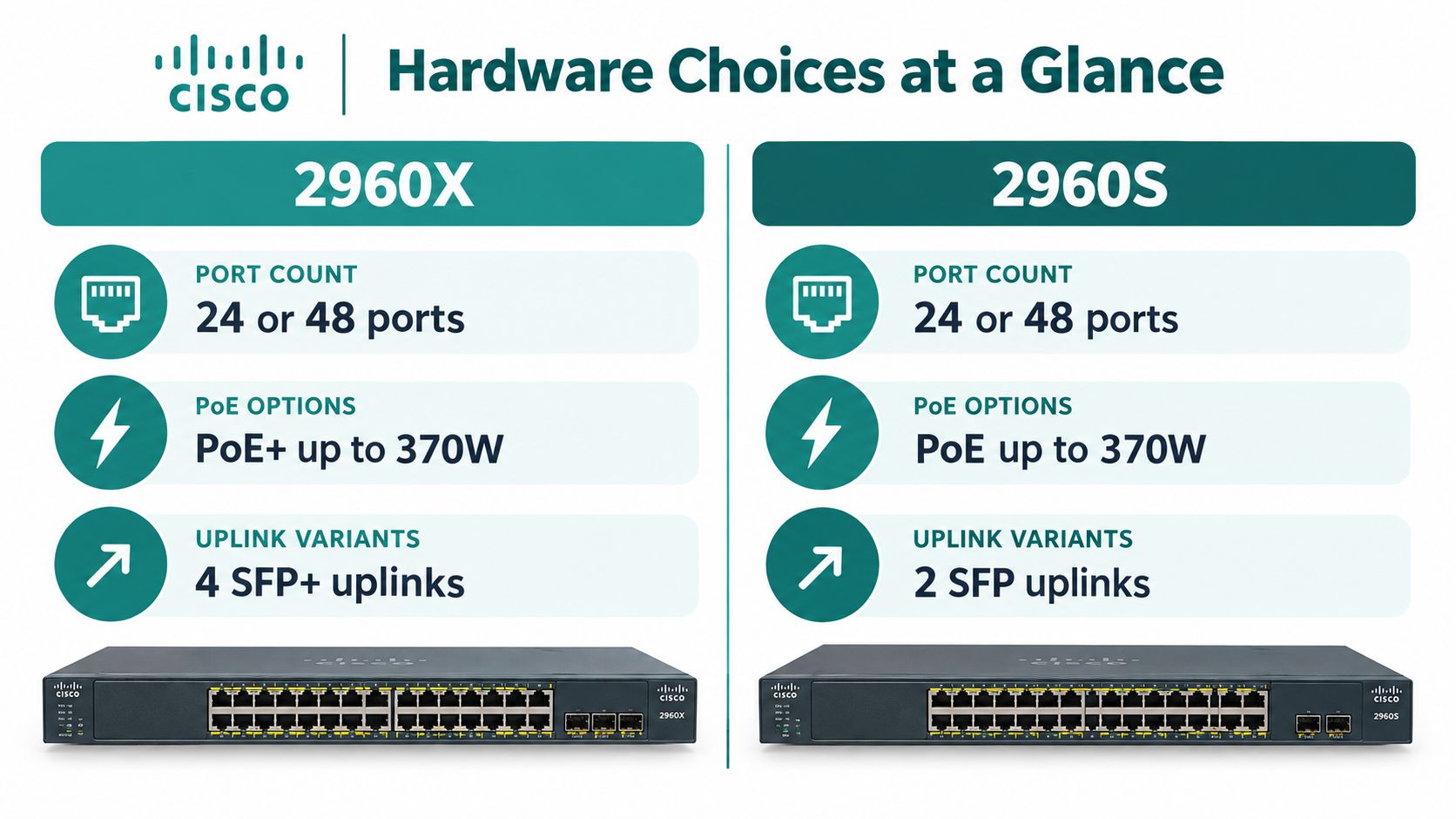
Size the connected devices, not just the closet
Use family-level illustrations as orientation only. Verify every power and uplink detail against the exact product identifier before ordering equipment or approving reuse.
For a hospitality deployment, build the port schedule from the endpoints: room access points, corridor access points, phones and other equipment that terminates in that closet. For education, start with the wireless design rather than prescribing an arbitrary access-point count per classroom. In retail, establish which devices need local connectivity and which uplinks connect to the site's upstream network.
- Port count: Allow for the approved endpoint plan and a practical amount of operational headroom.
- Power compatibility: Compare each access point's requirements with the switch's supported PoE capabilities.
- Total power budget: Assess the combined demand, not just whether an individual port can power a device.
- Uplink suitability: Verify the physical interface, supported optics and upstream connection together.
A PoE or PoE+ label isn't a deployment approval. Check the specific Cisco Meraki access-point model and its intended operating requirements before deciding that existing power delivery is sufficient.
The Cisco PoE switch planning guide is a useful companion when turning the access-point schedule into a switching requirement.
Don't let a faster uplink distract from other constraints. If the problem is inadequate coverage, an authentication failure or an unsuitable power arrangement, changing the uplink alone won't resolve it. Match the hardware purchase to the diagnosed problem, then test the complete access-point connection before extending the design across the property.
Firmware and IOS Software Image Basics
The installed IOS image deserves the same attention as the chassis. Don't select software because its filename resembles the image on another switch in the estate.
LAN Base and LAN Lite aren't interchangeable labels. Treat them as a prompt to verify the exact platform's capabilities and supported configuration, not as permission to assume that every command or feature is available across the family.
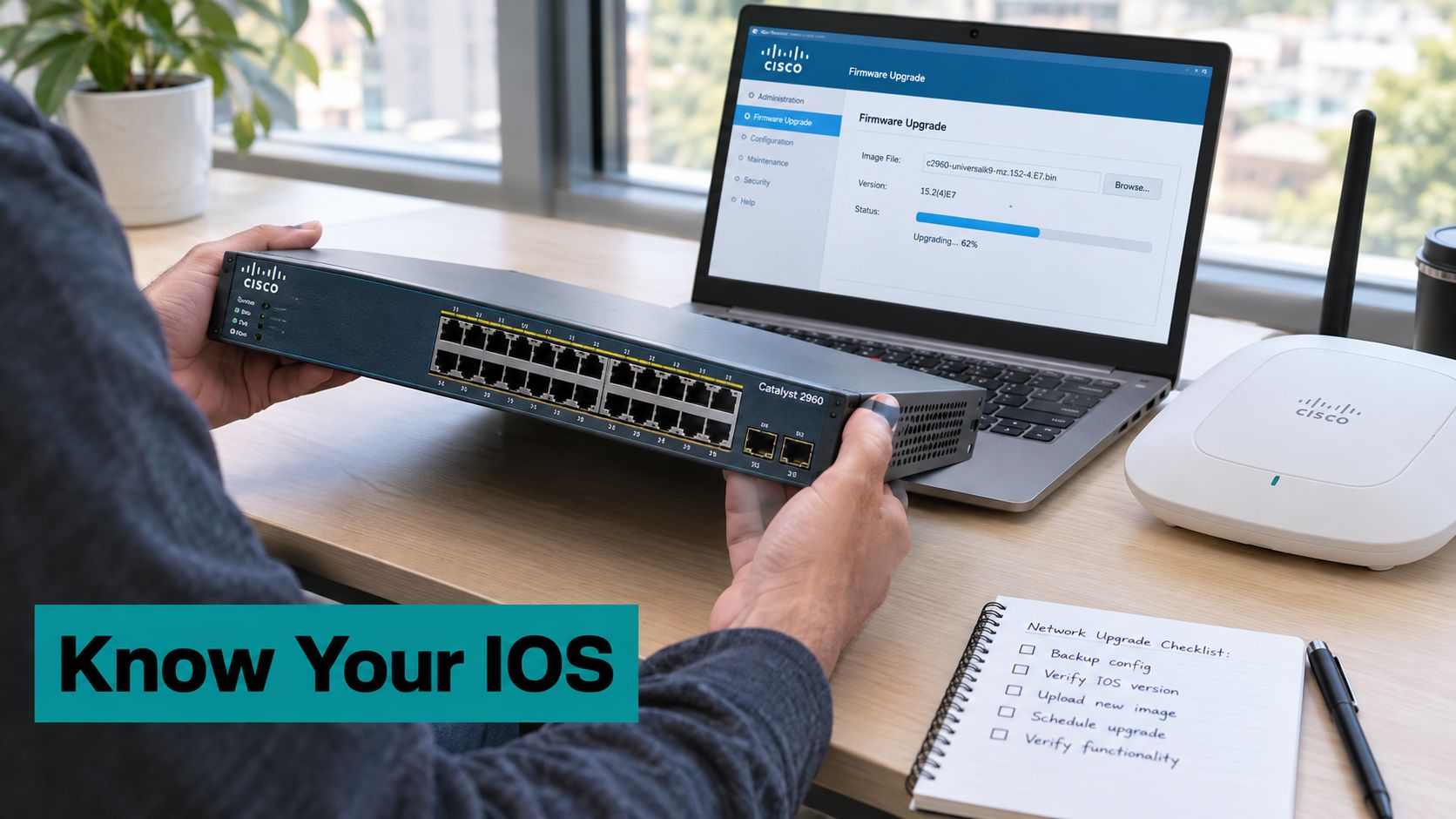
Verify before you schedule the reboot
Use show version to establish what the switch is running. Then consult the exact product's official Cisco software download information and release notes, checking hardware compatibility, feature availability and upgrade prerequisites.
Avoid assuming that a release suitable for an L model is suitable for an X model. Likewise, don't promise features such as MACsec or a particular QoS function until you've verified support for the specific hardware, image and entitlement.
- Preserve recovery information: Save configuration backups and record the current boot settings.
- Check resources: Verify available flash storage, memory requirements and configuration-storage requirements.
- Validate the target: Confirm that the intended release applies to the exact product.
- Prepare rollback: Retain a workable recovery path and arrange console access before changing boot behavior.
- Test service restoration: Include access-point power, management reachability and guest onboarding in the post-upgrade checks.
A successful reboot proves that the switch started. It doesn't prove that the guest service works.
For a guest Wi-Fi deployment, translate requirements into explicit validation tasks. If the design relies on VLAN transport, wired authentication or RADIUS interaction, confirm the required behavior rather than treating “IOS upgraded” as the acceptance criterion.
Keep the maintenance window realistic. A remote hotel with nobody available to reach the console needs a different recovery arrangement from a campus with an engineer beside the rack.
Finally, separate software availability from security suitability. Finding an image you can install doesn't establish that the platform still receives the fixes your organization needs. That decision requires lifecycle review as well as version checking.
Wiring Up Guest Wi-Fi with Cisco Meraki and Captive Portals
Think of the design as connected responsibilities: the access switch carries the required network segments, the wireless system serves clients, and the authentication solution controls the intended onboarding experience. Keep those boundaries clear when troubleshooting.
For a Cisco Meraki guest Wi-Fi project, draw the client journey before configuring the closet. Show where a guest joins the wireless network, what access is available before authentication, where the captive portal is reached and what changes after successful onboarding.
Choose the guest experience deliberately
Captive portals, IPSK and EasyPSK belong in the authentication discussion, but they shouldn't be treated as interchangeable labels. Define the experience you need, then verify the chosen implementation and its compatibility with the wireless platform.
For example, a hotel may want a branded acceptance page or voucher workflow. A corporate BYOD deployment may favor individually managed credentials. Education teams may need different onboarding paths for students, visitors and devices that can't use an interactive login.
- Captive portal: Specify the browser-based journey, permitted pre-authentication destinations and post-login policy.
- IPSK: Plan individually managed pre-shared credentials rather than relying on a venue-wide shared password.
- EasyPSK: Establish credential issuance, assignment and revocation requirements before selecting the workflow.
- Social WiFi and social login: Confirm the identity-provider journey, privacy requirements and a usable fallback.
Don't assume every device needs its own unique key. Decide whether credentials should represent a person, device or approved group, then validate what the selected authentication solution supports.
The guest Wi-Fi setup guide can help frame the onboarding discussion. When assembling a hardware shortlist, ATEK Distribution network and wireless from ATEK Distribution provides a relevant equipment-category reference to review alongside your technical requirements.
Keep the switch's responsibility narrow
Separate guest, staff, point-of-sale, IoT and management traffic according to the site's security design. Document which network segments each access-point connection must carry, and where the upstream policy enforcement occurs.
Segmentation isn't complete just because the VLAN names look sensible. Require explicit guest-to-business access rules at the appropriate enforcement point.
Test both outcomes: a visitor should complete the intended internet-access journey, and that same visitor shouldn't reach protected business resources. A polished splash page is useful, but it isn't evidence that the underlying access policy is correct.
Basic Configuration Tips for VLANs, PoE and 802.1X
Build the configuration from a port schedule, not from an old configuration pasted into a new switch. For each port, record its connected device, intended VLAN behavior, power requirements and authentication policy.
Create the required VLANs before assigning ports. A single-purpose endpoint normally needs an access-port configuration, while an access point carrying multiple network segments may require a trunk. Confirm the access point's expected tagging behavior before choosing either pattern.
Make the port configuration auditable
Use show vlan brief to review VLAN membership and show interfaces trunk to inspect trunk behavior. Compare the configured allowed-VLAN list with the approved design rather than allowing every VLAN for convenience.
For supported PoE configurations, verify the intended inline-power setting and inspect the result with show power inline. Investigate denied power or unexpected device behavior before assuming the wireless configuration is at fault.
The Cisco switch configuration reference provides a useful place to organize these checks, but adapt command syntax to the installed platform and IOS release.
Common 2960 Configuration Patterns for Guest Networks
| Use Case | VLAN Approach | PoE Need | Auth Method |
|---|---|---|---|
| Hotel access-point connection | Carry approved wireless segments | Match the access-point requirement | Portal or managed wireless credentials |
| Education printer | Dedicated endpoint segment | Device-dependent | MAB where approved |
| Retail access-point connection | Keep guest and business segments distinct | Match the access-point requirement | Guest portal or selected credential workflow |
| Corporate wired BYOD | Policy-defined endpoint access | Usually endpoint-dependent | 802.1X where supported by the endpoint |
Use authentication fallbacks intentionally
A 2960 can support 802.1X port-based authentication and use MAC Authentication Bypass, or MAB, when an endpoint doesn't respond to the expected EAPOL exchange. With MAB, the switch uses MAC-derived credentials in a RADIUS Access-Request; authorization can permit access, while a failed response can place the port into a configured guest VLAN, as described in Cisco's 2960 authentication guidance.
That fallback can be useful for printers and other endpoints without suitable supplicant support. Don't treat the MAC address as equivalent to a stronger user or device credential.
- Define failure behavior: Decide what should happen after rejection, absent responses and authentication-service unavailability.
- Restrict fallback access: Give unauthenticated or fallback endpoints only the connectivity they require.
- Test representative devices: Include a successful client, a rejected client and an endpoint that doesn't participate in the expected exchange.
- Check the resulting access: Verify the actual network permissions, not just an authentication success message.
Keep wired port authentication separate from wireless client authentication in your documentation. Authenticating an access point's switch connection and authenticating a guest using that access point are different design tasks.
Spanning Tree and Resilient Segmentation
An accidental patch lead between wall sockets can turn a quiet shift into a network incident. The useful response is a predictable Layer 2 design, not a hope that nobody will touch the cabling.
Cisco documents PVST+, Rapid PVST+ and MSTP on the 2960, with PVST+ as the cited default; Rapid PVST+ aligns with IEEE 802.1w, conventional STP aligns with IEEE 802.1D, and the spanning-tree root should sit in the distribution or backbone layer, according to Cisco's spanning-tree configuration guidance.
Choose predictable behavior
Rapid PVST+ is a practical option when fast convergence matters and the VLAN count is manageable. MSTP can reduce instance overhead by mapping VLANs into fewer spanning-tree instances, but that benefit comes with configuration-consistency responsibilities.
Explicitly designate the intended primary and secondary roots. Don't leave root placement to whichever access switch happens to win an election.
| Design choice | Practical objective |
|---|---|
| Deliberate root placement | Keep forwarding decisions aligned with the network hierarchy |
| Consistent trunk settings | Avoid VLAN reachability faults and inconsistencies |
| Appropriate edge-port behavior | Support endpoint connections without weakening switch links |
| BPDU Guard on suitable edge ports | Shut down unexpected bridge participation |
PortFast belongs on genuine edge connections, not on an inter-switch link because someone wants faster startup. Pair appropriate edge behavior with BPDU Guard, and verify the behavior of access points that use bridging or other nonstandard connectivity arrangements.
Operational check: Before enabling edge protections in bulk, confirm what is physically connected and what that device can bridge.
Compare native-VLAN settings and allowed-VLAN lists at both ends of every relevant trunk. A mismatch can produce confusing symptoms that look like authentication failures when the underlying problem is transport.
The spanning-tree protocol explainer is useful for colleagues who need the reasoning without a command-by-command deep dive.
During acceptance testing, validate an approved uplink failure under controlled conditions. Check guest onboarding and established client connectivity afterward. Spanning tree helps prevent loops and manage redundant paths; it doesn't replace firewall policy or prove that guest isolation is correct.
Lifecycle Status and Security Risk You Should Not Ignore
Working and supported are different operational states. A switch can forward traffic reliably while no longer receiving the security remediation your organization expects.
For the 2960-L, the supplied lifecycle information identifies 31 October 2026 as the scheduled end of vulnerability and security support, following the end of software-maintenance releases in 2022, as recorded in the supplied 2960 lifecycle and troubleshooting reference. Treat that scheduled milestone as a planning deadline, not as a claim that every installed device suddenly stops operating.
The X-family support milestone identified earlier requires its own migration plan. Don't combine different generations into a single “replace the 2960s someday” project.
Physical access belongs in the risk assessment
In May 2025, Cisco disclosed a high-impact IOS vulnerability affecting Catalyst 2960X, 2960XR and 2960CX switches: an authenticated privileged user or someone with physical access could load a crafted file and execute persistent code during boot because signature verification was missing for specific files; software updates were released and no workaround was reported in the supplied 2960X security and troubleshooting reference.
Don't apply that affected-product list indiscriminately to every classic 2960. Verify the exact hardware and software against the applicable security information.
For distributed hotels, stores, campuses and healthcare sites, include the closet itself in the assessment. A firewall doesn't prevent someone from opening an unsecured rack or using an exposed console connection.
- Restrict privileged access: Review administrative accounts and remove unnecessary privileges.
- Protect physical interfaces: Control rack keys, console access and access to shared facilities.
- Isolate management: Limit administration to approved management paths.
- Preserve recovery options: Maintain configuration backups and tested restoration procedures.
- Prioritize replacement: Escalate unsupported equipment where exposure and business consequences make temporary controls inadequate.
Use the Cisco default-password guidance as a reminder to audit credentials, not as a substitute for software remediation.
A reasonable temporary control needs an owner, a documented limitation and a replacement decision. “It still works” isn't an adequate security acceptance statement, especially when the switch carries the networks your guests and business depend on.
Splash Access offers Cisco Meraki guest Wi-Fi captive portals, customizable onboarding and IPSK authentication workflows for hospitality, education, retail and corporate environments. Visit Splash Access to discuss your guest-access requirements, including how to coordinate the authentication experience with your existing Cisco 2960 infrastructure and replacement plans.