You're probably already seeing the problem every day.
Customers walk in, browse, pause at one display, skip another, and leave. Some come back next week. Some never return. Your team can see that activity with their eyes, but they can't easily measure it. That gap is where a lot of retail decisions turn into guesswork.
The same thing happens outside retail too. A school wants to understand student flow between buildings. A corporate office wants cleaner BYOD access and better visitor visibility. A shopping center wants stronger guest wifi and smarter social WiFi campaigns. In all of those cases, the Wi-Fi network isn't just internet access anymore. It's a source of business intelligence.
Your Wi-Fi Is a Goldmine of Customer Insights
A retail manager usually knows the obvious patterns. Saturdays feel busy. One aisle always seems crowded. The cafe corner gets traffic in the afternoon. But “feels busy” isn't the same as knowing which entrance produces the best shoppers, which zones hold attention, or which visitors return often enough to justify a targeted offer.
That's where retail Wi-Fi analytics starts to change the conversation.
The network you already have is quietly observing patterns
When shoppers carry phones, tablets, or laptops with Wi-Fi enabled, your network can detect presence and movement patterns across the store. You're no longer relying only on receipts, staff memory, or manual clickers at the door. You can begin to understand footfall, dwell time, repeat visits, and traffic flow through real spaces.
For many managers, that realization is the turning point. Guest wifi stops being a utility bill and starts becoming a decision tool.
A simple example makes this clearer. Say your front table display looks attractive, but sales from that category stay flat. Wi-Fi analytics can help answer whether people are stopping there, how long they stay, and whether they move from that zone toward checkout. If they don't, the issue may not be product demand. It may be placement, signage, or timing.
Practical rule: If you can measure movement in your store the way you measure clicks on a website, you can make faster and smarter operating decisions.
It also supports loyalty and personalization
The strongest setups combine analytics with the login experience. A branded captive portal, social login, or social wifi flow can help you learn who connected, when they visited, and how often they return. That makes guest wifi more useful for both operations and marketing.
If you're already thinking about ways to grow customer retention in retail, Wi-Fi analytics fits naturally into that effort because it helps connect repeat visits, in-store behavior, and follow-up engagement. It also pairs well with broader customer experience personalization strategies when you want to move from generic outreach to behavior-based messaging.
Here's the big shift. You stop asking, “Was the store busy?” and start asking better questions. Which entrance converts best? Which zone loses attention? Which visitors come back after a weekend promotion? Those are much more valuable questions.
What Exactly Is Wi-Fi Analytics and Why Does It Matter
Think of Wi-Fi analytics as website analytics for a physical location.
On a website, you'd want to know how many people visited, which pages they viewed, how long they stayed, and whether they converted. In a physical venue, Wi-Fi analytics helps answer the same kinds of questions using signals from devices and access points.

What it is and what it isn't
At its simplest, Wi-Fi analytics uses network activity to understand how people move through a space. It's about patterns, not reading someone's mind. It doesn't tell you why a shopper picked up one sweater and ignored another. It helps you see where traffic concentrates, where people hesitate, and whether layout changes influence behavior.
That matters because decisions in physical spaces are expensive. Moving fixtures, changing staffing schedules, adjusting promotional zones, or redesigning guest wifi onboarding all take time and money. Better data lowers the odds of making those calls blindly.
The business case is getting stronger as adoption grows. The broader Wi-Fi analytics market is projected to grow at roughly 19 to 24 percent CAGR, reaching about USD 18 to 30 billion by 2030 to 2031, and the retail segment alone is projected to expand at about 20.35 percent CAGR according to Grand View Research's Wi-Fi analytics market outlook.
Why retail managers care first, but not only retail managers
Retail is the obvious fit, but the concept extends well beyond stores.
- Retail operations: Teams use analytics to study store layout, queue pressure, high-interest zones, and returning visitor behavior.
- Education environments: Schools and campuses can learn how students circulate between buildings, common areas, and study spaces while improving guest wifi access for visitors and segmented connectivity for students.
- Corporate and BYOD settings: Offices can combine visitor analytics with Authentication Solutions such as IPSK and EasyPSK to support secure BYOD access without making onboarding painful.
Cisco and Meraki come up often here because many organizations already use Cisco Meraki access points as their wireless foundation. That makes the jump from “we provide Wi-Fi” to “we understand movement and engagement” much more practical.
Good retail wifi analytics doesn't just produce charts. It gives managers evidence for layout, labor, marketing, and guest experience decisions.
There's also a useful difference between connectivity data and marketing data. Connectivity tells you how people move and return. Captive portals, social login, and opt-in guest wifi experiences can add consent-based identity and engagement layers on top. If you want a closer look at that behavior layer, this guide to user behavior tracking is a helpful next step.
How It All Works From Access Points to Actionable Insights
Most managers don't need to know radio theory. They do need a clear mental model of how the system works.
The short version is this. Access points detect signals. Software organizes them. Dashboards turn them into decisions.

Step one starts with the access points
Enterprise access points such as Cisco Meraki models listen for Wi-Fi activity from nearby devices. That includes devices that may never fully join the network. The network can still detect presence patterns and movement signals across the venue.
According to this analysis of presence analytics in retail environments, modern enterprise access points sample Wi-Fi probe requests at 200 to 500 ms intervals. With a density of at least 1 AP per 250 to 300 m², they can achieve 85 to 90 percent device-detection accuracy within a 15 to 25 m radius. That gives you sub-minute visitor visibility and a dependable base for business reporting.
Step two is the digital handshake
The next part is the one customers see. The captive portal.
That's the branded login page that appears when someone joins guest wifi. It can be simple, like accepting terms. Or it can be more advanced, with voucher access, social login, social wifi options, email capture, SMS verification, or segmented onboarding based on visitor type.
For a retailer, that page is more than a gateway. It's your first digital touchpoint in the venue.
For education and corporate environments, the portal also becomes part of your security design. Students, staff, guests, and BYOD users don't all need the same network rights. Authentication Solutions such as IPSK and EasyPSK help assign secure access in a way that's easier to manage than broad shared credentials.
Step three is processing and visualization
Once the platform collects signal and session data, it anonymizes and aggregates the information into dashboards. Instead of raw network events, managers see heatmaps, dwell reports, repeat visitor patterns, and traffic trends by zone or time period.
Software layers matter. A platform such as Splash Access's Meraki access point integration guide shows how organizations can connect Cisco Meraki hardware with captive portals, authentication flows, and analytics reporting in one workflow. For venues already standardizing on Meraki, that makes implementation much more tangible.
A simple stack often looks like this:
- Access points detect activity across the venue.
- The captive portal authenticates users through guest wifi, social login, vouchers, or role-based access.
- The analytics layer organizes behavior data into dashboards the business can use.
Manager's shortcut: Treat the captive portal as your front desk, the AP as your sensor, and the dashboard as your store report.
Why this feels less technical than it sounds
Once deployed, the system is largely automated. Staff don't need to manually count visitors or build spreadsheets from scratch. The network handles the sensing. The platform handles the processing. The manager focuses on interpretation.
That's why retail wifi analytics has become useful outside pure IT. Marketing can study campaigns. Operations can adjust staffing. Facilities teams can review traffic patterns. Security and compliance teams can shape access rules for guest wifi, BYOD, and identity-based onboarding.
The Key Wi-Fi Analytics Metrics That Drive Decisions
Raw data rarely changes a business. Useful metrics do.
The reason retail wifi analytics matters is simple. It turns movement into questions a manager can answer. Are people coming in but not browsing extensively? Are they spending time in the wrong zones? Are repeat visits increasing after a campaign? Those are operational questions, not technical ones.
The metrics that matter most
The market has leaned heavily toward presence-based use cases. According to this retail foot-traffic analysis, Wi-Fi presence analytics accounted for more than 67 percent of global Wi-Fi analytics revenue in 2023, and retailers using Wi-Fi analytics to optimize layout and staffing observed 11 to 18 percent improvements in conversion rates within about six months.
That tells you something important. The basic metrics are not “starter metrics.” They're often the most commercially useful ones.
Here are the core measurements managers usually care about:
- Footfall: How many visitors entered the store or a defined area.
- Passers-by versus visitors: How many people came near the storefront versus entered.
- Dwell time: How long visitors stayed in the store or in a zone.
- Repeat visitor rate: Whether people are coming back often enough to suggest loyalty or promotion interest.
- Heatmaps and pathing: Which areas attract attention and which areas get ignored.
If POS data tells you what sold, Wi-Fi analytics helps explain what happened before the sale.
Connecting Wi-Fi Metrics to Business Outcomes
| Metric | Business Question It Answers | Potential Action |
|---|---|---|
| Footfall | Are overall visits rising or falling by daypart? | Adjust staffing and opening-hour promotions |
| Passers-by vs visitors | Is the storefront and window display pulling people in? | Change signage, entry display, or exterior offer |
| Dwell time by zone | Which departments are holding attention? | Move slow-selling products closer to high-interest areas |
| Repeat visitor rate | Are campaigns driving loyalty or just one-time traffic? | Trigger return-visitor offers through guest wifi marketing |
| Heatmaps | Which parts of the store are underused? | Rework layout, fixture placement, or service desk location |
| Path to checkout | Where do shoppers pause before purchasing? | Test cross-sell placements or impulse displays nearby |
A common point of confusion
Managers often assume a high dwell time is always good. It isn't.
If shoppers linger in a fashion display and then buy, that's encouraging. If they linger at the fitting room queue or checkout line, that may signal friction. Context matters, which is why pairing location data with POS timing and staffing schedules produces much better decisions than reviewing one report in isolation.
For teams that want to connect these measurements to wider store KPIs, this overview of retail store performance metrics helps frame Wi-Fi data alongside operational reporting.
Putting Analytics into Action With Smart Marketing
This is where retail wifi analytics becomes fun. Once you can see behavior patterns, you can stop sending the same message to everyone.

Retail use case with social login and zone insight
A clothing retailer offers guest wifi through a captive portal with social login and email opt-in. The portal is branded, easy to use, and built to support future campaigns. Over time, the team notices that returning visitors often browse a premium accessories zone but don't buy from it.
Using pathing and zone insight, the retailer tests a new end-cap display and adjusts nearby product placement. Empirical studies show that stores using Wi-Fi-derived pathing data to optimize aisle and end-cap layouts can achieve 8 to 12 percent increases in basket size for high-margin categories over 12 to 18 months, as described in Fortinet's discussion of retail customer experience through Wi-Fi analytics.
That kind of result is why marketing teams start caring about infrastructure.
Education and campus services
An education environment uses guest wifi analytics differently. A campus might study which study spaces are consistently underused, which common areas become congested, and when guest access spikes during open events. A captive portal can separate students, staff, and guests while still keeping the login flow manageable.
The value isn't just traffic visibility. It's service design. If students repeatedly cluster in one wing while another stays quiet, facilities and student-services teams can respond with better signage, space planning, and communication.
Corporate BYOD and visitor access
A corporate office may care less about merchandising and more about secure onboarding. In that case, a captive portal paired with IPSK or EasyPSK can give visitors, contractors, and employees the right network access without exposing the broader environment.
The analytics side still matters. You can understand peak guest arrival periods, lobby congestion, and how often visitors return. That helps front-desk operations and IT work from the same picture instead of separate assumptions.
A practical marketing and operations mix often looks like this:
- Behavior-based follow-up: A returning guest wifi user can receive a relevant offer after opting in through social WiFi.
- A/B layout testing: Teams compare two display arrangements and review zone traffic differences.
- Demand planning: Repeated path patterns can inform merchandising calendars and campaign timing.
If you're exploring broader data forecasting strategies, Wi-Fi behavior data can become one of the most useful first-party inputs because it reflects real in-person activity rather than only online clicks. And for businesses building campaigns from physical presence, location-based marketing ties those visits to messages that are timely and relevant.
Getting Started Right with Deployment and Privacy
The easiest way to get poor analytics is to treat deployment as an afterthought.
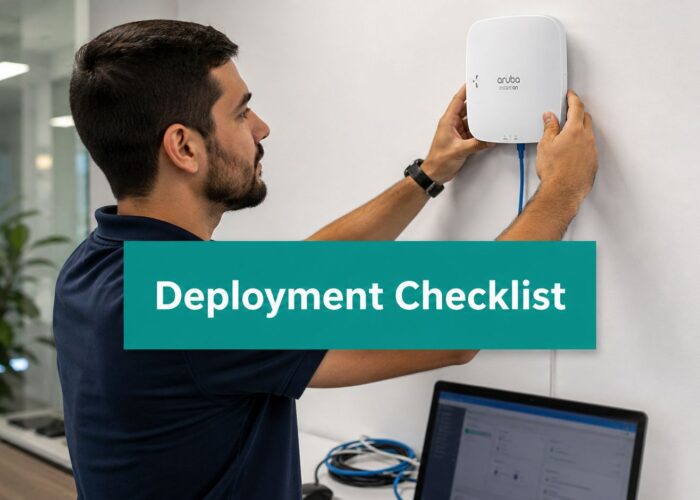
Strong results depend on practical basics. Access point placement matters. The captive portal should match your brand and user journey. Authentication should fit the environment, whether that's guest wifi in retail, segmented access in education, or secure BYOD in corporate spaces.
Privacy has to be part of the design
Customers and regulators both care about how tracking works. Responsible platforms use privacy-by-design methods such as anonymization, hashed identifiers, retention controls, and clear opt-out mechanics. That's not just a legal checkbox. It protects trust.
This part needs special attention because the documentation gap is real. A 2024 survey by the European Data Protection Board noted that over 60 percent of retailers using Wi-Fi analytics did not fully document lawful bases for tracking, as discussed in Cisco Spaces coverage of Wi-Fi analytics in retail.
Privacy works best when it's built into onboarding, data handling, and reporting from day one.
Start small and deploy cleanly
A good rollout usually begins with one site, one clear question, and one review cycle. Maybe you want to measure storefront capture. Maybe you want better repeat-visitor visibility. Maybe you want a smoother social login flow for guest wifi with stronger Authentication Solutions behind it.
If crowd movement and venue flow are part of your planning, these Australian crowd control methods offer useful context for thinking about space management more broadly. The key is to combine physical operations thinking with clean wireless design.
Retail managers don't need more dashboards for the sake of dashboards. They need a setup that turns Cisco Meraki infrastructure, captive portals, social wifi, IPSK, and privacy-conscious analytics into better everyday decisions.
If you want to turn your wireless network into a measurable customer experience tool, Splash Access provides captive portals, Cisco Meraki integration, guest wifi onboarding, Social WiFi options, and authentication workflows including IPSK in a format that fits retail, education, and corporate BYOD environments.