Guests don’t think about switches. They think about whether the Wi-Fi works when they scan a QR code in a hotel lobby, log in with social login in a retail store, or connect a laptop and phone in a BYOD corporate office.
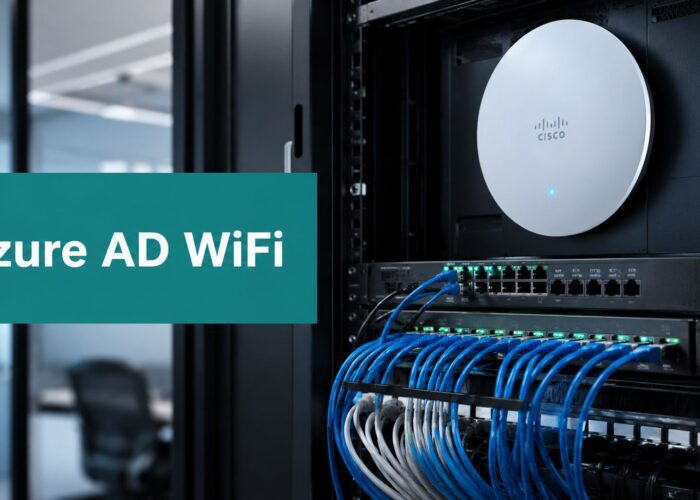
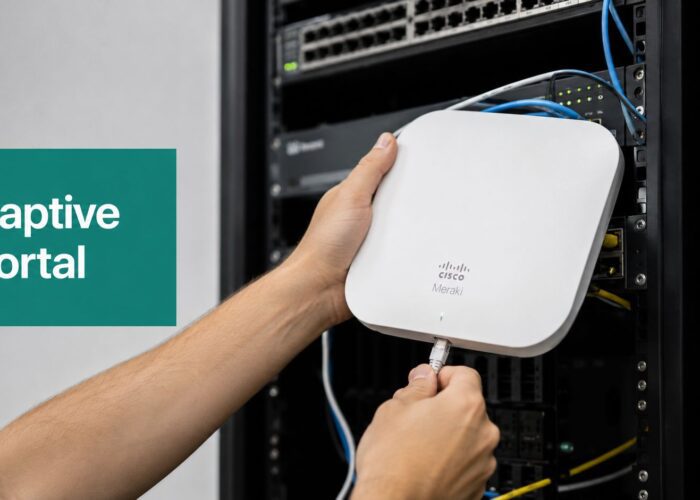
That’s why a cisco poe switch plays a more critical role than one might assume. It’s the hardware sitting in the rack, sending both data and power over one Ethernet cable so your Cisco and Meraki access points can stay online, your captive portal can load quickly, and your authentication flow, whether that’s IPSK, EasyPSK, or a simple guest Wi-Fi splash page, feels smooth instead of frustrating.
Cisco has been part of networking since its founding in December 1984, and its early router and switching work helped shape the enterprise networks we depend on today, including PoE-capable switching used to power modern endpoints like Wi-Fi access points in hospitality, retail, education, healthcare, and corporate spaces (history of Cisco systems and its contributions to networking). If you run a guest network, that history matters because reliable guest access starts with reliable infrastructure.
The Unsung Hero of Great Guest Wi-Fi
A lot of “bad Wi-Fi” problems are really power problems.
A hotel might have beautiful Cisco Meraki access points in every corridor. A retailer might have social WiFi in place for customer sign-on. A campus might have strong authentication policies for student devices. But if the switch underneath can’t feed clean, steady power to those access points, the whole guest experience starts wobbling. Pages load slowly. Devices disconnect. Captive portals time out. Staff hear the same complaint all day: “Your Wi-Fi keeps dropping.”

Power over Ethernet, or PoE, fixes a simple but common problem. Instead of running one cable for network data and a separate power line for each device, the switch sends both through the same Ethernet cable. This operates much like a single road transporting both passengers and supplies to the same location. That cleaner design is one reason PoE has become so important for guest Wi-Fi environments.
Why guest experience depends on switch stability
When someone opens a captive portal, they don’t care about your rack layout. They care that it works on the first try.
That’s why switch features matter. Cisco notes that Perpetual PoE, launched in Cisco IOS XE 17.18.1 on C9350 Series switches in 2024, keeps power flowing to devices like access points even during a switch reload, while Fast PoE reduces activation time after a power cycle, which helps reduce downtime in places like hotels and shopping centers (Cisco documentation on PoE statistics and power behavior).
Practical rule: If your guest Wi-Fi is a customer-facing service, treat access point power as part of the user experience, not just a wiring detail.
A stable Cisco switch also gives you room to support the tools layered above it. In real deployments, that often means Meraki APs for wireless coverage, MV Sense cameras for visitor analytics, and authentication methods such as WPA2, IPSK, and EasyPSK for secure onboarding. The switch doesn’t show up in the guest journey, but it supports every step of that journey.
If you’re comparing hardware options for guest networks, this overview of network switches for guest Wi-Fi environments gives a useful starting point.
What the switch is really doing
Under the hood, the switch is handling two jobs at once:
- Power delivery so access points and other endpoints stay on
- Traffic forwarding so users can reach the captive portal, login page, and internet services
- Operational consistency so reboots, upgrades, and brief disruptions don’t ripple into the guest experience
That’s why I call it the unsung hero. A polished guest Wi-Fi journey starts with a very unglamorous box doing its job well.
Decoding PoE Standards and Power Budgets
A hotel guest scans the room QR code, joins Wi-Fi, and waits for the login page. If the ceiling access point is short on power, that delay feels like bad service, even though the actual problem started in the wiring closet.
That is why PoE standards matter. They tell you how much electrical power a switch can send over the same cable that carries data. For guest Wi-Fi in hospitality, retail, and education, that power keeps access points online so captive portals, social Wi-Fi sign-ins, and private onboarding options like IPSK work the way visitors expect.

The three standards most people need to know
PoE works a lot like phone charging. A small charger is enough for earbuds. A laptop needs far more. Network devices follow the same pattern.
| Standard | Also Known As | Max Power Per Port | Common Devices Powered |
|---|---|---|---|
| PoE | 802.3af | 15.4W | VoIP phones, simple sensors, some basic APs |
| PoE+ | 802.3at | 30W | Many Wi-Fi access points, IP cameras |
| PoE++ | 802.3bt / UPOE+ | 90W | Higher-power APs, lighting, thin clients, specialty endpoints |
Cisco’s UPOE and UPOE+ overview aligns with the 90W per port figure used for Cisco UPOE+.
For guest networks, PoE+ is often the practical baseline because many modern access points need more than basic PoE, especially once you add features such as multiple radios, stronger coverage, or higher client density in lobbies, classrooms, and sales floors.
The part that trips buyers up
Per-port power is only half the story. The other half is the switch’s total PoE budget.
A simple comparison helps. A power strip may have eight outlets, but that does not mean you can run eight space heaters from it. A PoE switch works the same way. You might have 24 or 48 PoE ports, yet the switch still has a shared power pool that every connected device draws from.
So the real question is not, “Does this port support PoE+?” The real question is, “Can this switch feed all my access points at the same time, with room for growth?”
Why the budget matters in guest Wi-Fi
Here, guest experience becomes a hardware conversation.
In a retail store, an underpowered AP can mean slow captive portal loads near the entrance. In a hotel, it can mean poor coverage on one side of a floor where guests are trying to connect room by room. In a school, it can mean the onboarding page works in one classroom and struggles in the next because the AP mix changed over time and nobody revisited the power plan.
That kind of failure is hard to spot from the visitor side. Guests do not say, “Your switch exceeded its PoE budget.” They say, “Your Wi-Fi is unreliable.”
A simple way to estimate PoE needs
Use this checklist before you buy or expand a switch:
List every powered device
Include access points, cameras, phones, sensors, or badge readers that will draw PoE from the switch.Check each device’s required standard
Look up whether each device needs 802.3af, 802.3at, or 802.3bt. Do not assume all APs in the same building need the same level.Add expected power draw across the switch
This gives you a planning number for the full closet, not just one port.Leave spare capacity
New APs get added. Coverage gaps show up. A guest Wi-Fi project often grows after opening day.
Headroom matters more than many teams expect. The Wi-Fi you install for internet access often ends up supporting splash pages, social login, analytics, and segmented onboarding for guests, staff, and BYOD users. That puts more pressure on consistent AP uptime.
Cable distance still matters
Power over Ethernet simplifies installation, but cable quality and run length still affect real-world results. If you are placing switches across a hotel, campus, or large store, it helps to review how network cable distance affects power and performance before finalizing closet locations.
The plain-English takeaway
A Cisco PoE switch is a shared power system for the guest experience. If the budget is sized well, your access points stay stable and your Splash Access login flow, IPSK onboarding, and social Wi-Fi journey feel smooth to the end user. If the budget is too tight, the first symptom often shows up at the worst moment, right when a guest tries to connect.
Choosing Your Platform Cisco Catalyst or Meraki
Once you understand PoE, the next decision usually isn’t about wattage. It’s about management style.
Cisco gives you two very familiar paths here: Catalyst and Meraki. Both can support strong guest Wi-Fi foundations. The better fit depends on how your team likes to operate and how much day-to-day control you want over the network.

Cisco Catalyst for hands-on control
Catalyst is often the choice for organizations with in-house IT teams that want deep control over switching behavior, policy, segmentation, and troubleshooting.
If you run a university campus, a large corporate office, or a multi-building property with a network engineer on staff, Catalyst can feel like the right tool because it gives you detailed control over how the switch behaves. It also scales well in high-density environments. For example, Cisco Catalyst 9300 Series switches provide up to 480 Gbps of bandwidth per switch stack for places like university campuses and large retail centers (Catalyst 9300 performance overview).
That number matters less as a bragging point and more as a clue about fit. If you have lots of APs, many concurrent users, and a heavy mix of guest traffic and internal traffic, strong stack performance helps keep the network responsive.
Cisco Meraki for simpler operations
Meraki appeals to teams that want visibility without living in switch configuration all day.
Hotels, retailers, and smaller corporate sites often like Meraki because the cloud dashboard makes it easier to see what’s happening across switches and access points in one place. You can spot a powered AP, review device status, and manage network behavior with a more visual workflow. For organizations without a dedicated switching specialist, that simplicity is often the deciding factor.
A good platform choice isn’t about picking the “best” switch family. It’s about picking the one your team can run confidently on a busy Monday morning.
Which one fits your environment
Here’s a practical way to decide.
- Choose Catalyst if your IT team wants fine-grained control, expects complex segmentation, or manages larger and denser networks.
- Choose Meraki if you want simplified cloud management, fast visibility, and easier operations across distributed sites.
- Choose based on staffing, not aspiration. The switch you can support well usually beats the one with a longer feature list you won’t fully use.
This broader comparison of cloud versus server-based network management is useful if your organization is still deciding how much local control versus cloud convenience it wants.
The guest Wi-Fi lens
For guest Wi-Fi, both paths can work well.
A Catalyst environment may suit a campus with strong internal IT resources and strict BYOD segmentation. A Meraki environment may suit hospitality or retail teams that want smoother daily management for guest access, captive portals, social login, and wireless health checks. In both cases, the switch’s job is the same: power the APs reliably and move traffic cleanly so authentication feels easy to the user.
That’s the key question. Not “Catalyst or Meraki?” but “Which platform helps your team deliver secure, dependable guest access without unnecessary complexity?”
Smart Deployment Strategies for Your Sector
A good guest Wi-Fi design starts with a simple question. Where will people try to connect, and what will they expect in that moment?
A hotel guest checking in wants fast access in the lobby and a stable signal in the room. A shopper may connect for a coupon at the entrance, then roam to the fitting room or food court. A student might register a phone, laptop, and game console in the same week. The same Cisco PoE switch category can support all three. The deployment strategy should change because the guest journey changes.
Guest Wi-Fi improves when the switch plan matches the building, user behavior, and onboarding method. That matters even more if you are supporting captive portals, social Wi-Fi, IPSK, EasyPSK, or different access policies for different groups.

Hospitality and resorts
Hospitality networks need to disappear into the background. Guests should not have to think about the network at all. They should scan, join, complete the login, and get on with their stay.
That sounds like a wireless problem, but it starts lower in the stack. The switch is the electrical backbone for room APs, hallway APs, lobby coverage, conference spaces, and often outdoor areas by the pool or courtyard. If power is inconsistent, the symptom shows up as slow portal loads, dropped roaming sessions, or repeated logins. Front-desk staff usually hear about those problems first.
Hotels also have a layered coverage pattern. Guest rooms need predictable signal and steady power. Public spaces need extra headroom because device counts rise and fall throughout the day. Back-of-house areas still matter because staff tablets, voice devices, and operations traffic share the same physical environment even when they should not share the same network path.
That is why hospitality teams should map deployment to the guest journey, not just to a floor plan.
Retail and shopping environments
Retail Wi-Fi follows customer movement. Entrances, checkout lines, food courts, and promotion zones often matter more than quiet corners of the building.
Power planning gets overlooked here because each individual device seems modest. One AP does not look demanding. One camera does not look demanding either. Add digital signage, another AP for denser coverage, and a few more PoE devices, and the switch budget starts to feel like an overbooked power strip. The result is inconsistent service that looks random to shoppers but usually traces back to design choices.
Retail also ties hardware directly to marketing and guest onboarding. If your store uses social Wi-Fi, a branded captive portal, or a Splash Access guest flow, the switch has to keep the AP online every time a customer pauses to connect. A campaign can be well designed and still disappoint if the wireless edge is unstable.
Education and campus housing
Education has two guest access patterns at once. Visitors and event attendees need quick short-term access. Students in dorms and academic buildings behave more like semi-permanent residents with a pile of personal devices.
That changes the switch design. Residence halls need enough powered ports and enough switching capacity for dense, always-on use. Libraries and lecture halls need coverage that holds up during peaks, not just during quiet hours. Secure onboarding matters because one shared password becomes hard to control as device counts rise. IPSK and EasyPSK help schools assign access more cleanly, especially when users bring multiple devices that need different treatment behind the scenes.
For schools, the business outcome is not only connectivity. It is a smoother arrival day, fewer help-desk tickets, and better separation between guest traffic, student devices, and internal systems.
Corporate and co-working spaces
Corporate guest Wi-Fi has a narrower mission, but the details still matter. Visitors, contractors, interview candidates, and temporary staff all need internet access that feels easy while staying separate from business systems.
Older buildings often make deployment harder. Closet locations may be awkward. Cable runs may be longer than you want. Some edge spaces may need industrial or specialty hardware because the environment is less forgiving than a typical office floor. In those cases, the goal stays the same. Keep APs reliably powered, keep guest traffic isolated, and make sure authentication does not turn reception into a support desk.
For co-working spaces, flexibility matters even more. Tenants change, room usage shifts, and guest access policies may vary by floor or suite. A switch deployment that leaves room for extra APs and clean segmentation will age better than one sized only for day-one demand.
A practical sector checklist
Before you buy or deploy, ask a few grounded questions.
Who is connecting, and how long do they stay?
Overnight guests, shoppers, students, contractors, and event visitors create very different patterns of demand.Which onboarding method fits the experience you want to deliver?
Captive portal, social login, IPSK, EasyPSK, or a mix should follow the user journey and the security requirement.Which spaces are hardest to serve?
Older wings, outdoor zones, long corridors, high ceilings, and temporary work areas often expose weak planning first.What else shares the PoE budget?
Access points are rarely alone. Cameras, phones, sensors, and signage all compete for the same pool of power.How will you keep guest traffic separate from everything else?
A clear VLAN plan makes guest Wi-Fi easier to secure and easier to troubleshoot. This guide to setting up VLANs for guest and internal traffic is a practical starting point.
The best deployment strategy matches the actual behavior of guests in your sector. That is how a Cisco PoE switch moves from being a box in a closet to being the foundation for better onboarding, smoother authentication, and a guest Wi-Fi experience people barely notice, which is usually the highest compliment.
Configuration Tips for a Seamless Guest Experience
A switch can be correctly installed and still be poorly configured for guest Wi-Fi. That’s where small settings make a big difference.
When people say a network feels “smooth,” they’re often describing the result of careful prioritization. The access point powers on quickly, stays online, sits in the right VLAN, and hands users into the correct login flow without hesitation. None of that happens by accident.
Prioritize your most important ports
Not every connected device matters equally.
If your switch supports PoE priority settings, give the most important ports the highest priority. In a hotel, that might be lobby and check-in APs. In retail, it might be front-of-store wireless. In education, it could be lecture hall access points. If power becomes constrained, you want low-priority devices to lose power before critical guest-facing APs do.
That one decision can protect the user experience during stressful moments.
Use VLANs to separate traffic cleanly
Guest users should not live on the same network segment as your internal systems.
This is one of the most practical security and performance habits you can build. Separate guest Wi-Fi traffic from staff devices, payment systems, printers, and internal applications. That makes troubleshooting easier and lowers the chance that a guest access issue spills into core business operations.
If you need a refresher, this guide to setting up VLANs for cleaner network separation covers the basic logic well.
Watch PoE consumption before users notice trouble
A lot of switch issues are visible before they become outages.
Cisco’s SMB switch documentation highlights that models such as the 350X and 550X Series can show per-port and per-device PoE consumption tracking updated every 60 seconds, which helps with trend analysis, debugging, and energy optimization. That visibility lets teams spot unusual draw, unstable endpoints, or creeping budget pressure before a busy period exposes the issue.
Here’s what I tell teams to watch:
- Sudden changes in port draw that may point to device trouble
- Repeated port events that suggest a power negotiation issue
- Busy area APs first because guest complaints usually begin where foot traffic is highest
If a guest login flow seems flaky, check the powered AP before you blame the portal. Authentication depends on the wireless edge staying healthy.
Keep onboarding simple for the end user
People don’t care how advanced your backend is. They care whether they can get online quickly.
That means your switch configuration should support the intended onboarding path without friction. If you use captive portals, make sure the wireless path is stable from association through login. If you use IPSK or EasyPSK for BYOD and secure guest onboarding, make sure the APs and switch ports involved are treated as priority infrastructure, not miscellaneous edge devices.
Good configuration feels boring. That’s the goal. Boring networks create easy guest experiences.
Troubleshooting Common PoE Problems and Security
When a device won’t power up, people often jump straight to replacing hardware. Start simpler.
Most PoE problems come from a short list: bad cabling, an exhausted power budget, a port configuration issue, or device compatibility trouble. If you walk through those in order, you can usually find the cause without turning the whole network upside down.
Start with the physical and obvious checks
Before digging into software, verify the basics:
- Check the cable path for damage, poor terminations, or questionable patch leads
- Confirm the device expects PoE and not a different power method
- Review the switch budget and port state to see whether the port is allowed to deliver power
- Test with a known-good endpoint if you want to separate switch issues from device issues
That order matters because it keeps you from chasing ghosts.
Be careful with mixed-device environments
One under-documented problem is interoperability with third-party devices. A community report describes cases where some non-Cisco Wi-Fi access points fail PoE negotiation with Cisco’s 802.3at implementation and reboot frequently. The same discussion says user forums suggest failure rates can reach 20% to 30% without specific CLI workarounds (community discussion of PoE negotiation and reboot issues).
That doesn’t mean mixed environments always fail. It means you shouldn’t assume every “standards-based” device behaves perfectly in practice. If a guest AP reboots under load, compatibility should be on your troubleshooting list.
Security starts at the switch edge
PoE switching is also part of your security posture.
If a port is unused, disable it. If a port is meant for a guest-facing AP, place it in the correct VLAN and document it clearly. If staff and guest traffic share the same access layer, create firm logical separation so a visitor’s device never lands near internal business systems by mistake.
A sound guest Wi-Fi design usually includes these habits:
- Disable unused ports so random devices can’t join undetected
- Segment guest traffic from internal networks
- Label AP-facing switch ports so operations teams know what each one supports
- Protect the power environment because unstable power can create failure patterns that look like security or software issues
For facilities teams and IT managers thinking about electrical resilience, it also helps to understand how whole-home surge protectors can safeguard your network, especially in buildings where power quality isn’t always predictable.
A more detailed walkthrough of Cisco switch configuration for guest access environments can help if you’re tightening VLANs, port roles, or access behavior.
Stable guest Wi-Fi is never only a wireless problem. Power, port policy, segmentation, and physical protection all play a role.
Frequently Asked Questions About Cisco PoE Switches
What’s the difference between a Cisco PoE switch and using PoE injectors
Injectors can work for a small setup, but they become messy fast.
A PoE injector powers one device at a time. That means more separate hardware, more plugs, more cable clutter, and more things to troubleshoot. A cisco poe switch centralizes power delivery and network control in one place, which is cleaner for hotels, retail stores, education networks, and BYOD corporate spaces. It also makes it easier to monitor ports and manage changes when guest Wi-Fi expands.
Can I mix PoE and non-PoE devices on the same switch
Yes, in normal operation you can.
PoE switches are designed to detect whether the connected device asks for power. If a device doesn’t need power, the switch treats it like a standard network connection. That’s one reason Cisco and Meraki switching works well in mixed environments where you may have access points, printers, desktops, cameras, and uplinks all on the same switch family.
How do I calculate my total power budget needs
Use the simplest reliable method.
Add the maximum power requirement of each PoE device you plan to connect. Then leave extra room so the switch isn’t operating at the edge all the time. That headroom helps when you add another AP, replace a device with a higher-power model, or discover that one area needs denser wireless coverage than expected.
A practical checklist looks like this:
- List all powered devices such as APs and cameras
- Check each device requirement from its specifications
- Total the expected draw across all ports
- Leave growth room so future changes don’t force a redesign
How does a PoE switch improve guest Wi-Fi security
It helps by keeping the wireless edge stable and manageable.
Your security policies, whether they involve captive portals, social login, WPA2, IPSK, or EasyPSK, still depend on powered access points staying online and sitting in the right network segments. A reliable switch supports that foundation. It also lets you separate guest traffic from internal business traffic using VLANs and port configuration, which is one of the most important security controls in any guest access design.
Do I need Catalyst or Meraki for guest Wi-Fi
You need the one your team can operate well.
Catalyst is often a strong fit for teams that want detailed local control and have network experience in-house. Meraki is often a strong fit for teams that prefer cloud management and simpler day-to-day visibility. Either can support a polished guest Wi-Fi experience when the design is sound and the power budget is realistic.
What’s the biggest mistake people make with PoE for guest networks
They count ports and forget power.
A switch might have enough physical ports for every AP you want to deploy, but that doesn’t mean it has enough total PoE budget to power them all properly. When that mismatch happens, users see symptoms like flaky Wi-Fi, rebooting APs, and inconsistent captive portal access. The fix usually starts with budgeting, not with blaming the wireless settings.
If you want to turn your Cisco or Meraki network into a polished guest Wi-Fi experience with captive portals, social WiFi, IPSK, EasyPSK, and secure onboarding for hospitality, retail, education, or corporate BYOD, Splash Access is worth a look. It helps organizations build a smoother guest journey on top of the infrastructure they already rely on.