Hey there! Let's talk about something crucial for your business: your guest Wi-Fi. A guest network router functions like a digital velvet rope, creating a separate, secure Wi-Fi connection just for visitors. It's not just a nice-to-have; it's a critical security boundary that protects your business’s most valuable data while giving guests the seamless connectivity they expect.
Why Your Business Needs a Dedicated Guest Network
Think of your primary business network as the secure back office. It's where your servers, financial records, internal communications, and other sensitive operational systems live. Would you hand the key to that office to every client, vendor, or delivery person who walks through your door? Of course not. But that’s exactly what happens when you share your main Wi-Fi password.
A guest network router prevents this by carving out two completely separate networks from a single internet connection. It’s like building a comfortable public lobby right next to your secure office. Guests get their own set of keys to the lobby, allowing them to get online without ever having a chance to peek into your private workspace.
The Core Benefits of Network Separation
Putting a guest network in place is one of the simplest yet most powerful security moves any modern business can make. This is especially true for sectors like education, retail, and any company navigating BYOD (Bring Your Own Device) policies. The payoff is immediate and totally worth it.
- Shields Sensitive Data: It creates a wall between guest devices—which could be carrying malware—and your company's servers, point-of-sale systems, or confidential files.
- Improves the Guest Experience: Offering easy-to-access guest Wi-Fi simply makes your business more welcoming. Whether it’s a customer browsing in your store or a client waiting for a meeting, that small convenience leaves a big positive impression.
- Preserves Network Performance: You can throttle the bandwidth on the guest network, ensuring that visitors streaming videos don't bring your critical business operations to a grinding halt.
This separation is the starting point, but today’s solutions go much further. For example, hardware from a provider like Cisco Meraki, when combined with the right authentication solutions, can turn a simple internet connection into a genuine business asset. It's worth exploring the various solutions for your business to see what's possible.
Moving Beyond a Simple, Shared Password
The real magic of a modern guest network router is in how it manages who gets on and how. Instead of relying on a single password that gets passed around and is never changed, you can deploy far more sophisticated methods like Captive Portals. These are the branded login pages you commonly see at hotels, airports, and coffee shops.
By using a captive portal, you’re doing more than just securing access—you’re creating a valuable first touchpoint with your visitors. It’s your digital welcome mat, setting a professional and engaging tone right from the start.
From there, you can unlock even more powerful authentication tools. Options like social login (often called social Wi-Fi) or unique, single-use credentials like IPSK (also known as EasyPSK) not only tighten security but also open up new opportunities for gathering insights and engaging with your guests.
Securing Your Guest Wi-Fi the Right Way
If you’re still using a single, shared password for your guest Wi-Fi, you're essentially leaving the front door to your digital office wide open. It might seem convenient, but it’s a security nightmare waiting to happen. It's time to ditch that outdated method and adopt a modern approach that protects your business, your data, and your visitors.
The absolute bedrock of any secure guest network is separation. Think of it as a digital "air gap." Your private, internal network—where all your sensitive company files and systems live—must be completely walled off from the network your guests use. This is where VLANs (Virtual Local Area Networks) come in. They act as digital partitions, making sure guest traffic can only go out to the internet and can never cross over into your private corporate world.
This diagram shows you exactly how it works. The guest network router acts as a strict but fair bouncer, creating a secure barrier between your main network and your guests.

As you can see, the router directs all guest activity safely to the internet while completely blocking any attempt to access internal resources. It’s like having two totally separate networks running on the same hardware.
Rethinking Passwords with IPSK
Even with a perfectly separated network, that one-size-fits-all password is still a major weak point. A much smarter, more secure solution is Identity Pre-Shared Keys (IPSK), sometimes known as EasyPSK. Instead of one password for everyone, IPSK technology generates a unique, private password for every single user or device.
Think of it like a modern hotel. A shared password is like a single physical key that gets copied and handed out to everyone. IPSK, on the other hand, is like the hotel’s keycard system—every guest gets their own unique card that only works for their stay. When they check out, the card is deactivated.
This approach massively boosts security. If a device is ever lost, stolen, or compromised, you can instantly revoke its specific access without disrupting anyone else. It's a game-changer, especially for BYOD Corporate environments where countless personal devices connect to the network every day. For a more detailed guide on this topic, see our post on how to properly secure a Wi-Fi network.
Advanced Authentication for Today's Needs
For busy environments like universities, retail chains, or large offices, managing hundreds or thousands of users calls for more powerful authentication solutions. This is where a modern guest network router, especially robust hardware from a provider like Cisco Meraki, really proves its worth when combined with a platform like Splash Access.
These systems open up a whole world of secure and user-friendly login options:
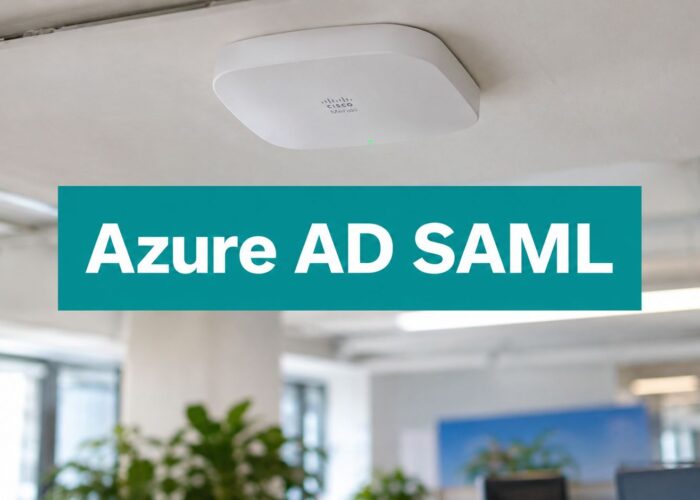
- Azure AD & SAML: In corporate or Education settings, employees and students can sign in with the same work or school credentials they already use. No more new passwords to remember, just seamless and secure access.
- Social Logins: For a Retail store or coffee shop, letting visitors connect their guest wifi through a social login (like Facebook or Google) is a fantastic, frictionless option.
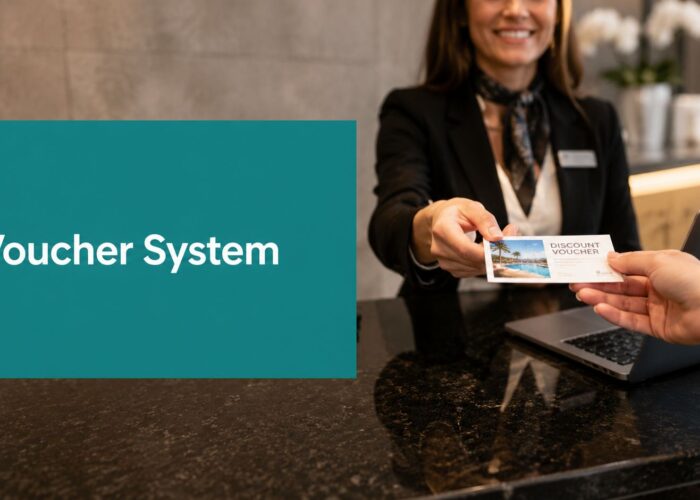
- Voucher Systems: Perfect for conferences or events, you can generate unique access codes or vouchers that are valid for a specific amount of time.
All of these methods are presented to the user through a Captive Portal—the branded login page that pops up when someone first connects. But beyond just security, these portals are your first touchpoint with a visitor.
Finally, while separating guests from your main network is critical, you should also separate guests from each other. This is done with a feature called client isolation. It prevents devices on the guest network from seeing or communicating with one another. A guest in your lobby shouldn't be able to snoop on another guest's laptop, and client isolation ensures every user is in their own secure bubble. It’s a simple but essential finishing touch for a truly secure guest network.
Unlocking Opportunities with Captive Portals
So far, we've talked a lot about locking down your guest network—the crucial security layers that keep your internal data safe. Now, let's flip the script and talk about how your guest Wi-Fi can become a powerful tool for marketing and customer engagement.
Ever connected to the Wi-Fi at a hotel or coffee shop and been met with a branded login screen? That’s a captive portal. Think of it as your business’s digital welcome mat.

It’s the friendly handshake that happens before a guest can start browsing. Instead of connecting invisibly in the background, they’re greeted with a custom splash page. This isn't just about looking sharp and professional; it’s your first and best chance to interact with everyone who uses your network.
From Simple Login to Smart Authentication
On a basic level, a captive portal might just ask for an email to grant access. But modern authentication solutions have turned this into a sophisticated menu of options, designed to make connection seamless for users while delivering real value back to the business.
The goal is to eliminate friction while still gathering valuable, permission-based information. Some of the most common login methods you’ll see are:
- Social Login: Often called social wifi, this is a one-click login using an existing social media profile like Facebook or Google. It’s incredibly easy for the user and can provide rich, anonymized demographic data for you.
- Simple Forms: A straightforward email or phone number field is a direct line to building marketing lists for your newsletters, promotions, and special announcements.
- Voucher Access: Perfect for controlling access at events or for specific groups. You can generate unique codes for timed access, a popular strategy in Education for visiting professors or in corporate offices for temporary contractors.
These aren't just login buttons; they are mechanisms that transform a simple amenity into an active business asset. For a much deeper look at the possibilities, you can explore how a Wi-Fi captive portal can be tailored to fit just about any business goal.
The Power of a Great First Impression
A thoughtfully designed splash page, powered by a platform like Splash Access on Cisco Meraki hardware, does more than just get people online. It sets the entire tone for their visit. In the hyper-competitive Retail world, you can flash a daily special or a coupon right on the login screen. A corporate office can reinforce its brand identity for a visiting client, creating a polished, professional experience from the moment they connect.
A captive portal is the bridge between providing a service (free Wi-Fi) and creating an experience. It’s your chance to say, "Welcome, we’re glad you’re here," before the user even opens their browser.
This digital handshake is especially important in BYOD Corporate environments. Instead of dealing with a generic network name and a complicated password, employees and visitors get a simple, guided onboarding process. This can even mean using their existing company login through Azure AD or SAML, which reinforces security while feeling completely effortless.
Ultimately, the captive portal is where the guest Wi-Fi journey truly begins. It’s the front door to a smarter guest network router strategy—one that not only boosts security and simplifies access with tools like IPSK and EasyPSK, but also opens up a whole new channel for engaging with the people in your space.
Enhancing the Guest Experience in Hospitality
In hospitality today, great Wi-Fi isn't just a perk—it's as essential as a clean room and friendly service. For any hotel or resort, the right guest network router is the backbone of a memorable stay. It’s about more than just providing a connection; it’s about creating a seamless, high-touch experience from the moment a guest walks through the door.
Think about the check-in process. A guest arrives, and their phone just… connects. No fumbling with passwords or asking the front desk for help. This isn't some far-off future technology. By integrating your guest wifi system, like Splash Access on Cisco Meraki hardware, with your Property Management System (PMS), you can grant secure access automatically. It’s an effortless first impression that makes guests feel instantly welcome.
Of course, this seamless connection hinges on a reliable network. A well-maintained and properly configured Wi-Fi router is a must-have for any property looking to deliver a top-tier guest experience, a point underscored in this Ultimate Rental Property Maintenance Checklist.
Crafting a Connected Journey
Once a guest is on the network, you can start personalizing their visit in powerful ways. Imagine using geo-fencing to send a guest a timely happy hour reminder as they stroll past the poolside bar. Or, you could offer a spa discount right when they’re nearby. This isn’t intrusive marketing; it’s thoughtful, proactive service that adds real value to their stay.
This kind of smart hospitality is exactly why guest network routers have become so critical in the industry. Traveler expectations for fast, secure, and instant-on Wi-Fi are driving incredible demand. In fact, the global wireless router market is expected to skyrocket to USD 48.76 billion by 2034. You can discover the full research on router market growth to see just how massive this trend is.
Smart Authentication for Every Scenario
Hotels are dynamic environments, catering to everyone from families on vacation to major corporate events. A one-size-fits-all Wi-Fi password simply won’t cut it. This is where modern authentication solutions really prove their worth, offering the flexibility to handle any situation securely.
Conference & Event Vouchers: Instead of a shared, insecure password for your next event, you can generate temporary access vouchers. These can be printed or sent digitally, granting secure, time-limited access only to registered attendees.
Tiered Access Levels: Offer a free, basic connection for checking emails, but give guests the option to upgrade to a premium, high-speed plan for streaming or video calls. This can all be handled through a simple payment gateway right on your Captive Portal.
Secure Individual Access: For individual guests, IPSK (also known as EasyPSK) is a game-changer. It gives each guest a unique Wi-Fi password tied to their room and length of stay. Think of it as a digital room keycard for their connection—completely private and secure.
A great guest network doesn't just provide internet; it anticipates needs. It understands the difference between a conference attendee who needs bandwidth for a presentation and a family who wants to stream a movie after a day at the pool.
This ability to tailor the experience is what separates an average stay from an exceptional one. Using a powerful guest network platform, hotels can deliver a level of personalized, secure service that was once unimaginable. Our specialized hospitality Wi-Fi solutions are designed to do just that—helping you boost positive reviews, encourage repeat bookings, and turn a simple stay into a truly connected experience.
Driving Sales and Insights in Retail
In retail, free guest Wi-Fi used to be a simple courtesy—a way to keep shoppers happy while they browsed. Today, it’s one of the most powerful tools in a retailer’s arsenal, turning a basic connection into a goldmine of customer intelligence.
When you set up a modern guest network router with the right analytics platform, your network stops being a cost center and starts actively driving revenue. Think about it: you can finally see how people really move through your store, what displays make them pause, and how often they come back. This isn't futuristic tech; it's here now and more accessible than you might think.

This shift is a big reason why enterprise spending in the global router market has blown past $10 billion. Retailers have caught on. When the Wi-Fi is fast and easy to access, shoppers don't just connect—they stick around 30% longer and spend 20% more money on average.
Turning Connectivity into Customer Intelligence
So, what’s happening behind the scenes? When you pair hardware from a vendor like Cisco Meraki with a smart platform like Splash Access, you unlock a whole new layer of data. The access points and any integrated cameras work together to deliver anonymized analytics that are incredibly valuable.
For example, you can:
- Measure Foot Traffic: Get precise visitor counts by the hour or day to dial in your staffing and understand your true peak hours.
- Analyze Dwell Times: See which aisles and endcaps are grabbing the most attention, giving you hard data to optimize product placement.
- Track Repeat Visits: Identify loyal customers by their visit frequency, creating opportunities to reward them and keep them coming back.
This is the kind of real-world behavioral data that, until recently, was only a dream for brick-and-mortar stores.
A Real-World Retail Scenario
Let’s put this into practice. A customer walks into your clothing store and connects to the guest Wi-Fi through your branded Captive Portal using a social login. Right away, you’ve won. They get a frictionless, one-click connection, and you get a valuable touchpoint.
The moment a shopper connects via social Wi-Fi, you’ve opened a direct line of communication. It's an opportunity to move from passive hosting to active engagement, turning a brief visit into a lasting relationship.
Instantly, their phone buzzes with a notification: a 15% discount on the new jackets in the next aisle. You just directly influenced a sale. At the same time, the email address they shared is automatically added to your "In-Store Shoppers" segment in Mailchimp for future campaigns.
This goes far beyond one transaction. You're building a rich, first-party data asset that connects their physical visit to their digital profile. This is the heart of modern Wi-Fi marketing strategies, allowing you to send relevant offers long after they've left the store.
To show the tangible impact, here are some key performance indicators for retailers who have put these kinds of systems in place.
Guest Wi-Fi Impact on Retail Performance
| Metric | Average Uplift/Improvement |
|---|---|
| In-Store Dwell Time | +30% |
| Average Transaction Value | +20% |
| Customer Return Rate | +15% |
| Marketing Opt-in Rate | +25% |
These numbers highlight how a well-designed guest network does more than just provide internet access—it fundamentally improves the business.
By combining a capable guest network router with smart authentication solutions—from simple social Wi-Fi to secure options like IPSK—Retail businesses gain a serious competitive edge. It’s all about understanding your customers and using that insight to boost sales, enhance the store experience, and build a truly loyal following.
Taming the Device Deluge in Schools and Offices
Walk into any modern office or onto a school campus, and you'll see it: a sea of personal devices. Laptops, tablets, phones—the Bring Your Own Device (BYOD) trend isn't just a policy anymore; it's the reality. For IT teams, managing this flood of personal tech on the network is a massive undertaking, and it all starts with having the right guest network router and strategy.
This isn't like setting up guest Wi-Fi for a coffee shop. We're talking about handling hundreds, sometimes thousands, of simultaneous connections. The real challenge is providing that access while wrapping it in layers of security. It demands a serious, enterprise-level approach built for scale.
The End of the Shared Guest Password
So, how do you manage secure access for all your employees or students without driving your helpdesk team crazy? The old way—a single, shared password for everyone—is a security nightmare and an administrative headache. The smart move is to integrate your guest wifi with the identity systems you already use.
- Azure AD & G Suite Integration: Let's be honest, people already have enough passwords to remember. By connecting your network to tools like Azure AD or G Suite, users can log in with the same work or school credentials they use for everything else. It’s seamless for them and incredibly secure for you.
- SAML Authentication: What if your organization uses a different identity provider? That's where Security Assertion Markup Language (SAML) comes in. It acts as a universal translator, allowing you to grant secure access across different systems without creating a pile of new user accounts.
When you pair this kind of authentication with powerful hardware from a vendor like Cisco or Cisco Meraki and a flexible management platform like Splash Access, you get a system that feels effortless for users but gives IT a crystal-clear audit trail of who is on the network and when.
Making Access Easy for Everyone Else
Of course, your network isn't just for your internal teams or students. Campuses are constantly buzzing with visitors—guest lecturers, parents, contractors, and event attendees. You need a way to get them online quickly and securely without bogging down your staff.
The goal for any transient visitor is simple: give them secure, time-limited access that doesn't create an administrative headache. This is where features like QR-code onboarding and single-use credentials are a game-changer.
Think about a contractor who needs to be on-site for the day. Instead of having them hunt down an IT admin, they can just scan a QR code at the reception desk to get online. For a visiting professor staying for a week, you could generate a unique IPSK (sometimes called EasyPSK) that automatically expires when they leave.
These methods are crucial for keeping the network locked down while lifting a massive weight off your support staff. As cyber threats become more sophisticated, this level of control is no longer a "nice-to-have." In fact, while 90% of guest devices on North American campuses connect daily, a shocking 45% of those campuses have reported security breaches when not using advanced authentication like Azure AD or SAML. Get more insights into the growing router market and its security challenges.
Ultimately, managing a BYOD environment in the Education or BYOD Corporate world is a balancing act. You have to nail both security and usability. By implementing a Captive Portal with integrated, modern authentication, you can build a network that’s safe, scalable, and just plain simple for everyone.
Common Questions About Guest Networks
When setting up a guest network, a few questions always seem to pop up. We hear them all the time from businesses in Retail, Education, and corporate offices managing BYOD policies. Let's tackle them head-on and clear up what a modern guest network router can really do for you.
How Is a Guest Network More Secure Than a Shared Password?
This is a big one. Think of a standard, shared Wi-Fi password as a single key to your building that you hand out to every visitor. If that key gets copied or falls into the wrong hands, you have a problem. You can’t easily track who has it, and changing the lock is a hassle for everyone.
A proper guest network, on the other hand, builds a digital wall between your guests and your sensitive internal network. Even better, modern authentication solutions like IPSK (also known as EasyPSK) give every single user their own unique, private password. If one person's device poses a risk, you can instantly revoke their access without disrupting anyone else. It's a fundamental shift from a one-key-fits-all approach to true, individual security.
Can I Customize the Login Page with My Brand?
Absolutely! That initial login screen visitors see is called a Captive Portal, and it’s your digital welcome mat. It's completely customizable, so you can make it your own with your company logo, brand colors, and specific imagery.
A polished, well-designed captive portal doesn't just look professional; it reinforces your brand identity from the moment someone connects. When paired with robust hardware from a provider like Cisco Meraki, you ensure the entire experience is seamless and professional, reflecting the quality of your business.
What Kind of Data Can I Actually Collect from Social Logins?
When a guest chooses to connect using a social login (often called social wifi), you gain access to valuable demographic insights—all with their permission, of course. This is never about collecting sensitive, personally identifiable information.
Think of it less as seeing individual profiles and more as understanding broad audience trends. It's about seeing the forest, not the individual trees.
The data is always anonymized and aggregated, but it can tell you a lot about your visitors as a group. This typically includes:
- Age Ranges: Get a clear picture of the general age groups visiting your location.
- Gender Distribution: Understand the ratio of male to female visitors.
- General Location Data: See which cities or regions your visitors are coming from, helping you spot important market trends.
This kind of information is incredibly powerful for fine-tuning your marketing and getting to know your customer base on a deeper level, all while respecting user privacy. It transforms your guest network router from a simple utility into a strategic business asset.
Ready to turn your visitor Wi-Fi into a powerful business tool? Splash Access integrates seamlessly with your Cisco Meraki hardware to deliver secure, branded, and insightful guest experiences. Explore what's possible at https://www.splashaccess.com.