Ever wondered how you get a rock-solid Wi-Fi signal by the hotel pool, across a sprawling university campus, or in a busy outdoor mall? Hey, it's a great question! The magic behind that connection isn't your average home router. It's a purpose-built piece of hardware called an outdoor access point.
These devices are specifically engineered to deliver reliable, secure, and fast wireless internet across large, open-air environments—come rain or shine. Let's dive in and see how they work.
Your Guide to Outdoor Wi-Fi
Think of an outdoor access point less like your standard home router and more like a professional-grade concert speaker. A home speaker is perfect for filling your living room with sound, but a concert speaker has the power and design to project crystal-clear audio across a massive stadium, cutting through crowd noise and distance. An outdoor AP does the same for your internet, blanketing exterior spaces with a powerful and consistent signal.
These rugged devices are the backbone of modern connectivity for any business that operates beyond four walls. As organizations in hospitality, Retail, and Education work to provide a seamless digital experience everywhere, getting to know the outdoor access point is no longer optional—it's essential.
Why Standard Routers Don't Cut It Outside
Your indoor router is designed for a controlled, predictable space with standard obstacles like drywall and furniture. The great outdoors? That's a whole different ballgame. An outdoor access point is built from the ground up to handle a unique set of challenges.
- Harsh Weather: These units are sealed and constructed to shrug off rain, extreme temperatures, and dust.
- Long Distances: They’re equipped with powerful antennas designed to push a strong signal much farther than any indoor device could.
- High User Density: They have the processing power to manage dozens or even hundreds of simultaneous connections in crowded areas without breaking a sweat.
This specialized hardware is absolutely essential for deploying reliable guest wifi. For example, in a corporate BYOD environment, a well-placed outdoor AP can extend the secure network to a patio or courtyard for employees. If you want to dive deeper into the basics, you can learn more about how access points work in our detailed guide.
Connecting Guests with Smart Authentication
Modern outdoor networks do far more than just beam a signal; they create a secure, branded, and engaging experience for every user. This is where Captive Portals and advanced Authentication Solutions come into play.
When a guest first connects, they’re redirected to a branded login page. This portal isn't just a gatekeeper; it can offer a variety of secure login methods. You might see simple password entry, social login (social wifi), or even unique credentials for different user groups using IPSK and EasyPSK.
For businesses running on platforms like Cisco Meraki, these portals become incredibly powerful tools. They not only manage access but also gather valuable user insights, turning a simple Wi-Fi connection into a real business asset.
What Makes an Outdoor Access Point Tough Enough for the Job?
So, what exactly gives an outdoor access point its superpowers? It’s not just a regular router stuffed into a tougher-looking box. These are purpose-built pieces of engineering, designed from the ground up to perform flawlessly in completely unpredictable environments. Once you understand the core features, you'll see why they're absolutely essential for any business serious about extending its network outdoors.
This map breaks down the core principles—showing how professional delivery, reliable assurance, and purpose-built design come together.
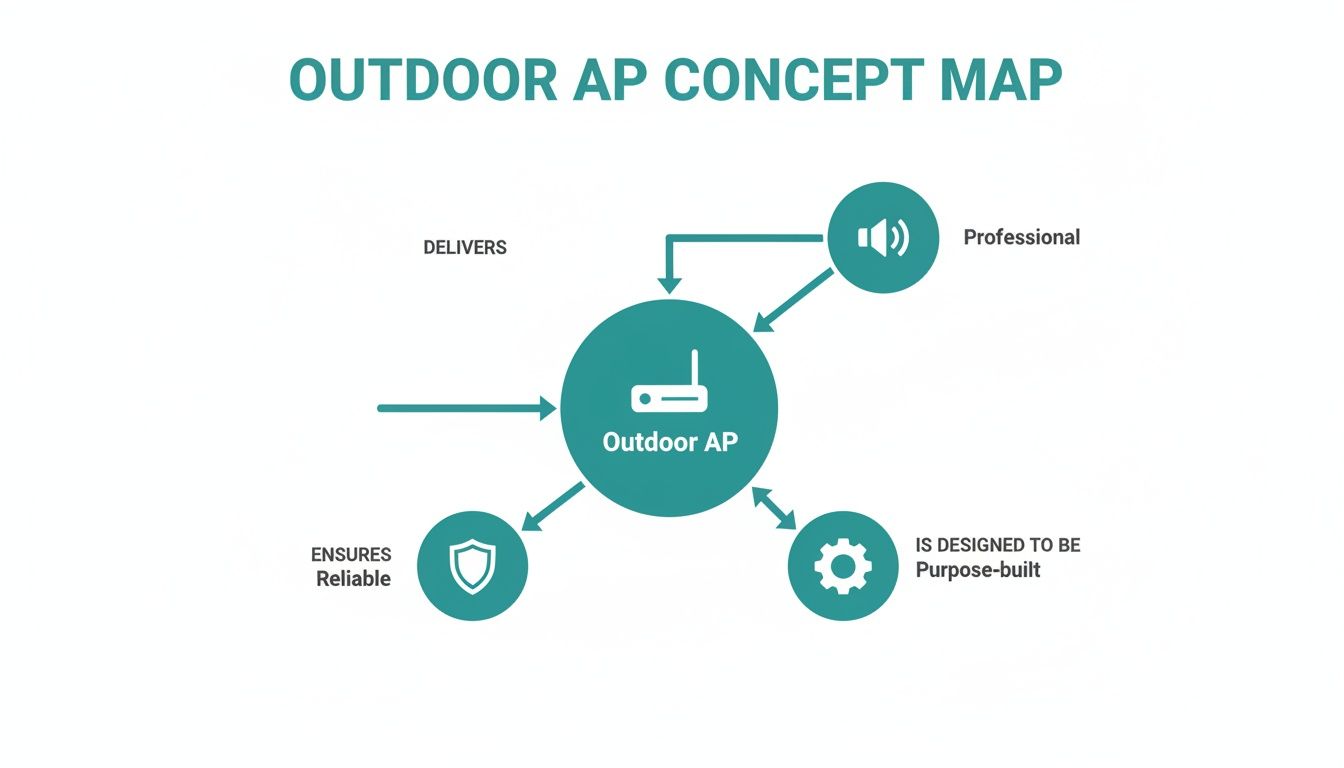
As you can see, a truly effective outdoor AP is a blend of specialized hardware, unshakeable reliability, and professional-grade performance. They all work in concert to deliver a connection your users can count on.
Built to Brave the Elements
The most obvious difference is the rugged, sealed construction. Outdoor APs come with an IP rating (Ingress Protection), a simple two-digit code that tells you exactly how well the casing is sealed against solids (like dust) and liquids (like rain).
For instance, an IP67 rating is a common gold standard. This means the device is completely dust-tight and can even survive being submerged in water up to one meter deep for 30 minutes. That's serious protection.
This level of weatherproofing ensures your investment is safe from:
- Rain, sleet, and snow: Preventing moisture from getting inside and shorting out the electronics.
- Dust and dirt: Keeping tiny airborne particles from clogging sensitive components and causing overheating.
- Extreme temperatures: Operating reliably in both freezing cold and blistering summer heat without failing.
Power and Data, Simplified with PoE
Now, imagine trying to run separate power and data cables up a light pole or along the exterior wall of a building. It would be a messy, expensive, and complicated installation. This is precisely the problem that Power over Ethernet (PoE) solves.
Power over Ethernet (PoE) is a game-changing technology that allows a single, standard Ethernet cable to transmit both data and electrical power to a device. This dramatically simplifies installation, cuts down on cable clutter, and slashes costs by removing the need for a nearby power outlet.
For any professional outdoor deployment, PoE is non-negotiable. It gives you the freedom to place the access point exactly where it needs to go for the best coverage, all while maintaining a clean, professional setup. This elegant simplicity is a key reason why brands like Cisco and Meraki build their outdoor APs with robust PoE capabilities, making them perfect for sprawling environments like university campuses or large retail centers.
Smart Antennas and Mesh Networking
An outdoor AP has a much tougher job than its indoor cousin—it needs to project a strong, stable signal over much larger and more open areas. This is where advanced antenna technology comes into play.
Some APs use omnidirectional antennas to broadcast a signal 360 degrees, ideal for central courtyards. Others use directional antennas to focus the Wi-Fi signal toward a specific area, like a hotel swimming pool or a restaurant's outdoor patio, preventing signal bleed and boosting performance where it matters most.
On top of that, many modern outdoor APs support mesh networking. Instead of every single AP needing a physical cable run back to the main network, they can talk to each other wirelessly. One "root" AP connects to the wired network, and other "repeater" APs can be placed further away, intelligently relaying the signal to extend coverage seamlessly. This is a brilliant solution for creating expansive guest Wi-Fi networks without the headache of running cables everywhere.
If you want to dig into specific hardware, you can learn more about Meraki access points in our guide and see how they bring all these features together in their product line.
To make it even clearer, here’s a quick-glance table breaking down the most important technical specs you should look for when choosing an outdoor AP.
Key Features of a Robust Outdoor Access Point
| Feature | What It Does | Why It's Important for Your Business |
|---|---|---|
| High IP Rating (IP67+) | Provides a certified level of protection against dust, water, and other environmental hazards. | Protects your hardware investment, ensures uptime in bad weather, and reduces maintenance calls. |
| Power over Ethernet (PoE) | Delivers both electrical power and data connectivity through a single standard Ethernet cable. | Simplifies installation, lowers deployment costs, and allows for flexible placement where power outlets aren't available. |
| Wide Temperature Range | Ensures the device can operate reliably in extreme heat (40°C / 104°F or higher) and cold (below freezing). | Guarantees consistent performance year-round, whether it's a hot summer day or a freezing winter night. |
| Advanced Antennas | Uses specialized omnidirectional or directional antennas to shape and extend the Wi-Fi signal effectively. | Provides targeted, reliable coverage for large outdoor spaces, minimizing dead zones and improving user experience. |
| Mesh Networking Support | Allows APs to connect to each other wirelessly, extending the network without needing a cable for every unit. | Drastically reduces cabling requirements for large-area coverage, saving time and money on complex installations. |
Looking for these five features is the first step in ensuring the hardware you choose is truly built for the demands of an outdoor environment. They form the foundation of a reliable and high-performing network.
Providing Secure and Simple Guest Access
A powerful outdoor access point is a great start, but the real magic happens when you provide secure, simple, and branded access for your guests. You need to create a digital front door that not only welcomes users but also keeps your primary network safe and sound. This is absolutely critical for places like retail centers, education campuses, and corporate environments managing BYOD (Bring Your Own Device) policies.
This is where a Captive Portal comes into play. Think of it as the friendly concierge for your Wi-Fi network. Before anyone can get online, they're directed to a branded landing page. This page is more than just a login screen; it's a valuable touchpoint for your organization.
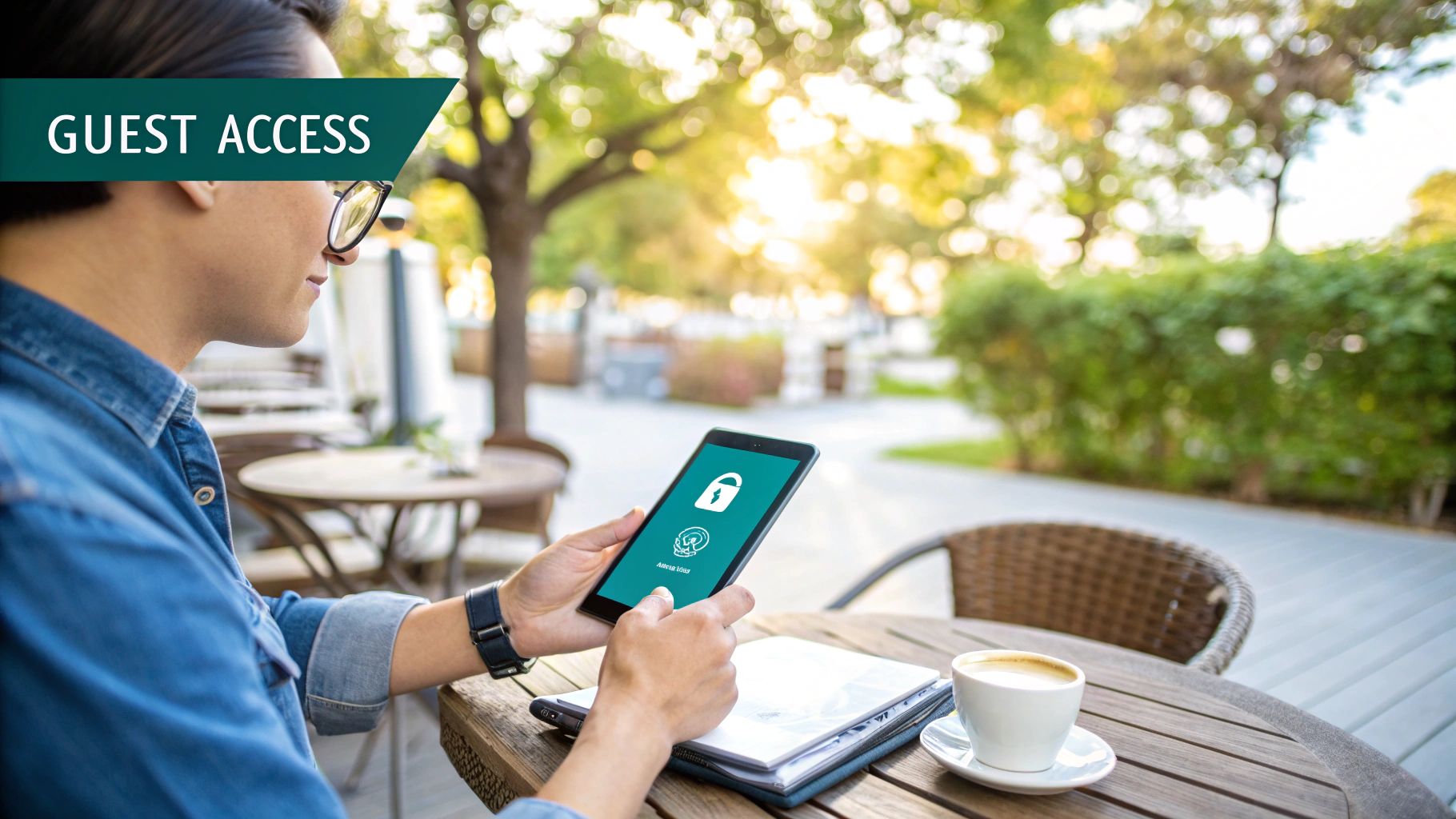
The demand for these connected outdoor spaces is exploding. The outdoor access point market is already valued at USD 3.0 billion and is on track to grow by 8.5% annually through 2033. That growth shows just how vital it is to manage guest access properly in hotel poolsides, mall courtyards, and university quads.
Smarter Authentication for Modern Needs
The days of scribbling a single, shared Wi-Fi password on a whiteboard are long gone. Modern authentication solutions offer far better security and flexibility, especially when paired with top-tier hardware from providers like Cisco and Meraki.
Two methods that are quickly becoming standard are IPSK (Individual Pre-Shared Key) and EasyPSK. Instead of one password for everyone, these technologies generate a unique, personal password for every single user or device.
This approach is a game-changer for security. If one person's device is ever compromised, you can just revoke their key without kicking everyone else off the network.
This level of control is incredibly useful in a ton of situations:
- Education: Give each student a unique IPSK for the campus Wi-Fi, keeping their connection secure across all their devices.
- Corporate BYOD: Onboard temporary staff or visitors with a unique key that automatically expires, making guest management a breeze.
- Retail: Offer high-value customers a premium access key as a loyalty perk.
Making Guest Wi-Fi Easy and Insightful
For a truly frictionless experience, many businesses are using social Wi-Fi options. This lets people log in with credentials they already use every day, like their Facebook or G Suite account. It's fast, easy, and gets rid of the hassle of creating yet another username and password.
Platforms like Splash Access build these social logins right into the captive portal. This doesn't just make life easier for your guests; it also gives you valuable (and anonymous) demographic data to better understand who is visiting your space.
By combining a welcoming captive portal with smart authentication like IPSK and social logins, you can turn your outdoor Wi-Fi from a simple amenity into a powerful tool for security and engagement.
Nailing Your Outdoor Wi-Fi: Best Practices for Flawless Coverage
Just mounting an outdoor access point on the nearest wall and hoping for the best is a common mistake—and a recipe for endless user complaints. Real-world, rock-solid outdoor Wi-Fi comes down to smart, strategic deployment. This is where planning makes all the difference, especially when you're working with powerful gear like Cisco Meraki access points. Good planning is what separates a network full of dead spots from one that delivers a consistently great experience across your entire property.
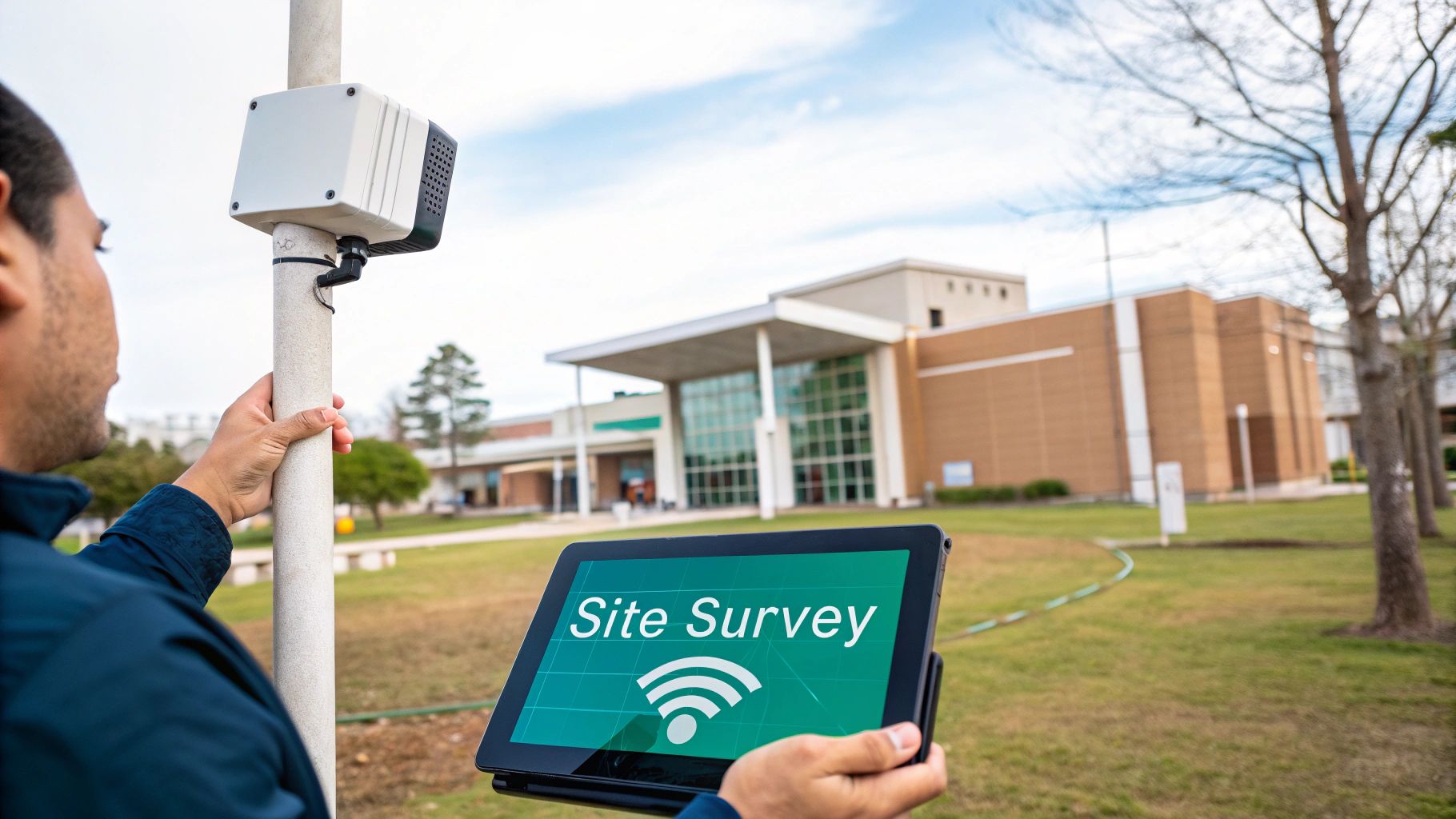
Before you drill a single hole, the most crucial step is a professional site survey. Think of it as creating a detailed blueprint for your Wi-Fi signal. It allows you to map out potential coverage gaps, identify sources of interference, and pinpoint the perfect spots for your hardware before you install anything. You can learn more about conducting a site survey for your wireless network to see why this foundational step is so important for getting things right the first time.
Finding the Sweet Spot for Your APs
When it comes to outdoor Wi-Fi, placement is everything. The goal isn't just to get a signal out there; it's to find mounting locations that give you the clearest possible line of sight to the areas you need to cover, all while dodging common signal-killers.
Here are a few practical tips that we always follow:
- Go High: Mounting an access point higher up helps its signal travel cleanly over obstacles on the ground, like crowds of people, parked cars, or dense landscaping.
- Mind the Materials: Wi-Fi signals don't like certain materials. Metal structures, thick concrete walls, and even dense clusters of trees can absorb or reflect your signal into oblivion. A site survey is the best way to identify and work around these barriers.
- Target High-Traffic Zones: Prioritize your placement to serve the most critical areas. Make sure the signal is strongest right where people will use it most—think hotel pools, restaurant patios, outdoor event spaces, or campus quads.
A well-placed outdoor access point doesn't just broadcast a signal; it delivers a reliable connection precisely where your guests, students, or employees need it most. It’s the difference between saying "Wi-Fi is available" and hearing people say "The Wi-Fi here is great."
Balancing Performance and Aesthetics
Let's face it: nobody wants a bulky, industrial-looking piece of hardware ruining a carefully designed space. The best technology should blend in seamlessly. Thankfully, modern outdoor APs from manufacturers like Cisco are designed with aesthetics in mind, offering sleek, low-profile options that can be mounted discreetly.
This means you don't have to choose between performance and appearance. You can build a powerful network that complements your property's look, whether it's a sleek corporate campus supporting BYOD policies or a historic university. The demand for this blend of performance and design is skyrocketing; the wireless access points market hit USD 2,507 million in 2019 and is on track to reach USD 4,716 million by 2026. This growth is largely fueled by sectors like Retail and Education that are pushing their networks into outdoor spaces. By planning carefully, you can create a network that is both powerful and practically invisible.
How Different Industries Use Outdoor Wi-Fi
An outdoor access point isn't just a piece of hardware—it's a tool that can be shaped to fit the unique needs of almost any industry. A university campus, a shopping center, and a corporate headquarters might all use the same technology, but how they use it couldn't be more different. Each one transforms outdoor connectivity into a powerful, purpose-built asset.
The global push for this kind of connectivity is impossible to ignore. The market for outdoor Wi-Fi is expected to explode, growing from around USD 45 billion in 2026 to nearly USD 119 billion by 2035. This huge leap shows just how much demand there is for reliable connections everywhere, and you can read more about these outdoor Wi-Fi market trends here.
Education: From the Classroom to the Quad
For schools and universities, a solid outdoor Wi-Fi network is no longer a "nice-to-have." It’s essential. It stretches the learning environment far beyond the four walls of a library or classroom.
With well-placed Cisco Meraki access points, a university can cover its entire campus in a seamless Wi-Fi blanket. This means students can study in a courtyard, work on group projects on the main quad, or even stream a lecture while sitting on a park bench. This is where secure Authentication Solutions like IPSK become critical. Every student gets a unique key for their devices, which keeps the network safe and manageable, even with thousands of people connected.
Retail: Engaging Customers Beyond the Storefront
In retail, outdoor Wi-Fi is all about creating an experience that starts the moment a customer steps onto the property. A shopping mall can use guest wifi to cover its plazas and outdoor walkways, turning these busy spaces into prime engagement zones.
By setting up a Captive Portal that allows for social wifi logins, retailers can gather valuable (and anonymous) footfall data. This gives them a real-world look at shopper behavior and traffic flow.
Imagine this: a retail center uses a branded captive portal with geo-fenced promotions. The second a visitor connects to the Wi-Fi, they get a coupon for a nearby coffee shop sent right to their phone. A simple internet connection just became a powerful, real-time marketing tool.
This approach opens up a direct line of communication with shoppers, helping build loyalty and drive sales before they even walk through a single door.
Corporate: Expanding the Modern Workplace
The corporate world has moved on from the idea that work only happens at a desk. Companies are embracing flexible environments, and that means bringing the office outdoors. An outdoor access point can easily turn a corporate patio or rooftop garden into a fully functional workspace.
This is especially valuable when dealing with BYOD (Bring Your Own Device) policies. When visitors or employees connect their personal laptops and phones, the network needs to be both easy to access and totally secure. Authentication Solutions like EasyPSK let IT teams issue secure, time-limited credentials for guests in seconds, all without putting the main corporate network at risk.
Hardware from providers like Cisco and Meraki, paired with the right management platform, ensures the indoor and outdoor networks work together as one. For a great look at how this technology works in large public spaces, check out how Splash Access helped in connecting Florida State Parks with Meraki. At the end of the day, it's about letting employees work where they're most productive while keeping company data completely safe.
Common Questions About Outdoor Access Points
Diving into the world of outdoor Wi-Fi, you’re bound to have some questions. That’s a good thing. Getting clear, straightforward answers is what separates a frustrating setup from a fantastic one.
Let's walk through some of the most common questions we hear from people planning their outdoor networks.
What’s the Real-World Range of an Outdoor Access Point?
The honest answer? It really depends. You'll see manufacturers claim their high-end models can push a signal hundreds of feet, but real-world performance is a different story.
Think about all the things that can get in the way: trees, buildings, and even other wireless signals floating around. These physical obstructions and radio frequency interference will shrink your coverage area. The only way to know for certain what you'll get is to perform a professional site survey.
Can Outdoor APs Integrate with My Indoor Network?
Absolutely, and they’re designed to do exactly that. The best systems, especially those within the Cisco and Meraki ecosystems, are built around the idea of unified management. This means you can see and control everything—every single indoor and outdoor access point—from one cloud-based dashboard.
This unified approach is a game-changer. It means you can:
- Push the same security rules and network policies across your entire property.
- Monitor performance and fix issues from a single screen, whether the AP is in the lobby or by the pool.
- Give users a seamless connection as they walk from inside to outside, without dropped calls or interruptions.
Is Guest Access Truly Secure?
Security is non-negotiable, and thankfully, we've moved far beyond handing out a single password to everyone. With tools like Captive Portals and advanced Authentication Solutions, you can build a guest network that’s both welcoming and rock-solid.
One of the most powerful tools for this is IPSK (Identity Pre-Shared Key), also known as EasyPSK. Instead of one password for everyone, you can assign a unique, private key to each user or device. This completely isolates their traffic, meaning one guest can't see what another is doing—a must-have for Education, Retail, and corporate BYOD environments.
You can even add layers like a social wifi login (social login). This not only makes it easier for guests to get online but also adds a layer of identity verification, making your guest wifi network both user-friendly and more secure. And don't worry about the installation being a nightmare; Power over Ethernet (PoE) sends both power and data over a single cable, which makes placing each outdoor access point for perfect coverage much simpler.
Ready to transform your outdoor spaces with powerful, secure, and easy-to-manage Wi-Fi? Splash Access provides an instantly deployable platform that works seamlessly with your Cisco Meraki hardware. From custom captive portals and secure IPSK authentication to detailed analytics, we give you the tools to turn your network into a valuable business asset.
Explore how Splash Access can elevate your guest Wi-Fi experience today!