Ever walked into a university, a big corporate office, or a busy retail store and wondered how they manage WiFi for hundreds or even thousands of people without it becoming a total security nightmare? It's a great question, and the answer is usually RADIUS authentication WiFi. Think of it as the super-smart, behind-the-scenes gatekeeper that keeps your network secure, organized, and running smoothly.
What Is RADIUS and Why Should You Care?
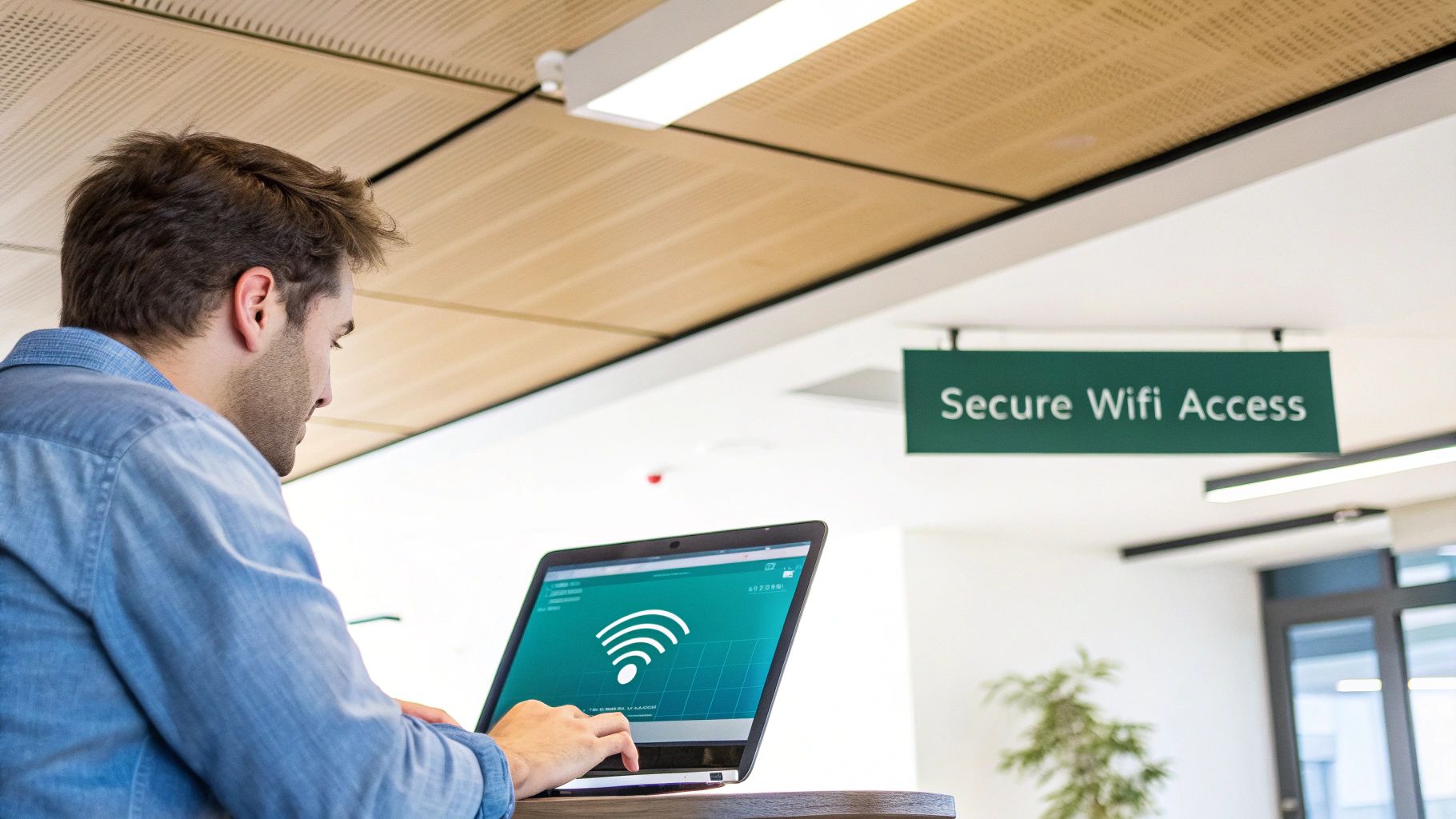
Let's cut through the tech talk for a second. At its heart, RADIUS (Remote Authentication Dial-In User Service) is a protocol that centralizes how users get onto your network. Picture it like a bouncer at an exclusive club. Instead of everyone using the same password (which is a huge security risk!), RADIUS checks each person's individual credentials against a master list before letting them in.
This is a complete game-changer for any busy environment. From corporate offices managing "Bring-Your-Own-Device" (BYOD) policies to bustling retail stores and sprawling education campuses, it brings order to the chaos. When you combine a solid RADIUS server with high-performance hardware from brands like Cisco and Meraki, you've got the foundation for a truly modern and secure network.
The Power of AAA
The real magic of RADIUS lies in its "AAA" framework. It's not just another acronym; it's the three-pillar system that makes your network so smart and secure.
- Authentication: This is step one: "Are you who you say you are?" It verifies a user's identity by checking their unique username and password or a digital certificate.
- Authorization: Once they're verified, the next question is, "What are you allowed to do?" This step defines their access level. For example, in an education setting, a student can connect to the library WiFi, but they're kept off the faculty-only network.
- Accounting: Finally, this step keeps a log of what's happening. It records details like who connected, when they connected, and for how long. This is super important for security audits, troubleshooting, and just keeping an eye on your network's health.
This triple-threat capability is why RADIUS has been the gold standard for so long. It takes your security from a simple, shared password to a sophisticated, identity-based model.
WiFi Security Methods At a Glance
Choosing the right WiFi setup can feel a bit overwhelming. This handy table breaks down the differences between a basic home-style password, a RADIUS-powered network, and an open guest network, helping you pick the perfect fit.
| Feature | Standard WPA2-PSK (Single Password) | RADIUS Authentication (WPA2-Enterprise) | Open Guest WiFi with Captive Portal |
|---|---|---|---|
| Authentication Method | Single shared password for all users. | Individual username/password or certificate for each user. | No password; user authenticates through a web page (portal). |
| Security Level | Low. A single leaked password compromises the entire network. | High. Individual credentials, encrypted traffic, and centralized control. | Very Low. Traffic is often unencrypted; relies on portal security. |
| User Management | Difficult. Changing the password requires updating every device. | Easy. Centralized user database; simply disable an account to revoke access. | Moderate. Based on portal rules (e.g., social login, email, voucher). |
| Best For | Home networks, very small offices. | Businesses, schools, hospitals, and any organization needing secure access. | Cafes, hotels, airports, and public venues offering guest internet access. |
| Example Use Case | Your home WiFi router. | A university where students and faculty have different network access rights. | A coffee shop offering free WiFi after you agree to their terms of use. |
Ultimately, RADIUS (WPA2-Enterprise) offers the best combination of robust security and scalable management for nearly any professional environment.
A Modern Approach to Network Security
The demand for stronger authentication is skyrocketing. The global market for multi-factor authentication, which often relies on RADIUS, was valued at USD 16.31 billion in 2023 and is projected to climb to USD 41.29 billion by 2030. This massive growth underscores how critical network security has become. Recognizing the importance of a secure network infrastructure is a key part of digital strategy for organizations of all types, an idea echoed in discussions with bodies like the Ministry of Communications, Telecommunications and Digital Economy.
By centralizing control, RADIUS simplifies security management. When an employee leaves or a student graduates, you just disable their single account. You don't have to change the WiFi password for the entire organization and update every single device.
This centralized power is what makes advanced authentication solutions like IPSK (Individual Pre-Shared Key) and EasyPSK possible. It's also the engine behind engaging guest WiFi experiences, including Captive Portals that use social login. Whether you're wrangling a corporate BYOD policy or launching a social WiFi campaign in a retail store, radius authentication wifi provides the secure and flexible backbone you need.
Designing the Right Wi-Fi Experience for Your Environment
When it comes to network access, a one-size-fits-all approach is a recipe for frustration. The Wi-Fi needs of a bustling coffee shop are completely different from a secure corporate office or a sprawling university campus. This is why carefully designing your authentication flow is so important, and RADIUS authentication for Wi-Fi gives you the flexible toolkit to build the perfect experience for your users.
Let's dive into how you can tailor authentication for different industries and turn your network into a real asset.
Powering the Modern Campus in Education
Educational institutions face a pretty unique challenge: every year, a flood of new personal devices hits the network. "Bring Your Own Device" (BYOD) isn't just a buzzword on campus; it's the reality. Students and faculty show up expecting to connect their laptops, tablets, and phones securely and without a headache.
This is a textbook case for RADIUS. It allows you to create separate, distinct network policies for everyone.
- Students get access to the general campus network, maybe with some content filtering and bandwidth shaping to keep things fair for everyone.
- Faculty and Staff can be put on a more privileged network with access to sensitive internal resources, like grading systems or administrative files.
- Campus Guests are easily funneled to a separate guest network with a simple, time-limited login.
By authenticating each user based on their role, you create clear security boundaries between these groups. This kind of segmentation is absolutely vital for protecting sensitive data while still providing the open, collaborative environment a campus needs.
Engaging Customers in Retail
In retail, Wi-Fi has evolved from a simple freebie into a powerful tool for engaging with customers. The name of the game is providing a frictionless connection that also creates business value. This is where Captive Portals really shine, acting as the digital front door to your in-store experience.
Instead of fumbling with a complicated password, a shopper connects to your guest wifi and sees a branded splash page. From there, you can offer simple authentication solutions like a social login. Letting a customer connect with their social media profile is a huge win: they get online with a single click, and you get valuable, non-intrusive demographic data to sharpen your marketing.
By integrating your RADIUS setup with a platform like Splash Access, you can transform your free WiFi from a simple cost center into a rich source of customer insights. You can present targeted promotions, collect feedback, and encourage loyalty program sign-ups right from the login screen.
Solving the BYOD Puzzle for Corporate Networks
In the corporate world, the BYOD puzzle is all about balancing convenience for employees with iron-clad security for the business. People need to connect their personal devices without a complicated process, but IT has to ensure those devices don't open the door to threats. This is the perfect job for Individual Pre-Shared Keys (IPSK), sometimes called solutions like EasyPSK.
IPSK offers the best of both worlds. For the user, it feels just as easy as typing in a regular WPA2 password. But on the backend, each device gets its own unique key managed by a central RADIUS platform. This means you can grant or revoke access on a per-device basis. If an employee's phone is lost or they leave the company, you can disable that one key instantly without disrupting anyone else. You get the simplicity of a PSK with the granular control of an enterprise-grade system.
If you want to get into the technical weeds, you can learn more about how 802.1X authentication works in more detail. This approach is incredibly effective in Cisco Meraki environments, making it possible to securely onboard thousands of devices at scale. Of course, a solid RADIUS setup should always be part of a broader strategy that includes comprehensive network security best practices.
Alright, let's move from theory to practice. This is where you see the real power of a RADIUS authentication WiFi setup—when you connect your physical network gear to a smart, cloud-based platform. For a lot of folks, pairing Cisco Meraki hardware with Splash Access is the ideal way to build secure and user-friendly WiFi experiences.
Let's walk through how this integration actually works in the real world. You’ve got your Meraki access points up and running, and now you want to layer on a more robust authentication solution. The first step is getting them to talk to each other.
Connecting Meraki to the Cloud
Your Cisco Meraki dashboard is your command center. The whole goal here is to point your Meraki wireless network (your SSID) to an external RADIUS server, which in this case, would be managed by a platform like Splash Access. You'd be surprised how straightforward this is.
Inside the Meraki dashboard, you'll configure your SSID for WPA2-Enterprise. Then, you just plug in the IP address, port number, and a shared secret provided by your cloud RADIUS platform. Think of this secret as a unique password between your Meraki APs and the authentication server—it makes sure their communication is encrypted and trusted.
Once that handshake is established, your Meraki network stops making access decisions on its own. Instead, it acts as a gatekeeper, forwarding every connection request up to the cloud platform, which becomes the central brain for all your authentication solutions.
This chart gives you a good idea of how different industries can approach their WiFi access flow, from figuring out what they need to getting it all set up and running.
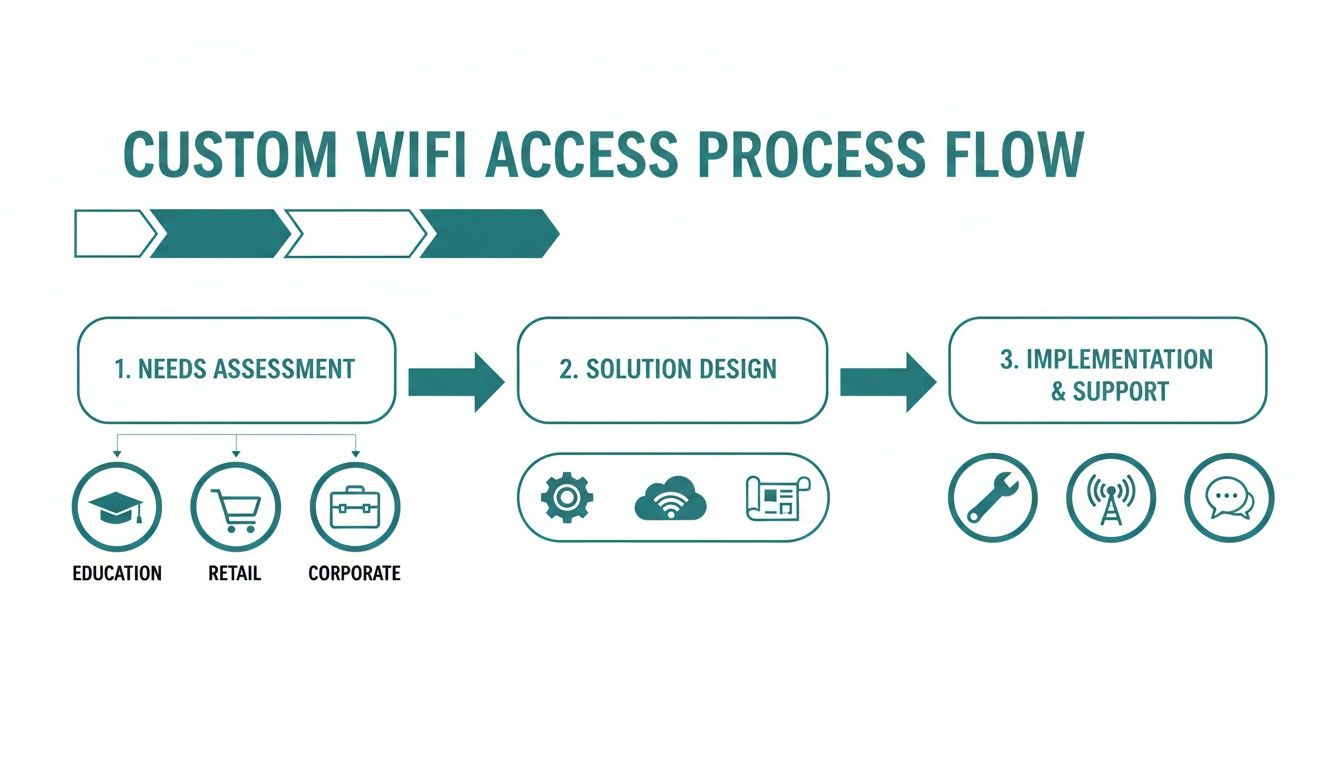
The key takeaway here is that while the underlying tech is the same, the design and execution have to fit the specific goals of the environment—whether that's airtight security in a school, customer engagement in a retail store, or streamlined access in an office.
Designing Your Branded Captive Portal
With Meraki handling the hardware and Splash Access managing the authentication, you can shift your focus to the user experience. This is where Captive Portals shine. A captive portal is the very first thing people see when they connect to your guest WiFi, so it’s your best chance to make a good impression.
Using a platform like Splash Access, you can design a slick, branded login page without touching a single line of code. This is a must-have for both retail and corporate settings.
- For Retail: You can drop in your logo, match brand colors, and even run promotions. This is also where you can enable social WiFi, letting guests log in with their existing social media accounts. This social login option is always a hit—it's fast for the user and gives you valuable, anonymized demographic data.
- For Corporate BYOD: The portal can clearly lay out your terms and conditions and offer different login paths for employees and guests. An employee might get routed to log in with their company credentials (like Azure AD), while a visitor gets a simpler, time-limited pass.
A well-designed captive portal does more than just grant access; it reinforces your brand and turns your WiFi network into a strategic communication tool.
Unlocking Secure and Simple Access with IPSK
This integrated setup is also what lets you roll out more advanced security methods like Individual Pre-Shared Keys (IPSK). You'll often see this branded as EasyPSK, and it makes managing unique keys incredibly simple. Instead of one password for everyone, every single user or device gets its own unique key.
Here’s a quick rundown of how it works in a Cisco Meraki and Splash Access environment:
- A user connects to the network, maybe through a self-service portal on their device.
- The Splash Access platform instantly generates a unique, strong password (the IPSK) for that specific user and their device.
- This key gets logged on the central RADIUS server and is tied directly to the device's MAC address.
- When the device tries to connect using its unique key, the Meraki AP checks with the RADIUS server, which validates the key and lets them on.
This is a complete game-changer for education and corporate environments. In a university dorm, every student gets their own secure key for their laptop, phone, and gaming console. In a BYOD office, you can securely onboard personal devices without a ton of IT overhead. And if a device is lost or an employee leaves? You just revoke that one key without disrupting anyone else.
For a more technical walkthrough, check out this guide on setting up a Cisco Meraki RADIUS server with group policy support to really dial in user access. When you combine Meraki's rock-solid hardware with a flexible cloud authentication platform, you can build a network that is both incredibly secure and refreshingly easy to use.
Modernizing the User Login Experience
Tough security shouldn't mean a frustrating user experience. Today’s users—whether they're students on campus, shoppers in a store, or employees in the office—expect to get online instantly. The great news is that robust RADIUS authentication Wi-Fi can power modern, seamless login methods that are both secure and incredibly simple.
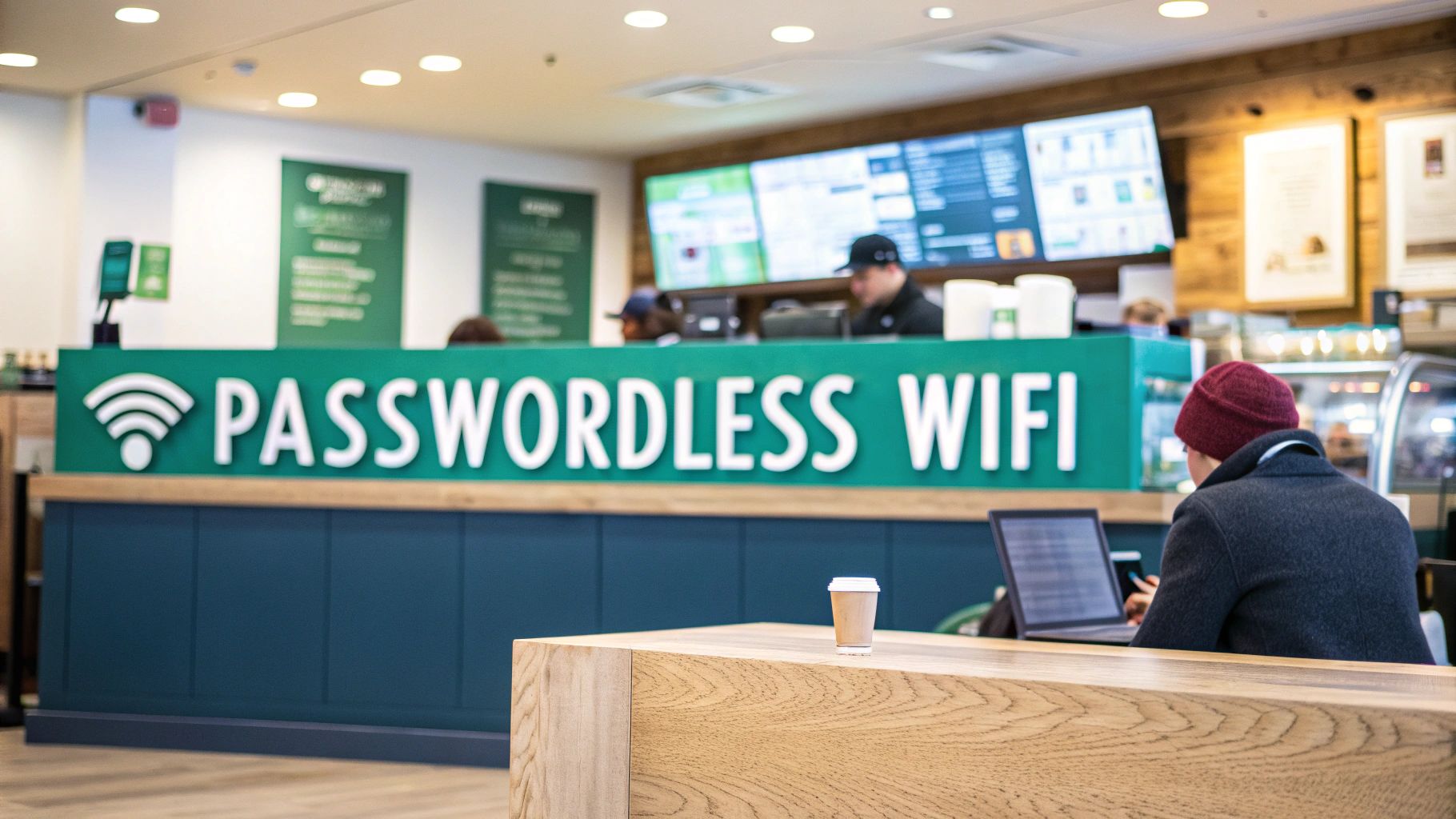
We're all getting tired of traditional passwords. The future is passwordless, and it's closer than you think. Imagine hotel guests or retail shoppers connecting to Wi-Fi with just a quick biometric scan or a tap on their phone. RADIUS is the engine that makes this possible, working seamlessly with enterprise-grade hardware from vendors like Cisco Meraki.
This isn't just a niche trend. The passwordless authentication market is exploding, projected to hit USD 55.70 billion by 2030. The retail sector, in particular, is jumping on board, seeing a clear connection between frictionless logins and customer satisfaction. You can read more about the rapid growth of passwordless solutions and how it’s reshaping user expectations.
Making Guest Wi-Fi Work for You
For businesses in retail or hospitality, your guest Wi-Fi is a gold mine of opportunity. By using Captive Portals powered by RADIUS, you can offer easy login options that also give you valuable business insights.
The most popular method, by a long shot, is social login. This lets visitors connect using their existing social media accounts, like Facebook or Google.
- For the User: It’s a familiar, one-click process. No new accounts to create, no passwords to remember.
- For the Business: You get valuable, anonymized demographic data. This social Wi-Fi approach helps you understand who your customers are so you can tailor marketing efforts more effectively.
This simple exchange turns your free Wi-Fi from a cost center into a powerful customer intelligence tool, all securely managed on the backend by your authentication solutions.
Streamlining Access in Corporate and Education Settings
In corporate and education environments, the focus shifts from marketing to pure efficiency and security. The goal here is to get trusted users online every day with zero friction. This is where Single Sign-On (SSO) is a total game-changer.
When you integrate your RADIUS platform with an identity provider like Azure AD, users can access the Wi-Fi with the same credentials they use for everything else—email, cloud apps, you name it.
This SSO approach is a massive win for IT departments. It dramatically cuts down on helpdesk tickets for forgotten Wi-Fi passwords and tightens security by centralizing identity management.
For devices that can't handle enterprise authentication, such as IoT gadgets or shared equipment, solutions like IPSK and EasyPSK offer a secure, password-based alternative that still provides individual accountability. This is where platforms like Splash Access really shine, bridging the gap between powerful RADIUS security and the intuitive experience modern users expect.
You can learn more about how to implement Single Sign-On to create a truly seamless connection process for your team or students. A unified approach like this makes sure your BYOD strategy is both user-friendly and buttoned up.
Matching the Authentication Method to Your Users
Deciding on the right login method really comes down to who is connecting to your network. This table breaks down which solution is the best fit for different user types, from a one-time visitor to a full-time employee.
| User Type | Recommended Method | Key Benefit | Ideal Environment |
|---|---|---|---|
| Short-Term Guests | Captive Portal with Social Login | Easy access, marketing data capture | Retail, Cafes, Hotels, Public Venues |
| Temporary Visitors | SMS/Email One-Time Passcode | Simple, secure, self-service | Conference Rooms, Lobbies, Events |
| Trusted Employees | 802.1X with SSO (Azure AD/SAML) | Highest security, seamless user experience | Corporate Offices, Government Buildings |
| Students/Faculty | 802.1X with SSO | Secure & simple daily access | University Campuses, K-12 Schools |
| IoT/Headless Devices | Identity Pre-Shared Key (IPSK) | Secure per-device access without 802.1X | Smart TVs, Printers, Scanners |
| Long-Term Contractors | Time-based Access Vouchers | Controlled, temporary network access | Construction Sites, Managed Offices |
By matching the authentication flow to the user's needs and the organization's security posture, you create a Wi-Fi experience that is both effective and easy to manage.
Troubleshooting Common RADIUS WiFi Issues
Even the most meticulously planned RADIUS authentication WiFi network can run into problems. When users suddenly start reporting they can’t connect, it’s almost always due to one of a handful of common issues. Think of this as your field guide for quickly diagnosing and fixing those frustrating connection failures.
Knowing where to look is half the battle. We’ll walk through the most frequent culprits, from simple typos to expired certificates, and give you a practical checklist to get everyone back online fast.
Diagnosing Common Connection Failures
When authentication requests start failing, the issue usually lives somewhere in the communication chain between the user's device, your access point (like a Cisco Meraki AP), and the RADIUS server. Before you start diving deep into packet captures, always check the usual suspects first.
A quick rundown of the top offenders will save you a ton of time:
- Shared Secret Mismatch: This is, without a doubt, the number one cause. A single mistyped character in the shared secret on your Cisco Meraki dashboard or your RADIUS server means every authentication request will be rejected. Double-check that they match exactly.
- IPs and Ports: Make sure your access points are pointing to the correct IP address for your RADIUS server. It's also critical to confirm you're using the standard RADIUS ports—typically 1812 for authentication and 1813 for accounting—and that a firewall isn't accidentally blocking them.
- Expired Certificates: If you're using certificate-based authentication (EAP-TLS), an expired server certificate will bring everything to a grinding halt. No one can connect. Get ahead of this by setting calendar reminders to renew certificates well before they expire.
I always tell people to think of the shared secret as the secret handshake between your access point and the RADIUS server. If they don't use the same handshake, they simply won't talk to each other. Every single connection attempt will fail.
If you’ve checked these basics and are still stuck, you might find our guide on a specific error in authentication helpful for more complex scenarios.
Proactive Network Maintenance and Security
Fixing problems is good, but preventing them in the first place is far better. A healthy RADIUS authentication WiFi system isn't something you just set up and forget; it needs ongoing care to stay resilient and secure.
This is especially true as more and more devices come onto the network. The global mobile user authentication market was valued at a huge USD 2.72 billion in 2024 and is expected to explode to USD 18.16 billion by 2035. While massive enterprises make up 70.4% of this market right now, we're seeing a huge uptick in education, retail, and other corporate sectors adopting cloud authentication solutions to lock down their BYOD environments. Statista's market analysis offers some great insight into this trend.
A simple but critical first step is regularly auditing user accounts. You need a rock-solid process for immediately disabling credentials when an employee leaves the company or a student is no longer enrolled. This basic housekeeping is your first line of defense against unauthorized access.
Optimizing for High-Density Environments
Busy lecture halls, bustling retail stores, or conference rooms during an all-hands meeting put a unique strain on your network. When hundreds of devices try to authenticate all at once, your RADIUS server can get overwhelmed, causing timeouts and a miserable user experience.
Here are a few tips I've picked up for keeping things smooth in these demanding spots:
- Go Local with Servers: If your organization is spread out, use a cloud RADIUS provider that has servers located geographically close to your sites. This can dramatically cut down on latency.
- Watch Your Server Load: Keep a close eye on your RADIUS server's CPU and memory usage, especially during peak hours. If it's constantly redlining, it might be time to scale up your resources.
- Tune Your Timeouts: Inside your Cisco Meraki dashboard, you can adjust the RADIUS timeout settings. You don't want to set it too high, but giving it a slight bump can help accommodate a server that's under heavy load without causing failed connections.
The goal is to build a system that can handle the morning rush hour without breaking a sweat. Whether you’re running a Captive Portal with social login for a coffee shop or a secure IPSK network for student housing, a well-maintained and optimized RADIUS infrastructure is what separates a great network from a frustrating one.
Answering Your Top Questions About RADIUS Authentication
Over the years, I've heard just about every question you can imagine when it comes to setting up and managing RADIUS authentication for Wi-Fi. It can seem complex from the outside, but once you break it down, you'll see just how powerful and flexible it really is. Let's tackle some of the most common questions I get.
What's the Real Difference Between PSK and RADIUS?
I like to use a simple analogy here. A standard Pre-Shared Key (PSK) is like handing out copies of the same physical key to an entire building. It's simple, but if one person loses their key or leaves the company, you're stuck changing the locks for everyone. It's a huge operational headache and a serious security risk for any business.
RADIUS, on the other hand, gives every single person their own unique keycard. This is a far more secure and manageable approach. When an employee leaves, you just deactivate their keycard—their digital credentials—and the rest of the building remains secure. You're not impacting anyone else's access, and you get a detailed log of who came and went, and when.
Can I Really Use RADIUS for My Guest Wi-Fi?
Absolutely. While it has its roots in heavy-duty corporate networks, RADIUS is the secret sauce behind the most flexible and modern guest Wi-Fi experiences you see in hotels, cafes, and airports. It's the engine that powers the authentication solutions we've all come to expect.
When you pair RADIUS with a Captive Portal, you unlock all sorts of possibilities. Think social login, voucher codes, or simple self-service sign-ups. A platform like Splash Access leverages RADIUS to do things like automatically generate temporary, unique credentials for each guest. This is also how you can implement methods like IPSK or EasyPSK, where every guest gets their own password, giving you WPA2-level security without the corporate complexity.
Do I Need a Physical Server to Run RADIUS?
Not anymore, thankfully! The days of racking, stacking, and maintaining a physical server in a dusty closet just for RADIUS are long gone. That old model was a major roadblock for businesses without a dedicated IT team, creating a high barrier to entry due to cost and complexity.
Today, cloud-based authentication platforms are the go-to solution. They handle all the backend infrastructure for you, providing high availability, automatic scaling, and easy integrations with identity providers like Azure AD or social Wi-Fi platforms. For almost any education, retail, or BYOD corporate network, a cloud solution is simply the most practical and cost-effective way forward.
How Does IPSK Work with My Cisco Meraki Network?
IPSK, or Individual Pre-Shared Key, is a fantastic hybrid technology that I've seen solve a lot of problems. It gives you the simplicity of a password with the security of individual credentials, making it a perfect match for a Cisco Meraki network.
Here's how it plays out in a common BYOD scenario:
- A user—say, a student in a dorm—connects to the Wi-Fi and is directed to a self-service Captive Portal.
- The authentication platform instantly generates a unique password just for that student's device.
- Behind the scenes, the RADIUS server associates that unique password with the device's specific MAC address.
- Your Cisco Meraki access points then enforce this one-to-one mapping, ensuring only that specific device can use that key.
This method is a game-changer for securing environments like student housing or corporate guest networks. It provides robust, per-device security without forcing users through a complex 802.1X configuration process.
It’s the ideal way to strike that perfect balance between strong security and a great user experience.
Ready to transform your network with secure, seamless authentication? Splash Access provides the powerful, flexible platform you need to manage your Cisco Meraki network with ease. Explore our solutions.