Hey there! Let's face it, managing a business WiFi network often feels like a full-time job. This is where a Cisco Meraki access point changes the game. It's more than just a piece of hardware; it’s the heart of a smarter, simpler wireless network you can manage from literally anywhere.
Welcome to the World of Cloud-Managed WiFi
This guide is all about showing you how Cisco Meraki makes powerful networking surprisingly easy. Before we dive in, it helps to understand what a wireless access point is at a basic level. Meraki takes that core idea and completely reimagines it, stripping away the usual headaches of network administration.
We're going to break down how a Meraki AP can solve real-world problems in a practical way. We’ll look at everything from creating a smooth guest WiFi experience to securely handling all those personal devices people bring to work in corporate BYOD environments.
Unlocking Seamless Connectivity
A welcoming and secure guest network is non-negotiable these days. A Cisco Meraki access point is brilliant at building robust Captive Portals that are about much more than just getting people online. They're a perfect fit for so many places:
- Retail: Engage shoppers and get valuable marketing data with social wifi logins.
- Education: Give students, staff, and campus visitors secure, managed internet access.
- BYOD Corporate: Offer a professional, no-fuss connection for clients and partners visiting your office.
Modern Authentication for a Modern Workforce
In any place with a ton of different devices—think corporate BYOD policies or university campuses—a single shared password is a huge security risk just waiting to happen. That’s where modern Authentication Solutions make a real difference.
Meraki makes complex security simple. You can give every single user their own unique credentials without burying your IT team in support tickets. This one-person, one-key approach is fundamental to good network security today.
Solutions like IPSK (Identity Pre-Shared Key) and EasyPSK give each person their own personal key to the network. So, if a device is lost or an employee moves on, you can kill their access in a second without affecting anyone else. That kind of pinpoint control is crucial for protecting sensitive information, especially in BYOD corporate sectors.
The Magic Behind Meraki Cloud Management
What really sets a Meraki access point apart isn't the plastic and silicon—it's the powerful brain running the whole show: the Cisco Meraki Dashboard. The best way to think about it is like having a universal remote for your entire network. It doesn't matter if you manage the WiFi for one coffee shop or a thousand retail locations; you get complete control from a single, clean web interface.
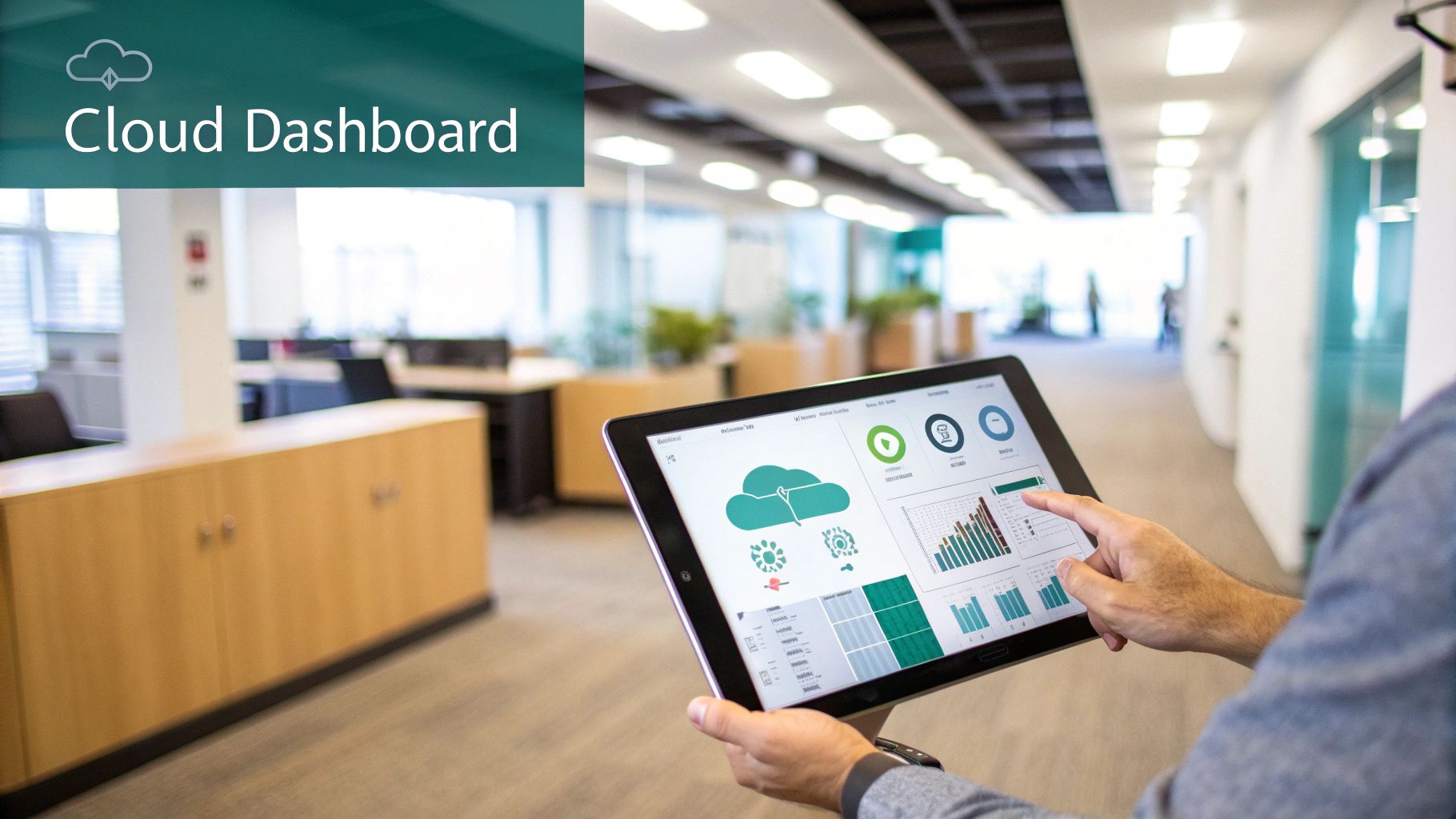
This cloud-first approach completely does away with the need for clunky, expensive on-site hardware controllers. Your IT team can deploy, monitor, and even troubleshoot access points from anywhere with an internet connection. This is a huge departure from the old way of doing things, and it saves a staggering amount of time while slashing operational costs. It’s no wonder so many organizations are flocking to a fully cloud-managed Wi-Fi infrastructure from Cisco.
Centralized Command and Control
Picture this: you need to update the guest Wi-Fi password for 50 different retail stores. On a traditional system, that’s a soul-crushing task involving hours of manually logging into each location's controller, one by one. With the Meraki Dashboard, that same job takes just a few clicks.
You can push out firmware updates, check on network health, and see every single connected device across all your sites in real-time. This kind of network-wide visibility is an absolute game-changer for any business that needs to grow without getting bogged down by complexity. At its heart, this is a practical application of software-defined networking, a concept we break down in our guide on what is Software Defined Networking.
This centralized power is a big reason why Cisco Meraki commands a significant market share in the network hardware space. The platform's knack for cloud-controlled Wi-Fi, routing, and security has made it a go-to for businesses that value simplicity and scalability above all else. You can dig deeper into Cisco Meraki's market position on datanyze.com.
Simplifying Complex Network Tasks
The Meraki Dashboard isn't just about looking at your network; it's about making complex tasks incredibly simple—things that used to require a seasoned network engineer. It puts the power to create a great user experience into anyone's hands.
-
Guest WiFi and Captive Portals: Setting up a branded guest wifi login page, or Captive Portal, is beautifully straightforward. You can easily switch on social login options (often called social wifi), letting visitors connect with their existing social media accounts. This is a massive win for Retail, where a simple login can unlock valuable marketing insights.
-
Secure Authentication Solutions: In environments like Education or corporate offices with BYOD policies, security is everything. The dashboard simplifies deploying advanced Authentication Solutions like IPSK or EasyPSK. Instead of one shared password for everyone, you can issue unique keys to individual users, drastically boosting security without the management headache.
-
Real-Time Troubleshooting: Got a user complaining about a bad connection? No problem. From the dashboard, you can see exactly which Meraki access point they're on, check their signal strength, and even run remote diagnostics without ever leaving your chair.
The real beauty of the Meraki cloud is how it translates complex networking data into actionable insights. You don't just see that there's a problem; the dashboard helps you understand why it's happening and how to fix it quickly.
This ability to manage the entire lifecycle—from deployment to daily operations—through a single, intuitive platform is the secret sauce behind every Cisco Meraki solution. It frees up IT teams to be more proactive and efficient, letting them focus on helping the business grow instead of just putting out fires. The cloud dashboard isn't just a feature; it's the foundation of a smarter, more agile network.
Crafting the Perfect Guest WiFi Experience
Guest WiFi isn't just a free internet connection anymore; it's a golden opportunity to engage with your customers and a critical part of their overall experience. A Cisco Meraki access point is brilliant at this, turning a simple guest network into a branded, interactive touchpoint for your business. It's about graduating from a shared password scrawled on a whiteboard to creating a seamless, valuable connection for every visitor.

The key to this transformation is the Captive Portal. Think of it as the digital welcome mat for your business. When a guest connects to your WiFi, they aren't just thrown online. Instead, they land on a custom-branded page that you control. This is your chance to make a great first impression, share a promotion, or guide them to your website.
Beyond the Password: Smart Authentication Solutions
Today’s networks need smarter, more secure ways for guests to get online. The Meraki platform, especially when you bring in advanced Authentication Solutions, offers a whole menu of options that work perfectly for different situations—from a busy Retail shop to a corporate office managing BYOD policies.
These methods let you strike the right balance between making access easy for your guests and gathering useful information for your business.
- Click-Through Access: This is the path of least resistance. Guests land on your branded page, agree to your terms with one click, and they're online. It’s fast, totally frictionless, and ideal for places where you just want to get people connected without any fuss.
- Email and Form Capture: This approach asks visitors for an email address or to fill out a quick form. It’s a fantastic way to build your marketing list, letting you send follow-up promotions to people who have physically been to your location.
- Social Login (Social WiFi): A hugely popular option, social login lets guests connect using their existing social media accounts. It’s a breeze for them and gives you access to valuable, permission-based demographic data, turning your guest wifi into a powerful analytics engine.
Setting all this up is refreshingly simple. For a complete walkthrough, check out our guide on how to set up guest WiFi.
A well-designed Captive Portal does far more than just grant internet access. It turns a network utility into a dynamic marketing and customer engagement channel, opening a direct line of communication with your on-site visitors.
The Power of a Branded Experience
Brand consistency is everything, and your guest wifi experience should be a part of that. With a Meraki access point, you can fully customize the splash page to match your brand’s colors, logos, and voice.
The screenshot below gives you a peek at just how easy it is to start building a custom splash page right inside the Cisco Meraki dashboard.
This shows off the user-friendly interface for creating a Captive Portal. You don't need to be a web developer to build a professional and welcoming experience that reinforces your brand.
This level of customization is especially powerful in the Retail world, where you can show off current sales right on the login screen. In Education, a university could use the portal to share campus event schedules with visitors or prospective students.
At the end of the day, the goal is to create an environment that's secure, branded, and rich with data. While WPA2 is a solid security foundation, advanced methods like IPSK and EasyPSK are better suited for your secure internal networks (which we'll get into next). For guests, the focus is on a seamless, engaging connection that benefits everyone, making your Cisco network a true business asset.
Securing Your Network with Modern Authentication
A great guest experience is one thing, but your internal network security? That's the bedrock of your entire operation. In a world where everyone carries a personal smartphone and a company laptop, the old-school approach of a single, shared password just doesn't cut it anymore. It’s like handing out one master key to your entire building—if that one key gets lost, the whole place is at risk.
A modern Meraki access point gives you the power to move past this outdated model. It’s time to embrace authentication solutions built for the real world, whether you're in a corporate, education, or retail setting. This is all about giving each user their own unique, personal key to the network, making access both secure and individually manageable.
Introducing Identity Pre-Shared Keys (IPSK)
Think about the security headache that comes with Bring Your Own Device (BYOD) policies. You've got dozens, maybe hundreds, of personal phones, tablets, and laptops all connecting to your network. A single shared password makes it impossible to know who's doing what. And what happens when a device is lost or an employee leaves? Your only move is to change the password for everyone, which is a massive administrative nightmare.
This is exactly where Identity Pre-Shared Key (IPSK) technology comes in and completely changes the game. Instead of one password for the "Staff" network, IPSK assigns a unique key to each person or device. It's a beautifully simple yet incredibly powerful idea:
- Individual Accountability: You know precisely which user is tied to which device, giving you a clear audit trail.
- Granular Control: If an employee leaves or a device is compromised, you just revoke that one key instantly. Nobody else is affected.
- Seamless Onboarding: New users get their own credentials right from the start, making the connection process secure and personal.
This approach massively strengthens your security, turning your Wi-Fi from a potential vulnerability into a tightly controlled asset.
The Simplicity of EasyPSK
Now, managing thousands of individual keys might sound like a lot of work, but solutions like EasyPSK are designed to make it surprisingly simple. When integrated with your Cisco Meraki network, these systems automate the whole process of creating, distributing, and revoking unique keys.
This means your IT team isn't stuck manually generating passwords for every new hire or visiting contractor. The process can tie directly into your existing user directories, making it a smooth part of your employee onboarding and offboarding workflows. This is where the cloud-managed power of a Meraki access point truly shines, letting you deploy sophisticated security policies that are incredibly easy to manage.
By moving to an individual key model with IPSK, you're not just adding a layer of security; you're fundamentally changing how you manage network access. You gain the ability to enforce policies on a per-user basis, which is essential for any modern BYOD corporate or educational setting.
Balancing Security and Usability
At the end of the day, the best security is both strong and easy to use. If your security measures are too clunky, people will just find ways around them. IPSK and EasyPSK strike that perfect balance. Users get the simple, familiar Wi-Fi login experience they expect, while behind the scenes, the network gains a powerful, identity-based security structure. For a deeper dive into the technical standards that make this possible, you can find valuable information on the principles of 802.1X authentication and how it secures modern networks.
Whether it’s a university campus securing thousands of student devices or a corporate office protecting sensitive data, this method gives you the control you need without sacrificing convenience. You can confidently open your network to personal devices, knowing you have the tools to manage access with surgical precision—ensuring only the right people can connect, every single time.
Meraki in Action Across Different Industries
It's one thing to talk about features on a spec sheet, but it's another to see how they perform in the real world. A Meraki access point isn't just a generic piece of hardware; it’s a flexible networking tool that adapts to solve real, specific problems across dozens of industries. From a sprawling university campus to a local coffee shop, the Cisco Meraki platform gives organizations the power to build Wi-Fi networks that do more than just provide internet—they actively help achieve business goals.
Let's break down how these capabilities look in a few key environments.
Education: Unlocking Campus-Wide Connectivity
A modern campus is a surprisingly complex digital environment. You've got students juggling laptops, phones, and tablets; faculty who need rock-solid access to internal resources; and visitors who just want simple guest wifi. A Meraki access point is a perfect fit here because it makes network segmentation incredibly simple.
IT teams can effortlessly create separate, secure networks for each user group:
- Students: A network with smart content filtering and bandwidth shaping to make sure academic tools get top priority and everyone gets a stable connection.
- Faculty & Staff: A protected network using advanced Authentication Solutions like IPSK for trusted access to internal servers and sensitive academic data.
- Guests & Visitors: A branded Captive Portal for quick, click-through access that keeps them completely separate from the main campus network.
This is a game-changer for schools running 1-to-1 device programs. Meraki lets administrators apply policies directly to specific devices, ensuring school-issued tablets get the access they need while personal devices are managed separately. It’s all about keeping the network secure and the learning environment free of distractions.
Retail: Turning Wi-Fi into a Marketing Engine
For any Retail business, a customer in the store is an opportunity. With a Meraki access point, that standard guest Wi-Fi network becomes a powerful tool for customer engagement and business intelligence. By setting up a slick, branded Captive Portal, retailers can turn a simple login into a valuable interaction.
One of the most effective tools for this is social login, sometimes called social wifi. When a shopper connects using a social media profile, they get online fast, and the business can gather valuable, permission-based demographic information. This data helps them understand who their customers are and what they're interested in.
The real secret sauce, though, is location analytics. Cisco Meraki access points can generate incredible business insights just by monitoring the presence of Wi-Fi-enabled devices. They gather anonymous data that helps store owners analyze foot traffic patterns, see how long shoppers linger in certain aisles, and measure repeat visits. A boutique might use this to figure out which window display is drawing the most people in or to schedule more staff during unexpected busy periods. You can learn more about how these location analytics work on meraki.com.
Corporate BYOD: Securing the Modern Workplace
In the BYOD Corporate world, it’s a constant balancing act between employee convenience and network security. Everyone wants to use their own devices, but IT has to protect the company's data. This is where modern Authentication Solutions like IPSK and EasyPSK make a huge difference.
Instead of a single, easily compromised password for the "Corporate-WiFi" network, each employee is given their own unique key. This simple shift provides immense security benefits.
If an employee leaves the company or loses a phone, an admin can revoke that one specific key in seconds without affecting anyone else. This kind of granular control is crucial for safeguarding sensitive information. When integrated with an employee directory, the process of adding or removing users is completely automated, making the network both airtight and easy to manage. The Meraki access point effectively becomes the bouncer at the door, making sure every device is properly identified before it gets anywhere near the network.
Meraki Access Point Features by Industry
To see how these features align with specific needs, let's compare them side-by-side. The table below highlights how different Meraki capabilities deliver unique value across Education, Retail, and Corporate environments.
| Feature | Education Benefit | Retail Benefit | Corporate (BYOD) Benefit |
|---|---|---|---|
| Cloud Management | Centralized control over a multi-building campus from a single dashboard. Easy for small IT teams. | Manage Wi-Fi for hundreds of store locations without needing on-site IT staff. | Rapidly deploy, monitor, and troubleshoot access points across all branch offices from HQ. |
| Captive Portal | Provides a simple, branded login for campus visitors and guests, keeping them off the primary network. | Creates a marketing opportunity with social logins, email capture, and promotional messaging. | Secure guest access for clients and contractors with time-based access and clear terms of service. |
| IPSK/EasyPSK | Securely onboard faculty and staff devices with unique keys, preventing password sharing and unauthorized access. | N/A (primarily used for secure internal networks, not public guest Wi-Fi). | The cornerstone of BYOD security. Each employee gets a unique key for their devices, which can be revoked instantly. |
| Location Analytics | Monitor student traffic in common areas like libraries or cafeterias to optimize space and resources. | Gain deep insights into customer foot traffic, dwell times, and repeat visits to improve store layout and staffing. | Analyze office space utilization by tracking device density in meeting rooms and common areas. |
| Traffic Shaping | Prioritize bandwidth for educational apps and video conferencing while limiting non-essential traffic like streaming or gaming. | Ensure point-of-sale (POS) systems always have priority bandwidth for fast checkouts, even during peak hours. | Guarantee bandwidth for critical business applications like VoIP and video calls while managing recreational usage. |
As you can see, the same core features are applied in different ways to solve very different problems. This adaptability is what makes the Meraki platform so effective across such a wide range of organizations.
Planning Your Meraki Wireless Deployment
A successful network doesn't happen by accident; it’s all about smart planning. While deploying Cisco Meraki access point hardware is refreshingly straightforward, a little prep work goes a long way. The goal is to build a wireless network that's fast, reliable, and ready to grow with you, sidestepping common hiccups and creating a rock-solid foundation for every user—be it a student, shopper, or employee.
The very first step? Getting to know your physical space. A professional wireless site survey is the gold standard for figuring out the perfect spot for each Meraki access point. This process maps out potential dead zones, pinpoints sources of interference, and identifies high-traffic areas, so you get the coverage and capacity you need right from day one. You can learn more about this crucial first step in our guide to performing a wireless network site survey.
Building Your Network Foundation
Once you know where the access points are going, the next question is how to connect them. For a clean and efficient setup, Power over Ethernet (PoE) is your best friend. A PoE-capable switch is a game-changer because it sends both data and power over a single Ethernet cable. This means no more hunting for outlets or dealing with messy power adapters for each AP.
Another key piece of the puzzle is network segmentation using VLANs and SSIDs. Think of it as creating separate, secure lanes on your digital highway for different kinds of traffic. You can spin up distinct SSIDs for all sorts of user groups:
- Corporate-Staff: A secure network for employees, using robust Authentication Solutions like IPSK for both company-owned devices and BYOD setups.
- Guest-WiFi: An open network with a branded Captive Portal that offers easy social login for visitors, perfect for Retail or corporate lobbies.
- IoT-Devices: A dedicated, isolated network for smart devices like security cameras or sensors, keeping them safely separated from sensitive company data.
This kind of segmentation is essential for both security and performance, especially in busy places like Education campuses or multi-purpose corporate offices.
The chart below shows just how these tailored network strategies are put into practice across different industries.
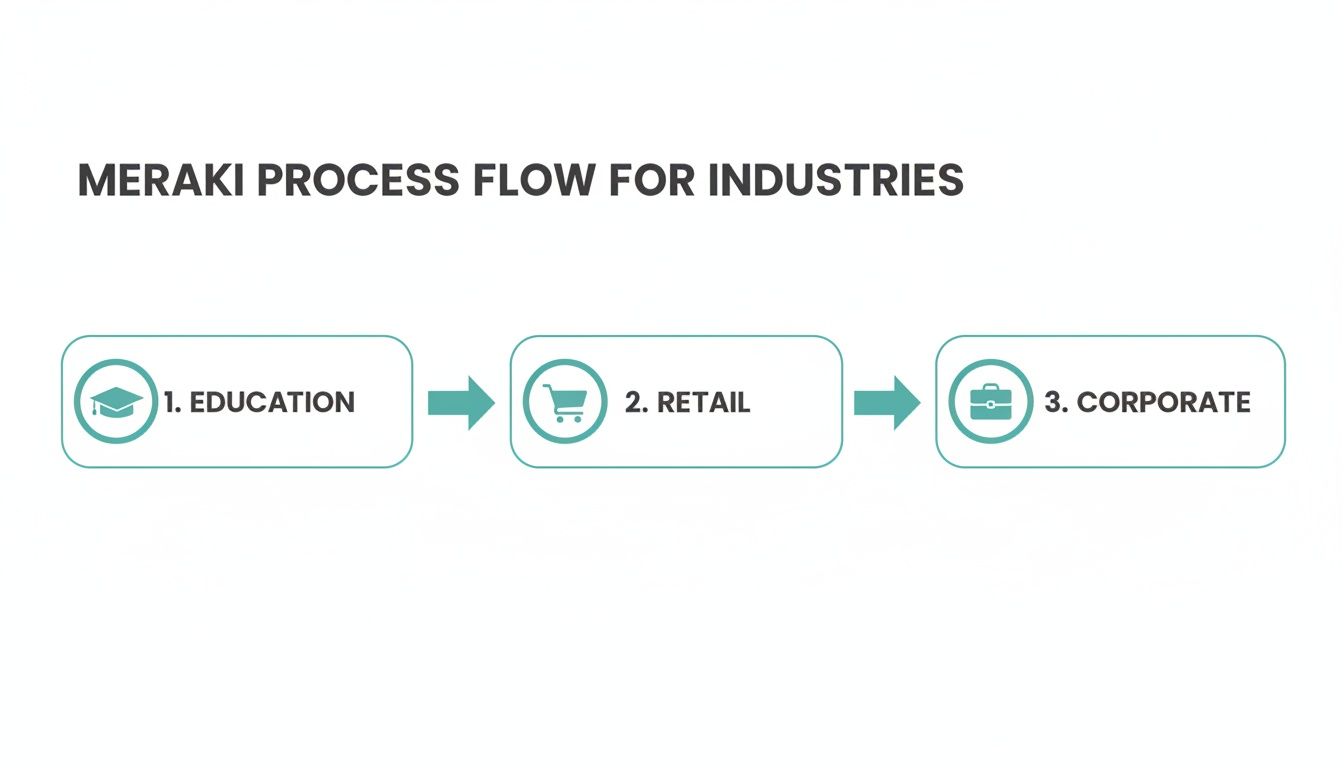
As you can see, a single platform can be expertly adapted to meet the unique connectivity demands of Education, Retail, and Corporate environments.
Positioning for Future Growth
Let's be honest: the demand for fast, reliable Wi-Fi isn't slowing down. The global wireless access point market is set to expand significantly, driven by digital initiatives in just about every sector. This growth is particularly strong for indoor access points—the very category where Cisco Meraki shines—as businesses clamor for high-performance solutions that just work.
By planning your deployment with future needs in mind—thinking about potential increases in user density and the sheer number of devices—you ensure your network won't just meet today's demands. It will be ready for tomorrow's challenges.
Proper planning elevates your Meraki deployment from a simple hardware installation into a true strategic asset. It’s about building a network that actively supports your organization's goals and guarantees a seamless, secure experience for everyone who connects.
Got Questions About Meraki? We've Got Answers
If you're still weighing the details of how a Meraki access point fits into the real world, you're not alone. Let's tackle a few of the most common questions we hear from folks just like you.
What Happens If My Internet Connection Goes Down?
This is probably the number one question we get, and it's a completely valid concern! The short answer is: your Wi-Fi keeps working. Your Cisco Meraki network is smart enough to hold onto its last known good configuration.
That means your internal team, even those on a BYOD network with IPSK, can still get to local servers and printers. Your guest wifi will also keep humming along for anyone already connected. The only thing you lose is the ability to change settings or see live data in the dashboard until your internet comes back online.
Do I Need a Physical Hardware Controller?
Nope, and this is a game-changer. Every Meraki access point is 100% cloud-managed. This completely does away with the need for a costly and complex on-site wireless controller box.
Everything—from initial setup and monitoring to ongoing management—is handled through the intuitive, web-based Cisco Meraki Dashboard.
How Does Meraki Licensing Work?
Meraki keeps licensing simple with a co-termination model. You buy a license for each device, and the dashboard automatically calculates a single expiration date for your entire organization. It makes renewals incredibly straightforward.
Think of the license as your all-access pass. It includes access to the dashboard, all future feature updates, and technical support. Just be sure to keep it active—your hardware will stop functioning after a grace period if the license expires.
Can Meraki APs Work With My Existing Network Gear?
Absolutely. Meraki APs play nicely with others. You can plug a Meraki access point into any standard PoE-capable switch, whether it's from Cisco or another brand entirely.
While going all-in on a Meraki stack gives you that unified "single pane of glass" management, you can absolutely add Meraki APs to an existing network. It's a fantastic way to upgrade your wireless without having to rip and replace everything, a strategy we see all the time in Retail, Education, and corporate offices.
Ready to transform your guest WiFi and secure your network? Splash Access provides instantly deployable captive portals and advanced authentication solutions like IPSK that integrate seamlessly with your Cisco Meraki hardware. Learn more on the Splash Access website.