Hey there! Is your Wi-Fi letting you down? Let's talk about it. Weak Wi-Fi isn't just an annoyance; it's a genuine threat to your business. Whether you're running a university campus, a bustling retail store, or a corporate office, a poor signal translates directly into dropped calls, failed payments, and frustrated people. It's a problem we can definitely solve.
The root of the problem usually lies in two main areas: physical barriers that block the signal or invisible radio frequency (RF) interference that disrupts it.
The High Cost of a Poor Connection
Let's be honest—when the Wi-Fi dies, everything grinds to a halt. In a corporate office that relies on BYOD (Bring Your Own Device), a weak signal means video calls freeze mid-sentence, derailing important meetings. In a retail shop, it can knock payment terminals offline right at the checkout, leading to long lines and lost sales. For an education setting like a university, it means students can't get to their online materials or turn in assignments, which directly hurts their learning experience.
These aren't just minor hiccups. They're operational failures that can tarnish your reputation and hit your bottom line hard.
The Invisible Barriers to Great WiFi
Often, the things wrecking your Wi-Fi are hiding in plain sight. Physical obstacles are a huge factor. A single concrete wall can slash your signal strength by 50–70%. Think about all the metal shelving in a warehouse or retail stockroom—those create dead zones that are notoriously difficult to cover.
But the problem isn't always something you can see. Invisible RF interference from your neighbors' networks, a microwave in the breakroom, or even a cluster of Bluetooth devices can bring your connection to its knees. This is exactly why a solid infrastructure, built on powerhouse platforms like Cisco Meraki, is so important. They give you the tools you need to see what's happening in your airspace and manage these complex environments like a pro.
This isn't a niche problem. A 2023 survey revealed that a staggering 42% of households deal with poor signal strength every single week, and 35% of US subscribers point to dead zones as a major source of frustration.
Connecting Signal Strength to User Access
A strong signal is just half the battle. If your users can't get online easily, the experience is still broken. This is where your Captive Portal and Authentication Solutions become critical. A slow, clunky login page can easily make someone think the Wi-Fi is down, even when they have a full five bars.
For a closer look at the common culprits, it helps to understand why your internet might be slow.
Modern solutions like IPSK and EasyPSK are an absolute lifesaver in BYOD environments like corporate offices and education campuses, making it secure and simple to onboard all those personal devices. For guest networks, especially in retail, features like social login or social wifi not only smooth out the sign-in process but also capture valuable marketing data.
In the end, a great connection depends on both a powerful signal and a seamless user journey. Our guide on how to improve customer experience offers more friendly tips to nail both.
Your First Steps to Diagnosing Wi-Fi Dead Zones
Before you even think about a major network overhaul, you should know that some of the most common fixes for weak Wi-Fi reception are surprisingly straightforward. You don't need to be a network engineer to start getting to the bottom of things. The first, and often most revealing, step is a simple visual inspection of the space.
Just walk the floor. Look for the obvious culprits. In a retail store, that could be towering metal shelving or dense stacks of merchandise. In a school, thick concrete walls between classrooms are a classic signal killer. Even things you wouldn't suspect, like big mirrors or metal filing cabinets, can wreak havoc on a Wi-Fi signal.
Mapping Out the Problem Areas
You don't need fancy equipment for this first pass. The signal indicator on your smartphone is your best friend. Walk through your venue—whether it's a corporate office full of personal devices or a university library—and make a mental note of where the signal bars plummet. This creates a basic 'heat map' of your coverage.
This simple walkthrough is incredibly powerful for pinpointing specific dead zones. You might confirm that the conference room at the far end of the hall is a black hole for video calls or that the payment terminals in the back of your shop constantly struggle to connect. This initial survey gives you the critical information you need before you start digging into more complex technical solutions.
A physical barrier is often the root cause, which points you toward a hardware solution like better access point placement.
Beyond Just Signal Bars
It's also crucial to think about how your login and security systems are affected by signal strength. For instance, a weak connection can prevent a Captive Portal from loading properly, leaving users stuck in limbo even if they technically have a signal. This is where solid Authentication Solutions make a world of difference.
Remember, a user with full signal bars but no internet because the login page won't load will always blame the "bad Wi-Fi." The user's perception hinges on both the signal strength and the ease of getting online.
Modern tools like IPSK and EasyPSK found in top-tier Cisco and Meraki systems are fantastic for simplifying secure access in BYOD environments, but they still need a stable connection to work. The same goes for public networks in retail; popular guest wifi features like social login can't function if the coverage is spotty.
These initial diagnostic steps are the foundation. For a much more detailed approach, you can learn how the pros do it by reading up on how to conduct a proper site survey for your wireless network.
Getting Your Meraki Access Point Configuration Just Right
Alright, you’ve pinpointed where the Wi-Fi is struggling. Now it’s time to roll up our sleeves and move from diagnosing the problem to actually fixing it. The single biggest factor in beating weak Wi-Fi reception is how you place and configure your Access Points (APs). It’s part science, part art, but getting this right will give you the most dramatic improvements.
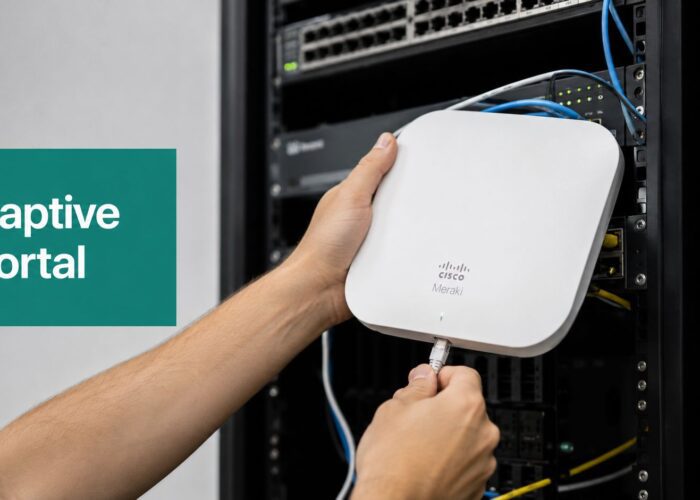
Let’s talk about the physical setup of your Cisco Meraki APs first. Simply screwing them to the wall wherever it’s easiest is a surefire way to create dead zones. You have to think like a radio wave. The best spot for an AP is usually a central location, mounted high on a wall or ceiling, giving it a clear line of sight to the people it needs to serve. Whatever you do, don't tuck them away in a closet or behind a big metal filing cabinet—those things are notorious signal killers.
Beyond Just Where You Put Them
Having great hardware is one thing, but your real power is in the Meraki Dashboard. This is where you can fine-tune your network’s performance. A classic mistake I see all the time is leaving the channel and power settings on 'auto,' especially in dense environments like an education campus or a bustling retail mall. The 'auto' setting often makes clumsy choices, leading to interference and an unstable connection for your users.
You've got to take the wheel. Proactive network management means manually tweaking these settings based on what's actually happening in your space. It sounds more complicated than it is, and it's absolutely essential for delivering a connection people can count on.
Leaving your Wi-Fi channels and power levels on 'auto' is like letting your car randomly switch lanes on the motorway. It might work for a bit, but eventually, you're going to hit a traffic jam.
Fine-Tuning Your Channels and Power
Your first move inside the dashboard should be a basic channel analysis. Meraki gives you the tools to see which channels are the most crowded. The name of the game is to shift your APs over to the quietest frequencies you can find, which cuts down on interference from neighboring networks and your own APs.
- For the 2.4 GHz band: Stick to the holy trinity of non-overlapping channels: 1, 6, and 11.
- For the 5 GHz band: You have a lot more breathing room here, making it much easier to find a clear channel.
Next, let's look at transmit power. It’s so tempting to just crank the power to maximum, thinking "more is better." In reality, this usually makes things worse by creating a ton of unnecessary noise that interferes with your other APs. The goal is to provide just enough power to cover the intended area without "shouting" over your other devices.
Striking this balance is the key to a healthy network, particularly in high-density corporate BYOD environments.
Before we dive deeper, here's a quick-reference table for some of the most common Wi-Fi performance killers I've encountered and the simple first steps to take.
Common Wi-Fi Killers and Simple Solutions
| Problem Source | How It Causes Weak WiFi | Quick Solution |
|---|---|---|
| Microwave Ovens | These operate in the 2.4 GHz band and can obliterate your signal when in use. | Move the AP away from the breakroom or kitchen, or prioritize using the 5 GHz band. |
| Metal Studs/Filing Cabinets | Metal surfaces reflect and block Wi-Fi signals, creating unpredictable dead zones. | Relocate the AP to have a clear line of sight to users, avoiding metal obstructions. |
| Concrete & Brick Walls | Dense construction materials absorb Wi-Fi signals far more than drywall. | Conduct a site survey and place APs strategically to cover areas separated by thick walls. |
| Cordless Phones/Bluetooth | Older cordless phones and some Bluetooth devices also compete on the 2.4 GHz band. | Encourage use of DECT 6.0 phones and switch devices to 5 GHz where possible. |
| Neighboring Wi-Fi Networks | In dense areas, other networks on the same channel create "co-channel interference." | Manually set your APs to use the least congested channels (1, 6, or 11 on 2.4 GHz). |
This table covers the low-hanging fruit. Once you've checked these off, you can move on to more advanced tuning.
Proper configuration ensures that your Authentication Solutions and Captive Portals load quickly for a smooth user experience. This is especially critical in Education and Retail, where seamless guest wifi powered by social login depends on a rock-solid connection. By optimizing these settings, you also make sure that advanced security features like IPSK and EasyPSK function without a hitch.
For a more comprehensive look, explore our guide on getting the most out of your Meraki Access Points.
Connecting Signal Strength to a Seamless User Experience
It’s easy to get fixated on having full bars of Wi-Fi, but that’s a hollow victory if people can't actually get online. The real make-or-break moment is your authentication strategy. You can have the strongest, most perfectly tuned signal in the world, but if the login process fails, your network might as well be down.
The most common point of failure I see out in the field is the Captive Portal. When someone connects, their device is expecting to see a login page. But if the weak Wi-Fi reception is bad, that page might never load. Users get stuck in a frustrating limbo—their phone shows a perfect connection, but nothing works. They'll inevitably blame the "bad Wi-Fi," when the real culprit is a stalled authentication handshake.
Optimizing the Welcome Mat
Think of your Captive Portal, like the ones from Splash Access, as the digital welcome mat to your network. For it to do its job, it has to be lightweight and load fast, especially in areas where the signal might be iffy. A heavy portal bogged down with large images or complex scripts will time out on a marginal connection every single time.
This is a huge deal in Retail. A customer tries to hop on your guest wifi, but a slow or non-loading portal stops them dead in their tracks. It’s more than just a frustrating experience for them; it’s a lost marketing opportunity for you. That seamless connection is how you capture valuable customer insights through features like social login or social wifi.
Streamlining Access in BYOD Environments
The challenge looks a bit different in Corporate and Education settings, where Bring Your Own Device (BYOD) is the law of the land. The sheer volume of personal devices hitting the network can create absolute chaos for IT teams. Trust me, asking every student or employee to manually configure complex network settings is a recipe for a flooded helpdesk.
This is where modern Authentication Solutions built into platforms like Cisco and Meraki are a lifesaver. Technologies like IPSK (Identity Pre-Shared Key) or EasyPSK completely change the game. Instead of one shared password for everyone, each user or device gets its own unique key.
A strong signal paired with a frictionless authentication process is the key to a positive user experience. One without the other creates a frustrating bottleneck that undermines your entire network investment.
This approach pays off in a few powerful ways:
- Drastically Reduced Helpdesk Tickets: Onboarding becomes incredibly simple. Users can often self-enroll their devices without any IT hand-holding.
- Enhanced Security: With unique keys, you can revoke access for a single lost or compromised device without disrupting hundreds of other users.
- Automated Segmentation: IPSK can automatically place devices onto the correct VLAN with the right access policies, keeping student traffic separate from faculty or guest traffic away from the corporate network.
At the end of the day, your signal strength and authentication process have to work in perfect harmony. A strong signal gets the data to the device, but a smart authentication strategy is what actually gets the user online quickly and securely. By focusing on both, you ensure that from the moment a user connects, their experience is smooth and seamless.
Your Industry Demands a Specific Wi-Fi Strategy
When you're trying to fix weak Wi-Fi, there’s no magic bullet. A sprawling university campus presents entirely different problems than a bustling retail store or a security-conscious corporate office. If you're not tailoring your approach, you're setting yourself up for failure.
Think about Education. High-density is the name of the game. You might have a lecture hall packed with hundreds of students, all hitting the network at the exact same time. This is more than a simple coverage issue—it’s a capacity nightmare that can grind your entire network to a halt.
Then you have the sheer scale of a campus, a wild mix of old, signal-blocking concrete buildings and wide-open outdoor spaces. This kind of complex radio frequency environment calls for a seriously robust infrastructure from a provider like Cisco to make sure every student gets a reliable connection, no matter where they are.
Retail WiFi: More Than Just a Guest Perk
In a Retail setting, the game changes completely. Your network is doing two critical jobs at once. It has to reliably support your back-of-house operations—think payment terminals and inventory scanners—while also providing a smooth guest wifi experience for shoppers. A dropped connection at the point-of-sale is simply not an option, and a clunky login for customers is a massive missed opportunity.
This is where a well-designed Captive Portal really shines. By offering dead-simple access through social login or social wifi, you're not just making it easy for customers to get online. You're also gathering incredibly valuable data that helps you understand foot traffic and shopper behavior.
The retail balancing act is tricky: you have to guarantee rock-solid stability for your business operations and deliver a frictionless, engaging online experience for customers. A weak signal torpedoes both.
Taming the Corporate BYOD Beast
For the Corporate world, the "Bring Your Own Device" (BYOD) trend has rewritten the rulebook. The network has to safely handle thousands of personal smartphones, tablets, and laptops without opening up security holes or creating a tidal wave of helpdesk tickets.
This is where advanced Authentication Solutions become non-negotiable. Using systems from Meraki with features like IPSK (Identity Pre-Shared Key) and EasyPSK lets you give a unique, private password to every single user and their devices. This approach gives you some serious advantages:
- Pinpoint Security: It automatically segments traffic, keeping employee devices on the secure network while shunting guests to a completely separate, isolated one.
- Painless Onboarding: It gets rid of the chaos and insecurity of a single shared password, which dramatically cuts down on helpdesk calls about connection problems.
- Individual Control: If a device is lost or an employee leaves the company, you can kill its access key instantly without disrupting anyone else.
From lecture halls to shop floors and boardrooms, customizing your Wi-Fi strategy is the only way to deliver the kind of reliable, secure performance everyone now expects. The hospitality industry is another area where a strong connection is a core part of the customer experience. For a deeper dive into that, see our guide on Wi-Fi solutions for hotels.
Common Questions We Hear About Fixing Weak WiFi
Let's dive into some of the questions that come up time and time again when business owners and IT admins are wrestling with poor WiFi. Getting these fundamentals right can clear up a lot of confusion, especially in complex environments like education, corporate offices, or large retail spaces.
How Can a Captive Portal Make My WiFi Seem Weaker Than It Is?
This is a classic "it's not you, it's me" scenario between the user and the network. A Captive Portal can easily create the illusion of weak WiFi reception even when the signal is rock solid.
Imagine a guest connecting. Their phone shows five bars, a perfect connection. But if the portal's login page hangs—maybe because of a slow server or a DNS hiccup—they're stuck in limbo. They think the WiFi is broken because they can't get online, when in reality, the signal is great but the gateway is blocked. This is a real killer for customer experience in Retail, where a quick and easy guest wifi login is part of the service.
What Is IPSK and How Does It Help in a BYOD Environment?
Think of IPSK (Identity Pre-Shared Key) as giving every user their own unique key to the network, instead of handing out copies of the same master key to everyone. It’s a feature found in systems like Cisco Meraki that's a game-changer for managing the flood of personal devices in Corporate or Education settings.
Instead of the headache of complex enterprise authentication, IPSK or EasyPSK solutions streamline how people get connected. Each user's device is automatically placed on the right network with the correct permissions. It’s one of the best Authentication Solutions out there for cutting down on helpdesk calls while seriously boosting security.
Can Adding More Access Points Actually Make My WiFi Worse?
Yes, absolutely. It's one of the most common mistakes we see. The gut reaction to a dead spot is to just throw another AP at it, but that can backfire spectacularly.
When you pack too many APs too close together on overlapping channels, they start screaming over each other. This is called co-channel interference, and it creates a digital traffic jam that grinds your network to a halt.
You end up with devices showing a strong signal but experiencing slow speeds and constant disconnects. In trying to fix weak WiFi reception, you've accidentally made the problem much worse.
This is why a proper site survey is non-negotiable. Careful channel and power planning, often done right in the Meraki dashboard, ensures every AP has room to breathe. To really get into the weeds on this, our guide on interference with WiFi is a great resource.
Here at Splash Access, we help you turn your WiFi from a simple utility into a smart, secure tool for engaging with your customers. Our platform works hand-in-glove with Cisco Meraki, providing top-tier user experiences with custom captive portals, secure IPSK, and powerful analytics.
Learn how Splash Access can transform your guest WiFi experience