Hey there! When you're trying to decide between a cloud versus server setup for your Wi-Fi network, it really just boils down to one simple question: where do you want your control center to be? Think of cloud management as having a command post you can access from anywhere in the world. An on-premise server, on the other hand, puts that control directly into your hands, right inside your own building.
The choice you make here isn't just a techy one; it's about whether you'd rather have operational ease and remote access or direct, localized authority over your network.
Choosing Your Wi-Fi Path: Cloud Versus On-Premise Servers
This is the big fork in the road for anyone managing a modern Wi-Fi network. Picking between a cloud-managed platform and a traditional on-premise server is a decision that will ripple through your network's flexibility, budget, and day-to-day management. So, let’s have a friendly chat about what each path looks like in the real world.
Understanding the Core Models
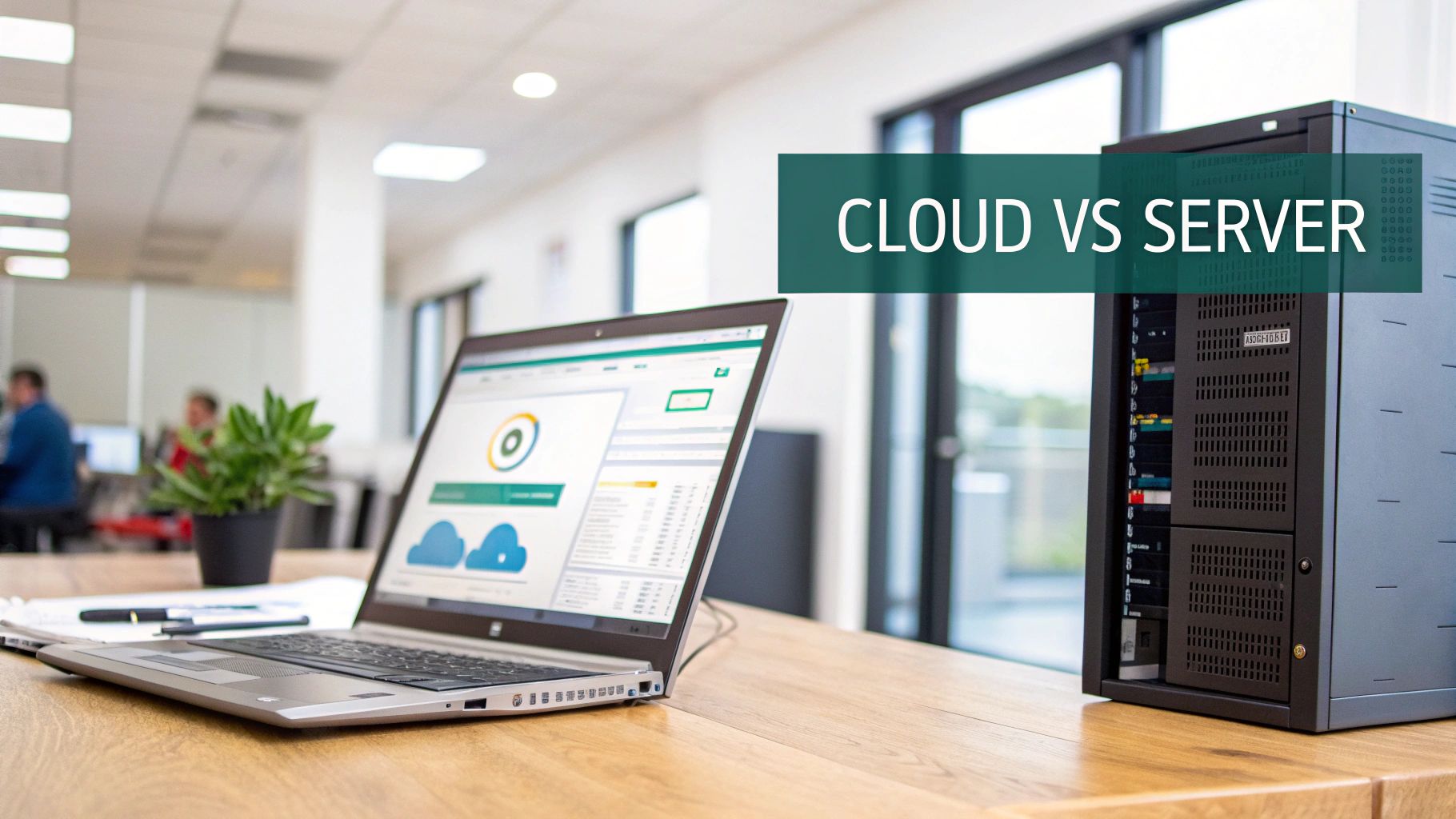
A cloud-managed network, like the awesome systems powered by Cisco Meraki, means all your access points are configured, monitored, and troubleshot through a simple web dashboard. It’s like having a single pane of glass for your entire network, no matter how many locations you have. This approach is a total game-changer for organizations with multiple sites, like Retail chains, distributed Corporate offices, or sprawling Education campuses.
On the other hand, the on-premise model is the classic approach. You buy, house, and maintain all the server hardware and software that runs your Wi-Fi infrastructure right there in your facility. This is still the go-to for organizations with strict data sovereignty rules or for IT teams that want total physical control over every single component in their network stack.
| Feature | Cloud-Managed Wi-Fi | On-Premise Server Wi-Fi |
|---|---|---|
| Management | Centralized web dashboard | Localized server interface |
| Scalability | Easily add new sites & devices | Requires hardware upgrades |
| Upfront Cost | Lower (subscription-based) | Higher (hardware purchase) |
| Maintenance | Handled by the provider | Managed by an in-house IT team |
Modern Authentication in Both Worlds
No matter which model you're leaning towards, today's networks demand smarter Authentication Solutions. In environments like Education or Corporate settings with BYOD policies, getting thousands of unique devices online securely can be a huge headache. This is where clever tools like IPSK (Identity Pre-Shared Key) and EasyPSK shine, giving each user or device its own unique key without the heavy lift of complex enterprise setups.
For public venues like Retail, the goal is totally different. Here, you need a smooth guest wifi experience. A well-designed Captive Portal with social login options can turn your network into a powerful marketing asset. Both cloud and on-premise systems can handle these advanced Authentication Solutions, but the ease of setup and ongoing management varies wildly between them. As we'll dig into, the benefits of cloud-managed IT often create a much more agile and future-proof network.
A Head-to-Head Comparison of Wi-Fi Management Models
When you’re weighing cloud versus on-premise Wi-Fi, it’s about more than just where your data lives. It’s a fundamental choice that impacts your budget, your IT team's workload, and your overall security posture. Let's get past the high-level buzzwords and dig into what really separates these two management models in the real world.
A cloud-managed solution, like the one offered by Cisco Meraki, completely changes the game for network administration. You're not managing a physical box in a server closet; you're controlling your entire network through a friendly, web-based dashboard. This approach is incredibly appealing for organizations that don't have a large, dedicated IT staff or those with multiple locations to manage.
On the other hand, a traditional on-premise server puts you firmly in the driver's seat. You have absolute, granular control over every piece of hardware and software. This is often the preferred route for organizations with stringent compliance mandates or those who simply want ultimate authority over their own infrastructure and data flow.
Total Cost of Ownership
Looking at the price tag is only the first step. The on-premise model is heavy on capital expenditure (CapEx) right out of the gate. You're buying the servers, the software licenses, and potentially investing in the physical security and cooling for the server room itself.
Cloud management flips that script entirely, turning it into a predictable operational expenditure (OpEx). You pay a recurring subscription fee that bundles the hardware, software, updates, and support into one neat package. For many businesses, that predictability is a huge win.
The industry trend is crystal clear. Enterprise spending on cloud infrastructure hit a staggering $107 billion in a single quarter, marking a 28% year-over-year increase. This isn't just a fad; it’s a massive shift toward valuing operational agility and scalability over owning physical hardware.
Day-to-Day Administrative Effort
This is where the difference becomes impossible to ignore. An on-premise server is a hands-on job that demands constant attention from your IT team. Their to-do list is never-ending.
- Manually applying firmware updates and security patches.
- Monitoring the physical health of the server and swapping out failing parts.
- Making sure the server room stays cool and has redundant power.
Cloud platforms like Cisco Meraki handle almost all of this for you. Updates are pushed out automatically from the cloud. The vendor monitors hardware health. And of course, there's no server on-site for your team to worry about. This frees up your IT experts to work on projects that actually move the business forward, not just keep the lights on. For a closer look at how this works, it’s worth understanding the core principles of modern access point management.
Security and Authentication Solutions
Security is always a hot topic in the cloud versus server discussion. With an on-premise setup, you have total control over your security stack, but the flip side is that you're also 100% responsible for configuring, monitoring, and maintaining it. One mistake can be costly.
Cloud platforms, however, centralize security management. This allows you to roll out consistent, airtight security policies across hundreds of locations with just a few clicks. For sectors like Education managing thousands of student devices or Corporate offices navigating complex BYOD policies, this is a massive advantage. Deploying powerful Authentication Solutions like IPSK or EasyPSK goes from being a complex project to a simple configuration task.
For public-facing networks in Retail or hospitality, cloud management truly shines. It makes building engaging guest wifi experiences incredibly simple. Integrating features like social login via a Captive Portal is often built right in, turning your network into a valuable marketing asset with minimal effort. This makes achieving a seamless social wifi experience a practical reality for any business.
Cloud vs On-Premise Server Wi-Fi Management Key Differentiators
To really see the differences side-by-side, it helps to put them in a table. This isn't about one being "better," but about which model aligns with your organization's resources, priorities, and goals.
| Feature | Cloud-Managed (e.g., Cisco Meraki) | On-Premise Server |
|---|---|---|
| Initial Cost | Lower (OpEx subscription model) | Higher (CapEx for hardware & licenses) |
| Maintenance | Automated updates; managed by provider | Manual updates; managed by in-house IT |
| Scalability | Simple; add new devices to the dashboard | Complex; requires hardware procurement |
| Remote Management | Built-in; manage from anywhere | Requires VPNs or remote access tools |
| Authentication | Simplified deployment of IPSK, social login | Requires manual configuration and integration |
Ultimately, the choice comes down to control versus convenience. The table above shows that cloud solutions prioritize ease of use and scalability, while on-premise gives you the final say on every single component of your network.
Wi-Fi Solutions for Education, Retail, and Corporate BYOD
The whole "cloud versus server" debate is a lot less abstract when you start talking about real-world situations. A Wi-Fi setup that’s perfect for a local coffee shop would completely buckle under the strain of a university campus. The truth is, different industries have wildly different needs, and the best management model comes down to the specific challenges you’re trying to solve.

Let's look at how this plays out in three very different environments: Education, Retail, and Corporate offices navigating BYOD policies. We'll see how the right combination of hardware, like Cisco Meraki, and smart Authentication Solutions can make all the difference.
Education: The Challenge of Scale and Simplicity
Schools and universities face a massive Wi-Fi headache. They have to connect thousands of devices—laptops, tablets, phones—for students, faculty, and staff, all while enforcing strict security and content filtering rules. The sheer number of users makes old-school manual management a nightmare for already overworked IT teams.
This is exactly where a cloud-managed platform shines. An IT director can sit at a single desk and monitor the network health of an entire campus, from the library to the student dorms.
In education, being able to quickly deploy and change network access isn't just a nice-to-have; it's essential. A cloud dashboard lets you make instant policy changes or quarantine a rogue device across the whole network—tasks that could take days with a traditional server setup.
Cloud platforms like Cisco Meraki are built for this kind of scale. Crucially, they also solve one of the biggest problems in Education: getting everyone's devices online securely. Tools like EasyPSK are a game-changer here, letting IT generate unique, secure credentials for every single student and staff member. You get rid of the massive security hole of a shared password without the headache of complex enterprise authentication.
Retail: Turning Guest Wi-Fi into a Business Asset
In the Retail world, the goals are completely different. Guest wifi is all about enhancing the customer experience and, hopefully, boosting the bottom line. A slow or confusing login is a guaranteed way to annoy shoppers and miss out on a golden opportunity to connect with them. What retailers really need is a seamless, branded experience that also delivers useful marketing insights.
This is where a powerful Captive Portal becomes indispensable. Cloud-managed systems make this incredibly simple, often providing built-in tools to create slick, branded splash pages without needing a developer.
Key features for retail guest wifi usually include:
- Social Login: Letting customers connect with their social media accounts is quick, painless, and provides valuable (and permissioned) demographic data. This is the heart of any good social wifi strategy.
- Data Capture: The captive portal can be used to gather email addresses or phone numbers for your marketing list in exchange for free Wi-Fi.
- Branded Experience: The entire login journey can be customized with the store's colors, logos, and messaging, reinforcing your brand from the moment a customer connects.
While an on-premise server can certainly be configured to do all this, it almost always means bolting on a separate, specialized platform. Cloud solutions often bundle these features right in, making it far easier for retailers to launch a professional and effective guest wifi network, even without a dedicated IT staff. To get a better feel for what's possible, exploring modern Wi-Fi solutions for business shows just how advanced these capabilities have become.
Corporate BYOD: Securing the Personal Device Invasion
Back in the Corporate world, IT departments are wrestling with the Bring Your Own Device (BYOD) trend. Employees expect to use their personal smartphones and laptops for work, but this opens up a huge security can of worms. How do you give them access to company resources without putting your network at risk?
The answer is granular access control. The cloud versus server decision here isn't about which one can be secure, but which one does it more efficiently. Both models can support strong Authentication Solutions like IPSK (Identity Pre-Shared Key). IPSK is practically built for BYOD, as it assigns a unique key to each employee's collection of devices. If someone leaves the company, you can revoke their access in seconds without disrupting anyone else.
The real difference is in the day-to-day management. With a cloud platform, an admin can manage all these individual keys and policies from literally anywhere. An on-premise server has the same technical ability but ties that control to a local interface or requires clunky remote access tools like a VPN. For any business with a mobile workforce or multiple sites, the centralized, "anywhere" control you get from a cloud solution like Cisco Meraki is usually the more practical and secure choice.
Integrating Advanced Authentication and Captive Portals
A modern Wi-Fi network is so much more than just a pipe to the internet. When you're weighing the cloud versus server decision, the real difference-maker often isn't the hardware itself but how seamlessly your network integrates with the tools that handle security and user experience. Whether you go with a cloud platform or an on-premise server, adding powerful third-party features is what turns a basic network into a strategic asset.
This is especially true when it comes to Authentication Solutions. Your network hardware, whether it's from a giant like Cisco or its cloud-native Meraki line, provides the essential backbone. But it's the specialized platforms layered on top that truly unlock its potential, adding robust security and creating smooth user journeys that the hardware alone can't deliver.
Unlocking Advanced Security with IPSK and EasyPSK
In high-density environments like Education or BYOD Corporate sectors, controlling network access is non-negotiable. Handing out a single, shared Wi-Fi password is just asking for trouble. That’s where more advanced methods like IPSK (Identity Pre-Shared Key) and EasyPSK come in.
These technologies fundamentally change the game by allowing you to issue a unique, private password for every single user or device. This completely transforms both security and day-to-day management:
- For Students: An Education campus can give each student an EasyPSK that works across all their devices for the entire school year. The moment they graduate, that key is revoked, and their access is gone.
- For Employees: A Corporate office can issue an IPSK tied to an employee's devices. If that employee leaves the company, their access can be cut off instantly without disrupting anyone else.
The great news is that these Authentication Solutions integrate beautifully with both cloud-managed Cisco Meraki networks and traditional on-premise server setups. The integration layer does the heavy lifting of complex key management, making a highly secure network far easier to administer.
The key takeaway is that your choice of cloud versus server doesn't have to limit your security options. A smart integration can bring enterprise-grade authentication like IPSK to any high-performance network, giving you the best of both worlds.
Creating Engaging Guest Wi-Fi with Captive Portals
Over in the Retail sector, the conversation shifts from ironclad security to creating fantastic customer experiences. This is where the Captive Portal shines. A Captive Portal is that branded login page a user sees when they first connect to your guest wifi, and it's an incredibly powerful tool for engagement.
A well-designed Captive Portal turns your Wi-Fi from a simple amenity into a marketing engine. By including features like social login, you make it incredibly easy for customers to get online with their existing social media accounts. This social wifi approach not only removes friction from the login process but also provides valuable, anonymized demographic data to help you understand your customers better.
Bridging the Gap Between Hardware and Experience
This is where you have to understand the distinction between the network infrastructure and the user experience platform. Hardware from Cisco Meraki delivers world-class performance and reliability. But creating a truly dynamic and on-brand user journey often requires a specialized solution.
These platforms act as a bridge, taking the powerful signal from your Meraki access points and layering a rich, interactive experience on top. Whether you're running a cloud-managed network or a local server, you can integrate a system that manages:
- Custom-branded splash pages
- Multiple login options, including social wifi
- Tiered access levels and payment gateways
- User data collection for marketing outreach
This flexibility means you are never locked into the default features of your hardware. You can learn more about how a wifi captive portal can completely transform your guest network. The best setup almost always combines top-tier hardware with a nimble, feature-rich authentication and engagement platform.
Comparing Network Performance, Security, and Reliability
When you get down to the brass tacks of choosing between a cloud-managed or on-premise network, the conversation always comes back to three critical elements: performance, security, and reliability. These aren't just IT buzzwords; they're the bedrock of a network that works for you, not against you. How each model tackles these fundamentals reveals the real-world trade-offs you'll be making.
A cloud-managed network, especially one from a major player like Cisco Meraki, moves the heavy lifting of network management into massive, purpose-built data centers. This entire architecture is engineered for uptime, delivering a level of high availability that would be astronomically expensive and complex to build yourself.
On the other hand, an on-premise server puts you in the driver's seat. Every single security policy, data packet, and configuration file is under your direct physical control. This approach offers the ultimate in authority, but it also means the full weight of performance tuning, security patching, and building in redundancy lands squarely on your IT team.
The Performance and Reliability Equation
In a cloud model, performance often gets a boost from the provider's ability to analyze massive amounts of network traffic and automatically push out optimizations. Cisco Meraki dashboards, for instance, give you incredible visibility into application usage and overall network health, letting your team spot and resolve bottlenecks without ever stepping into a server room. This centralized intelligence is key to maintaining a consistently smooth experience for users everywhere.
The catch? Reliability in a cloud setup is tethered to your internet connection. While a Meraki network will keep running locally if your internet goes down—authenticated users can still get to local printers and servers—you lose the ability to manage the network or see analytics until you're back online. This is a crucial point for any business to consider.
With an on-premise server, your local network's reliability is entirely in your own hands. It doesn't depend on an outside internet link for management, creating a self-sufficient ecosystem. The trade-off is that you're responsible for building and maintaining all your own redundancy, from backup power supplies to failover servers, which adds significant cost and complexity.
Security Control and Data Sovereignty
The security debate here really boils down to control versus convenience. An on-premise server gives you absolute data sovereignty. For organizations in sectors with strict data residency laws or those handling highly sensitive information, knowing that no data ever leaves the building is a non-negotiable. You build your security stack from the ground up, hand-picking your firewalls, intrusion detection systems, and access policies. For a deeper dive into this, our guide on the best practices for network security offers some valuable insights.
Cloud platforms take a different approach to security. Top-tier providers like Cisco pour enormous resources into securing their infrastructure—often far more than a single organization could ever afford. Security updates and patches are rolled out automatically across the globe, protecting your network from new threats without you having to lift a finger. This model is incredibly effective for distributed organizations in Retail or Education that need to enforce the same tough security policies across dozens or hundreds of locations.
Modern Authentication Solutions like IPSK and EasyPSK are powerful tools that can be deployed in either model. However, their management is often far simpler in a cloud environment, where centralized dashboards make it easy to issue and revoke thousands of unique keys for BYOD Corporate sectors or student populations.
The global server market itself tells this story. With the industry projected to hit a valuation of around $123 billion, it's clear that investment in both physical and virtual servers remains strong. What’s telling is that cloud servers now account for about 64% of total server spending, signaling a clear enterprise shift toward scalable, hosted workloads. This trend highlights a growing trust in cloud security and performance.
Ultimately, the right choice depends on what your organization truly needs. If you require absolute control and have the in-house expertise to manage a complex security infrastructure, an on-premise server is a solid bet. But if you value ease of management, automated security, and performance that can scale at a moment's notice, a cloud-managed solution is likely the smarter move.
Making the Right Choice for Your Wi-Fi Network
After breaking down all the technical details, it's time to actually make a call. Deciding between a cloud or a server-based setup isn't just about picking technology; it's a strategic move that needs to align with your organization's resources, long-term goals, and day-to-day operational realities.
Whether you're a small coffee shop wanting to offer a simple guest wifi login or a sprawling university campus managing thousands of student and faculty devices, the "right" answer is always rooted in your specific situation. The best solution should feel like it was built for you, not like a compromise.
This decision tree gives you a visual on how to weigh the core factors—performance, security, and reliability—when choosing your path.
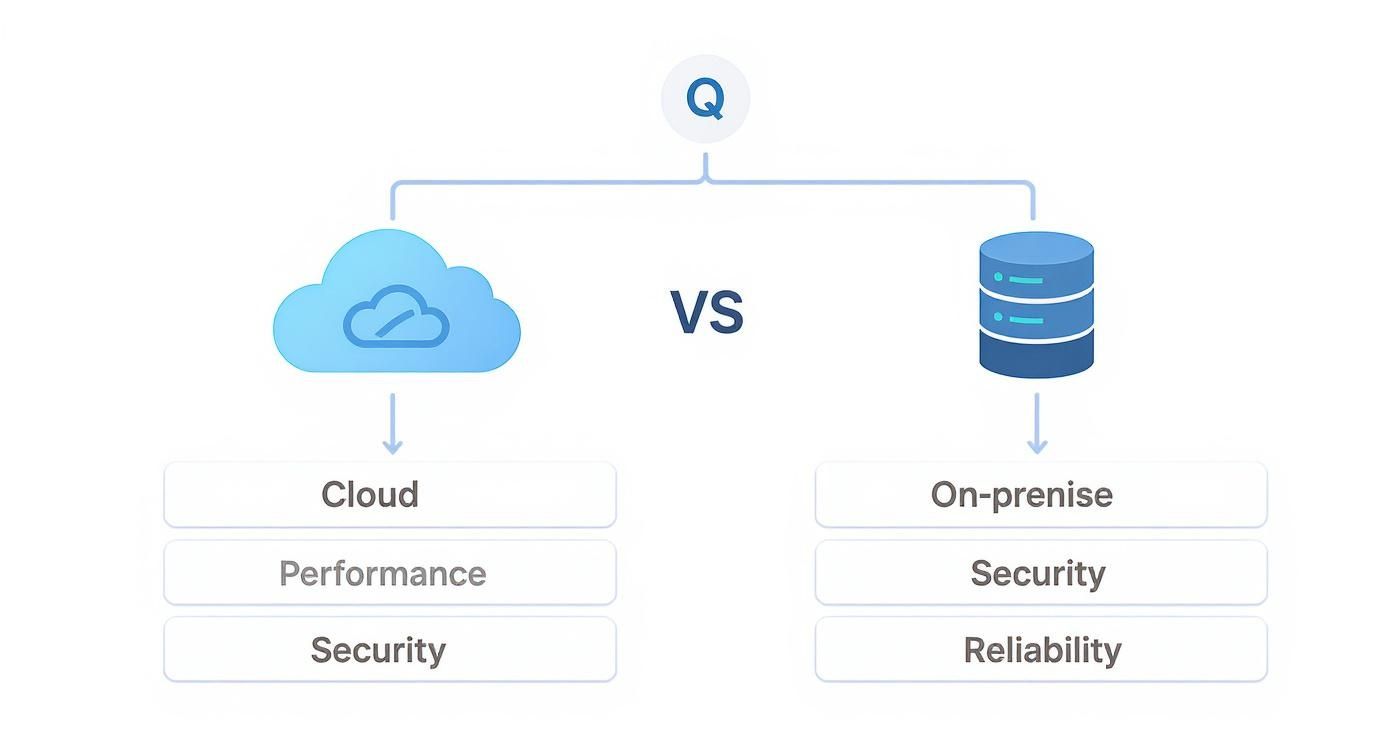
As the diagram shows, the fundamental choice comes down to what you value more: the simplicity of centralized, automated management or the granular, hands-on control of your own infrastructure.
Situational Recommendations for Your Sector
Let's get practical and look at this through an industry lens. What works for a multi-site retail chain is often a poor fit for a single, high-security government office.
-
Retail and Hospitality: In any environment where customer and guest engagement is key, a cloud-managed solution is almost always the clear winner. The speed at which you can roll out a branded Captive Portal, complete with social login options, is a huge competitive edge. Pairing a Cisco Meraki network with a flexible authentication platform creates a nimble social wifi experience that guests remember.
-
Education and BYOD Corporate Sectors: These places are all about securely managing a massive and diverse number of devices. While an on-premise server gives you ultimate control, the sheer administrative lift is significant. The operational ease of a cloud dashboard is tough to argue with when you need to deploy and manage thousands of unique credentials using EasyPSK or IPSK. It frees up your IT team to focus on bigger problems.
A hybrid mindset often yields the best results. By combining best-in-class, cloud-managed hardware like Cisco Meraki with a specialized authentication platform, you get the simplicity of the cloud without sacrificing the advanced features your users and security policies require.
Don't count out the on-premise server just yet. Its market is still a major force, and the boom in AI and private cloud services is actually driving more investment into powerful local infrastructure. This growth shows that for many organizations, especially those with strict data sovereignty or performance needs, direct control is non-negotiable. You can see more on these trends in this report on the global server market and its leading brands.
Ultimately, your decision in the cloud versus server debate should be an empowering one. For most modern businesses, a cloud-first approach using reliable hardware from vendors like Cisco alongside specialized Authentication Solutions strikes a perfect balance—blending intuitive management with the robust security and performance needed to succeed.
Got Questions? We've Got Answers
Choosing between a cloud-managed and an on-premise Wi-Fi solution brings up a lot of questions. It’s a big decision. We've compiled a few of the most common ones we hear from folks in Education, Retail, and Corporate offices managing BYOD environments.
Can I Still Offer Guest Wi-Fi Features Like Social Logins with an On-Premise Server?
You absolutely can. It's a common misconception that slick features like social wifi are exclusive to cloud platforms like Cisco Meraki. While they often come built-in, you can get the same results—and often more control—with an on-premise setup.
The trick is integrating a dedicated Captive Portal solution. This approach lets you own the entire user journey and data, turning your network into a powerful marketing tool without being tied to a cloud-only ecosystem.
Is a Cloud-Managed Network Like Cisco Meraki Less Secure?
Not necessarily. The security of your network comes down to how it's managed, not where it’s hosted. Big cloud providers like Cisco pour massive resources into security, offering things like automated firmware updates, intrusion detection, and centralized policy enforcement right out of the box.
An on-premise server can be a fortress, but its security is entirely on your team's shoulders—from initial configuration to ongoing patching and monitoring. For many organizations, a well-managed cloud solution that uses advanced Authentication Solutions like IPSK or EasyPSK provides a stronger, more reliable security posture from day one.
The real question isn't if the cloud is secure. It's whether your team has the bandwidth and expertise to maintain a higher level of security on-premise than a dedicated provider can in the cloud. For most, the answer is a hard no.
What Happens to My Cisco Meraki Wi-Fi If Our Internet Connection Fails?
This is probably one of the most critical questions in the cloud versus server debate, and the answer is reassuring. If your site loses its connection to the Meraki cloud dashboard, your local Wi-Fi network keeps on ticking.
Authenticated users won't notice a thing and can still access local network resources. All your traffic shaping and security policies remain in effect. The only thing you can't do is make configuration changes or see live analytics until your internet is back online.
Ready to get more from your Cisco Meraki network? Splash Access delivers the advanced captive portal and authentication tools you need to build secure, smart, and engaging Wi-Fi experiences.
Find out how we can help your organization at https://www.splashaccess.com.